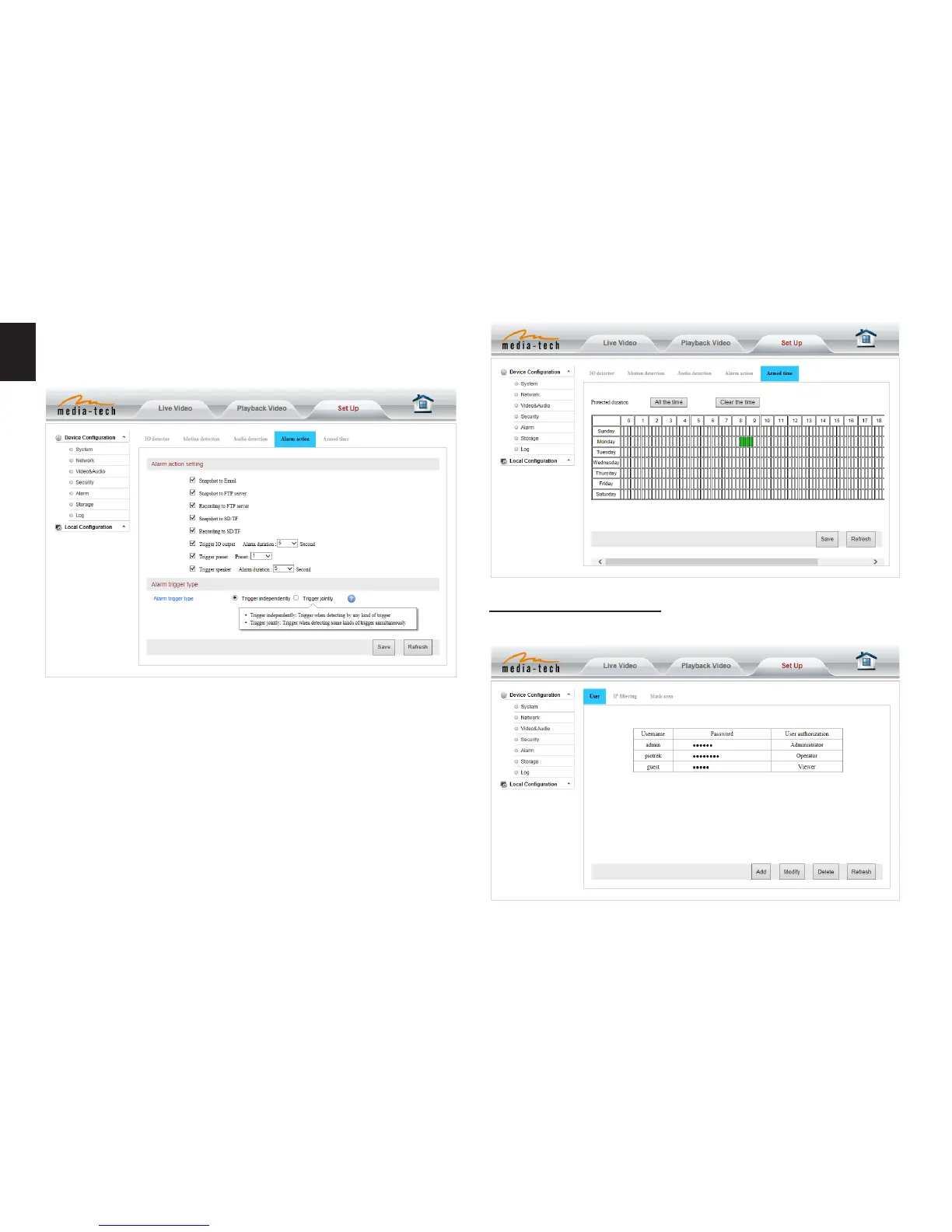
Note: Please make sure your system time is correct before
you set the alarm time period�
Advanced setting
User management
Alarm time setting
The device will trigger the alarm only during the scheduled
time period, you can select the scheduled time according
to your request� Example of gure below, set armed time
from Mon 8:30 to 9:30, you only need to click the corre-
sponding time block to set them, the time block will be-
come green when you selected�
Alarm mode setting
After camera detects any change, it will alarm as several
mode�


 To Next Page