RX8000 Integrated Receiver/Decoders
1553-FGB 101 759 Uen K
www.mediakind.com
3.4.4.5. Advanced View
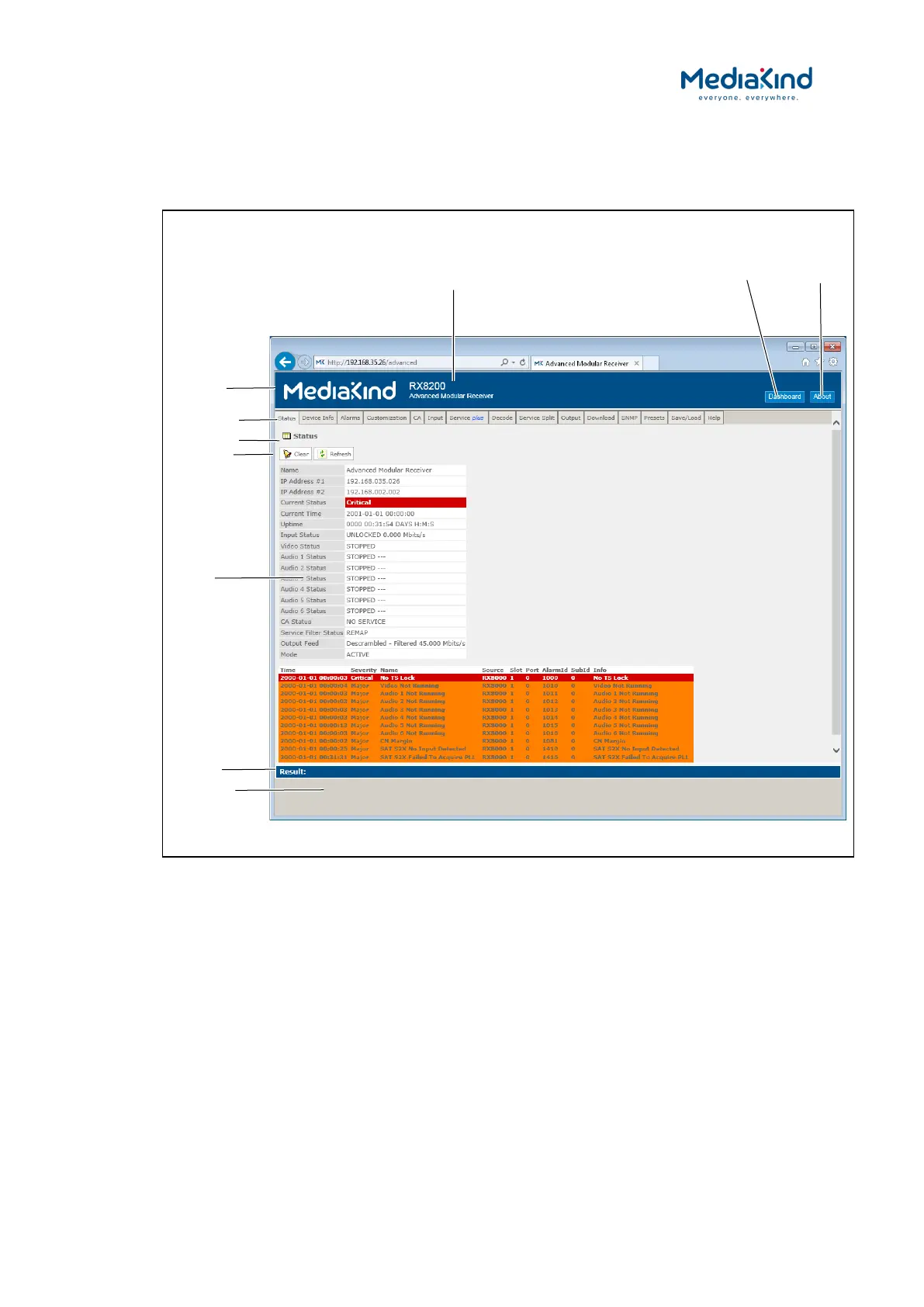
When in Advanced View, the Web Browser Interface displays various web pages, corresponding to
the different functions of the IRD, as shown in Figure 3-13.
Figure 3-13 Web Page Overview in Advanced View
• Header – The header of the web page displays the MediaKind
logo and the unit model number/name.
• Dashboard Button – When in Advanced View mode, this
button will switch the web interface to the Dashboard View.
• About – When clicked, displays an information dialog about
the unit, including the software version number. Click the OK
button to close the dialog.
Unit Model Number and Name
button
button


 To Next Page