Genio 350 EVK
Genio 350 Evaluation Kit Hardware User Guide
Unclassified
MediaTek Proprietary and
Confidential
© 2022 MediaTek Inc. All rights reserved.
Unauthorized reproduction or disclosure of this document, in whole or in
part, is strictly prohibited.
Page 16 of
3.13 How to Switch between HDMI and Ethernet Interfaces
DPI and Ethernet MII/RMII Interfaces share some GPIO pins. These two functions can not exist simultaneously.
Reflash code and reboot system might be necessary when you switch between the interfaces. A mount of
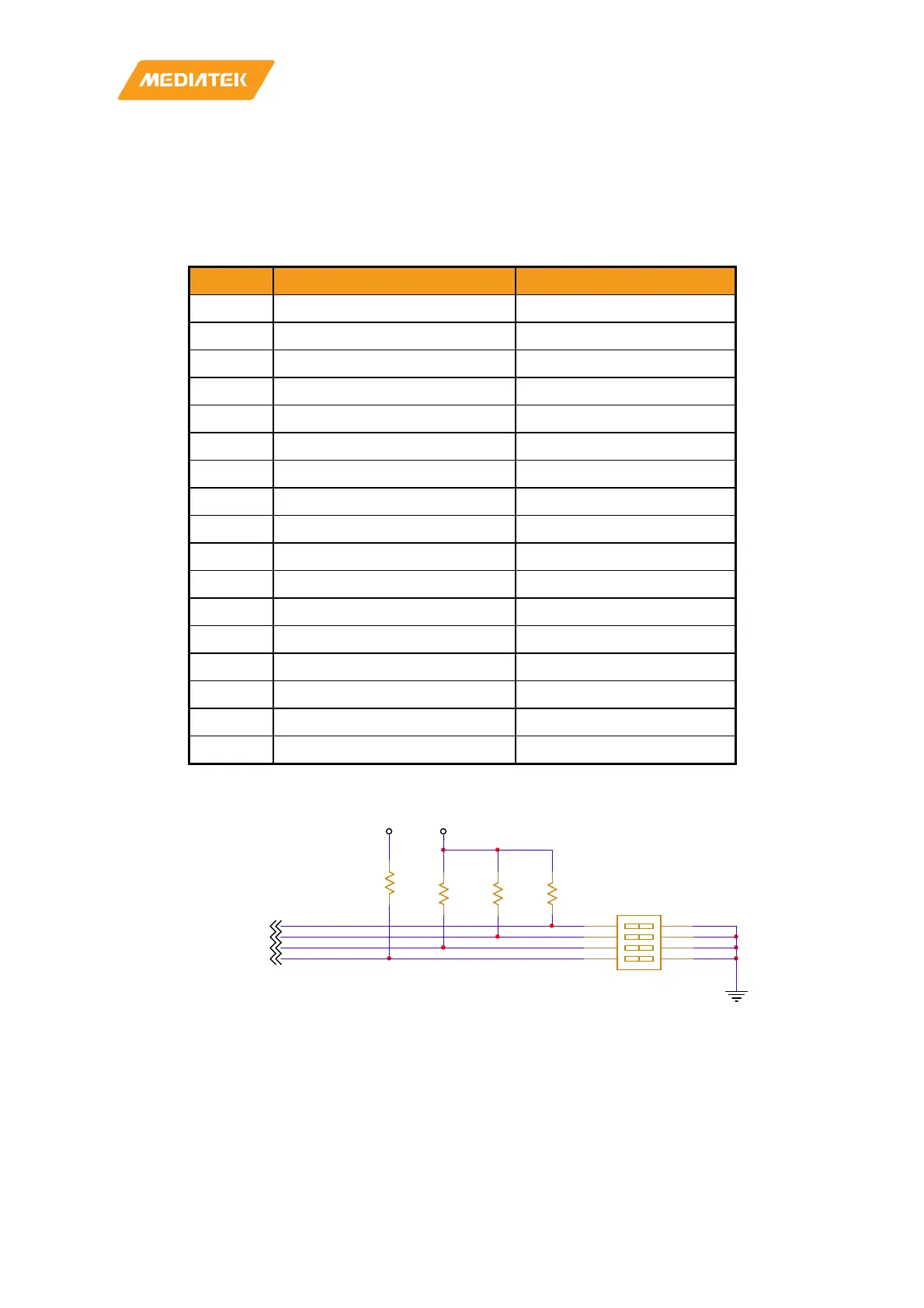
analog switch ICs (74LVC2G53) are used to switch these two interfaces. The work could be done via a DIP
switch easily. The DPI interface will be converted to an HDMI output port through a bridge IC (ITE IT66121FN).
GPIO Ethernet MII/RMII HDMI
SW2101 Off ON
GPIO0 EXT_TXD0 DPI_D0
GPIO1 EXT_TXD1 DPI_D12
GPIO2 EXT_TXD2 DPI_D2
GPIO3 EXT_TXD3 DPI_D3
GPIO4 EXT_TXC DPI_D4
GPIO5 EXT_RXER DPI_D5
GPIO6 EXT_RXC DPI_D6
GPIO7 EXT_RXVD DPI_D7
GPIO8 EXT_RXD0 DPI_D8
GPIO9 EXT_RXD1 DPI_D9
GPIO10 EXT_RXD2 DPI_D10
GPIO11 EXT_RXD3 DPI_D11
GPIO12 EXT_TXEN DPI_DE
GPIO13 EXT_COL DPI_VSYNC
GPIO14 EXT_MDIO DPI_CK
GPIO15 EXT_MDC DPI_HSYNC
Table 3-8 Pin Mux for HDMI and Ethernet MII/RMII Interface
Figure 3-3 SW2102 Circuit
VIBR_PMU
R7003
4.7K_1%
R0402
12
DPI_LAN_SEL[P26]
R7156
100K_1%
R0402
12
R7001
4.7K_1%
R0402
12
GPIO131[P6]
GPIO132
D_GND
R7002
4.7K_1%
R0402
12
GPIO131
DPI_LAN_SEL
GPIO130[P6]
VIO18_PMU
SW2101
HPS804
1
2
3
4
8
7
6
5
GPIO132[P6]
GPIO130



 To Next Page