Genio 350 EVK
Genio 350 Evaluation Kit Hardware User Guide
Unclassified
MediaTek Proprietary and
Confidential
© 2022 MediaTek Inc. All rights reserved.
Unauthorized reproduction or disclosure of this document, in whole or in
part, is strictly prohibited.
Page 20 of
3.20 Debug
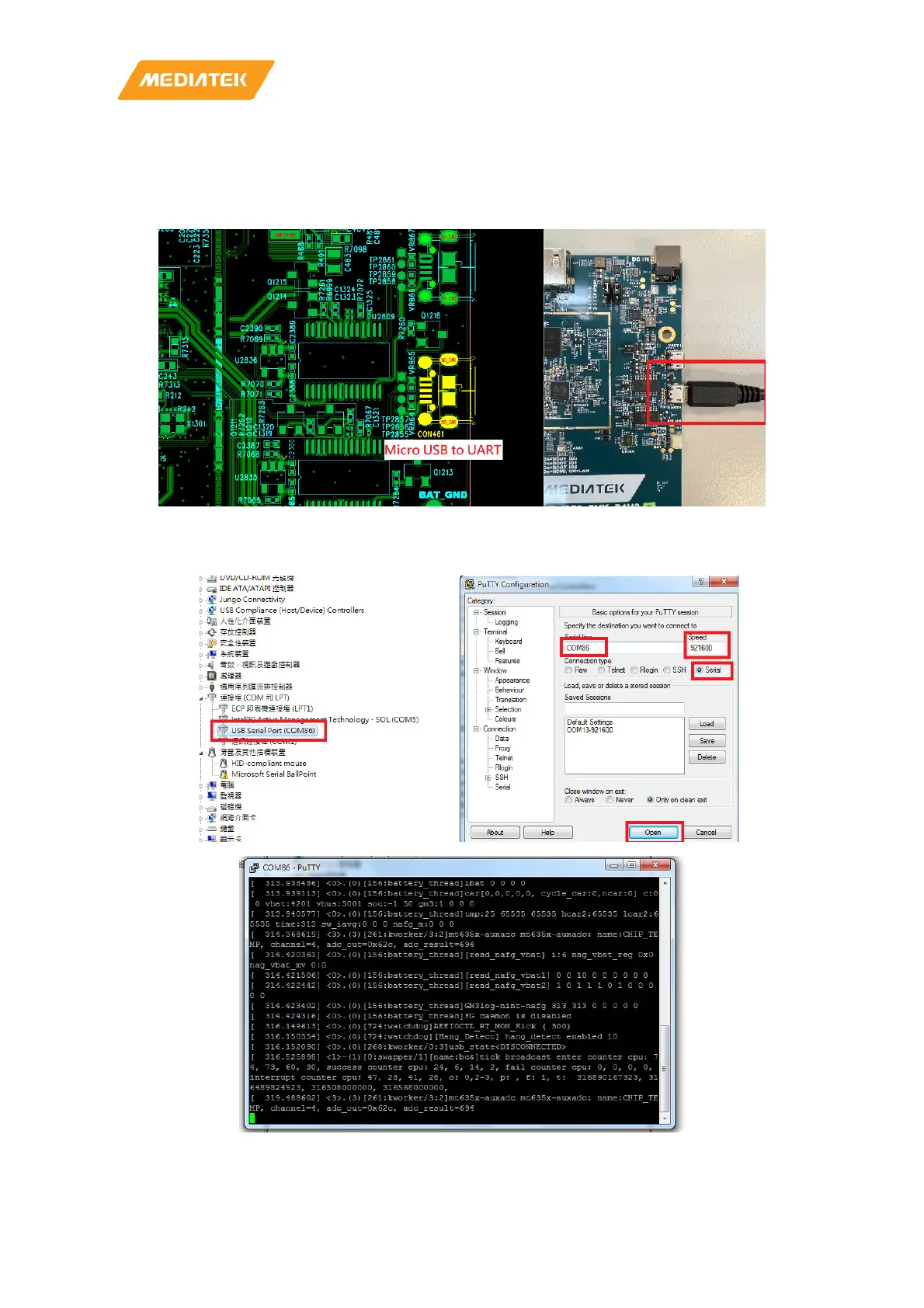
• Micro USB output UART log
• Please install FT232RL driver for micro-USB
Figure 3-9 Debug Port
• Check PC USB port could be recognized the UART device
• Setting serial, speed to 921600 and press OPEN on putty for Log(Example on Putty)
Figure 3-10 Log setting



 To Next Page