Genio 350 EVK
Genio 350 Evaluation Kit Hardware User Guide
Unclassified
MediaTek Proprietary and
Confidential
© 2022 MediaTek Inc. All rights reserved.
Unauthorized reproduction or disclosure of this document, in whole or in
part, is strictly prohibited.
Page 19 of
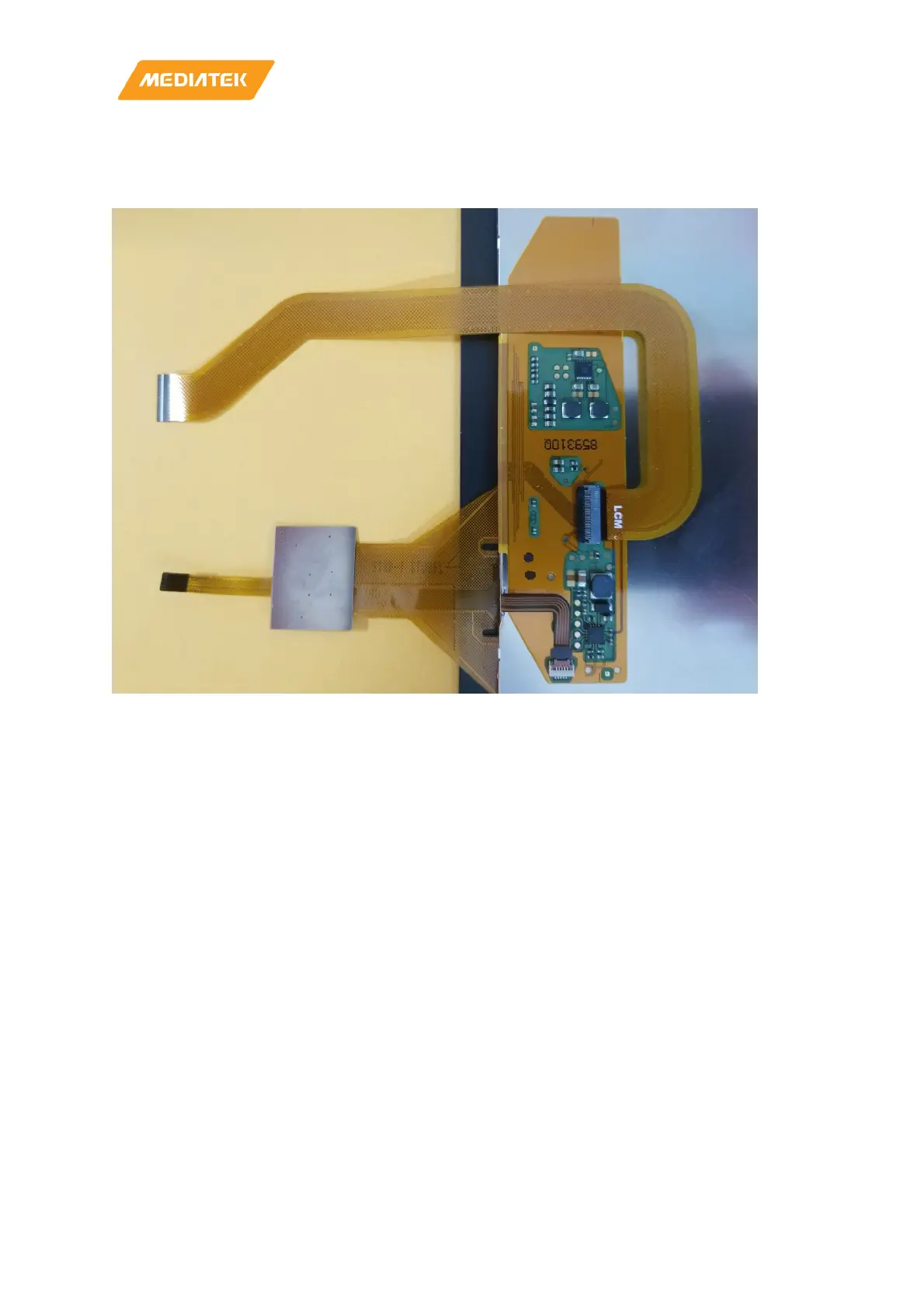
3.17 LCM FPC Installation
Please connect LCM FPC in this way.
Figure 3-8 LCM FPC Installation
3.18 How to Power Up The System
You may power on Genio 350-EVK by following steps.
1. Connect UART0 to the computer via an USB cable. (If you want to see the logs.)
2. Plug in the DC 12V power cord.
3. You will see the boot-up picture on LCD display, or some trace logs come out from UART0.
3.19 How to flash Image to the Board
1. Download prebuilt board image:
https://mediatek.gitlab.io/aiot/doc/aiot-dev-guide/sw/yocto/download.html#prebuilt-board-images
2. How to reflash image, please see the documentation from website:
https://mediatek.gitlab.io/aiot/doc/aiot-dev-guide/sw/yocto/get-started/flash/flash-Genio 350-evk.html



 To Next Page