MEGA65 Welcome Guide
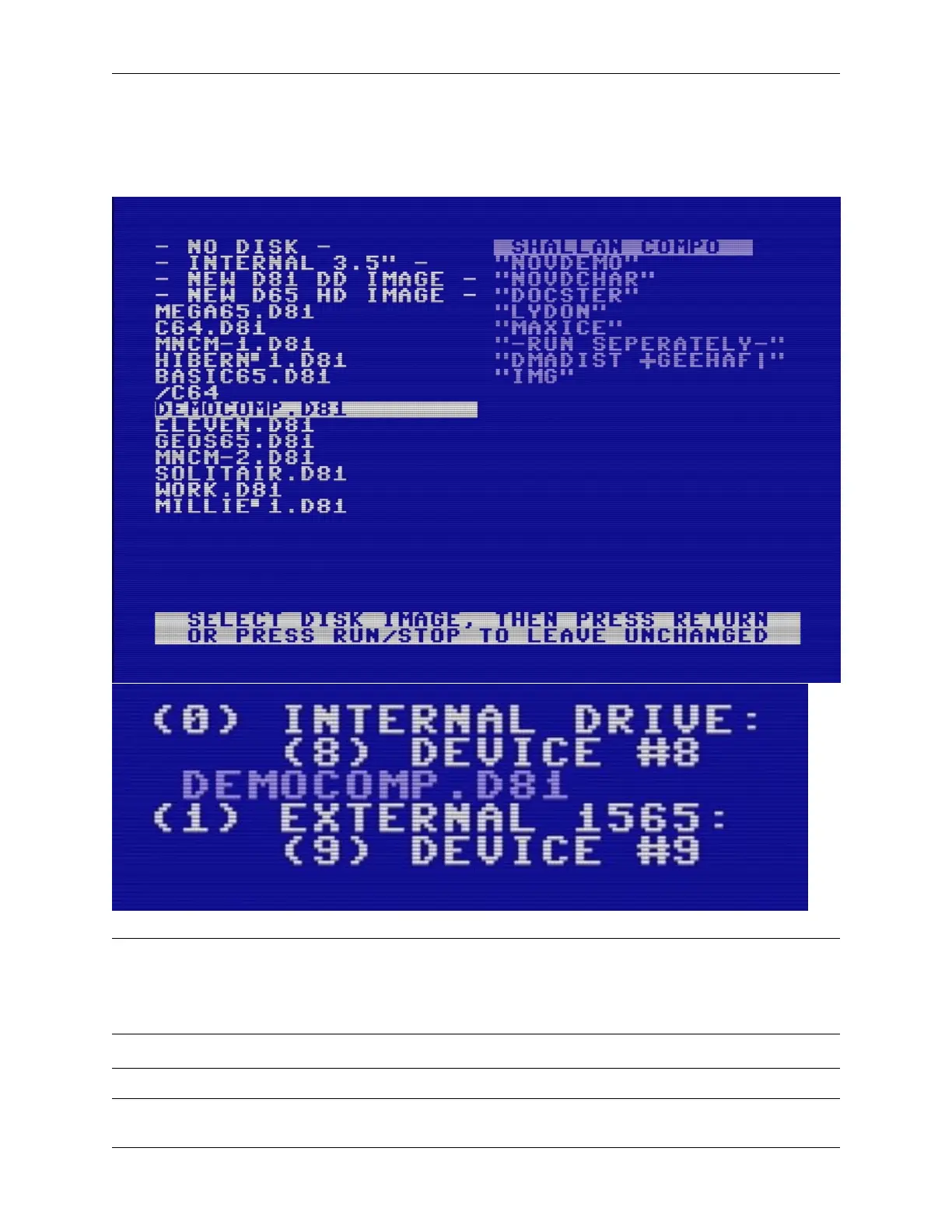
3. Use the cursor keys to navigate to DEMOCOMP.D81. Press Return to select it.
4. Notice that the disk image name appears under the “Internal drive” in the Freeze menu.
5. Press F5 to reset with this disk image in the virtual drive.
Tip: If you are mounting a disk to start a new program, use the F5 key to exit the Freeze menu with a reset. Your disk
will continue to be mounted after the reset.
While it is tempting to use the F3 key to “resume,” exiting with reset is more likely to load new programs correctly.
You only need to resume if you are swapping disks while a program is running.
Tip: The User’s Guide describes disk images and the Freezer menu in chapter 7, starting page 59.
3.6. Disk images 15



 To Next Page