MEGA65 Welcome Guide
3.9 Other bundled software
Don’t miss the other D81 disk images included with the MEGA65:
• MEGA65.D81: The original MEGA65 demo disk
• C64.D81: A disk of C64 games and demos
• BASIC65.D81: Example BASIC programs that demonstrate major BASIC commands, from the User’s Guide
• DEMOCOMP.D81: Winners of the Shallan MEGA65 demo competition
• ELEVEN.D81: The Eleven programming environment, a modern update to MEGA65 BASIC with a powerful
development environment
• GEOS65.D81: A version of the GEOS graphical operating system for the MEGA65; use this with a mouse
• SOLITAIR.D81: A Solitaire card game for the MEGA65; use this with a mouse
3.10 Configuring your MEGA65
I mentioned that the settings from the on-boarding process can be adjusted later. These settings and more are available
in the built-in configuration utility.
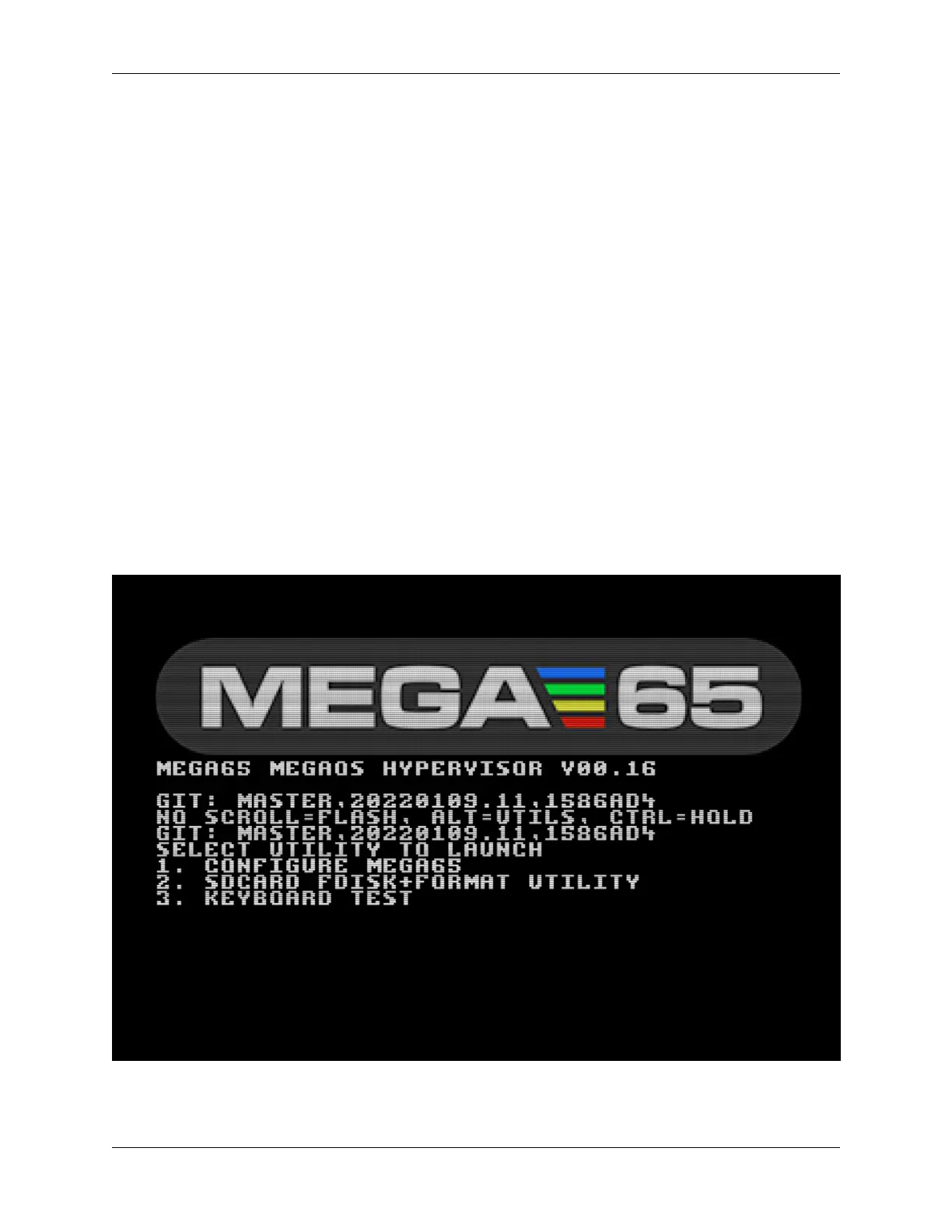
To start the configuration utility, turn off your MEGA65, then hold the Alt key (top row near the left) and turn it on.
Select option 1: Configure MEGA65 (press 1).
3.9. Other bundled software 21



 To Next Page