MEGA65 Welcome Guide
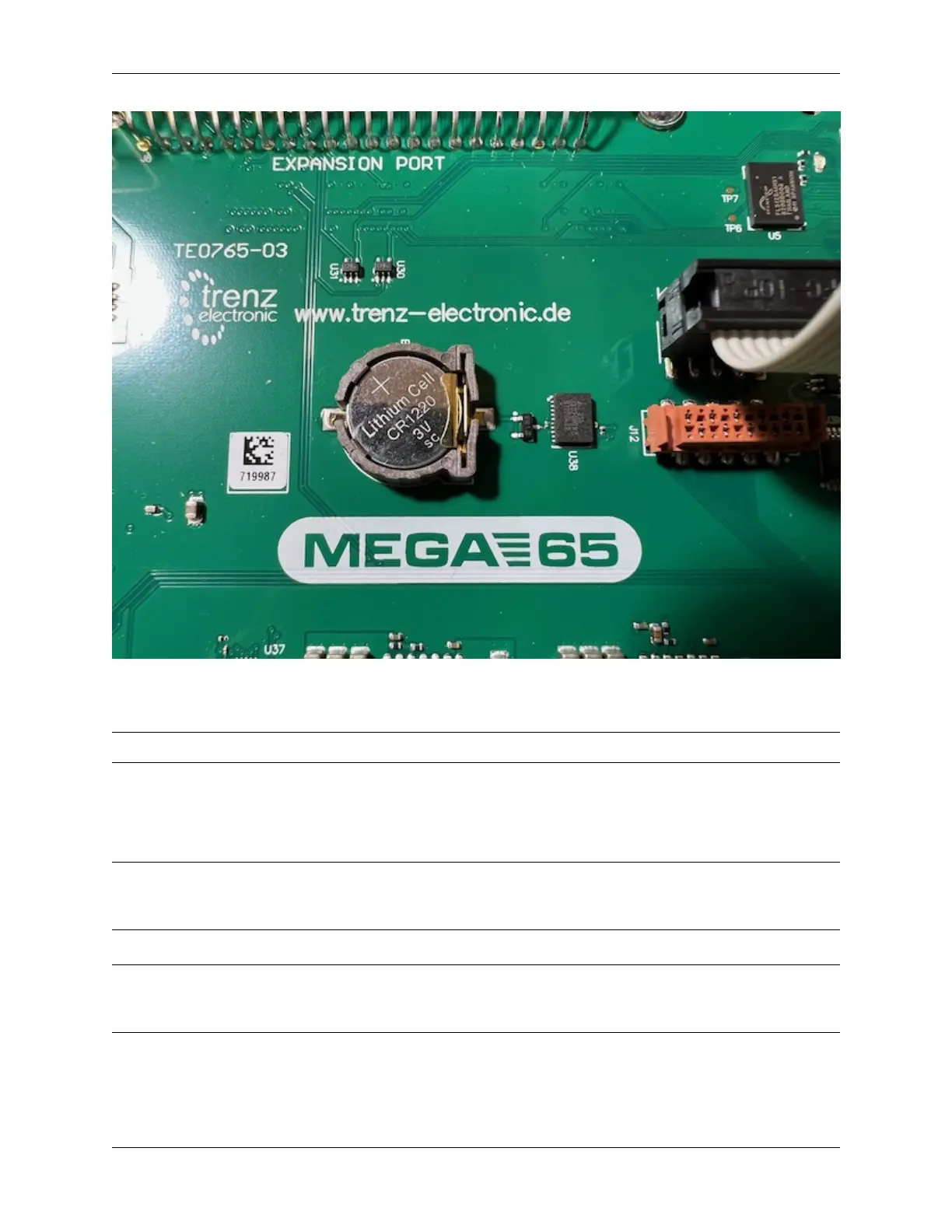
Install the CR1220 battery. Locate the battery holder on the main board. Insert the battery under the tab, with the
positive (+) side facing upward. Push down to secure it.
Tip: See Install battery CR1220 in MEGA65 for Real-Time Clock (RTC) for more photos and instructions.
Remove the full-size SD card from the internal slot. Connect it to your PC with an SD card reader. On your PC, copy
all of the files to a folder for safe keeping. Eject the device from your PC, then return the card to the MEGA65’s internal
slot.
Tip: Leaving the internal card installed in its factory state is just one option. Alternatively, you can use the internal
card as your primary card, removing it from the MEGA65 every time you need to use it with your PC. Or, you can leave
the internal slot empty. MEGA65 only needs a memory card in one of the two slots.
Tip: You can always create a new working SD card directly from the MEGA65—though it won’t include all of the
bundled disk images. I recommend backing up the contents to your PC, leaving the card installed, and using the external
microSD card slot for regular operation.
To close the case, align the plastic tabs along the back of the top and bottom case parts, then replace the three screws.
35



 To Next Page