MEGA65 Welcome Guide
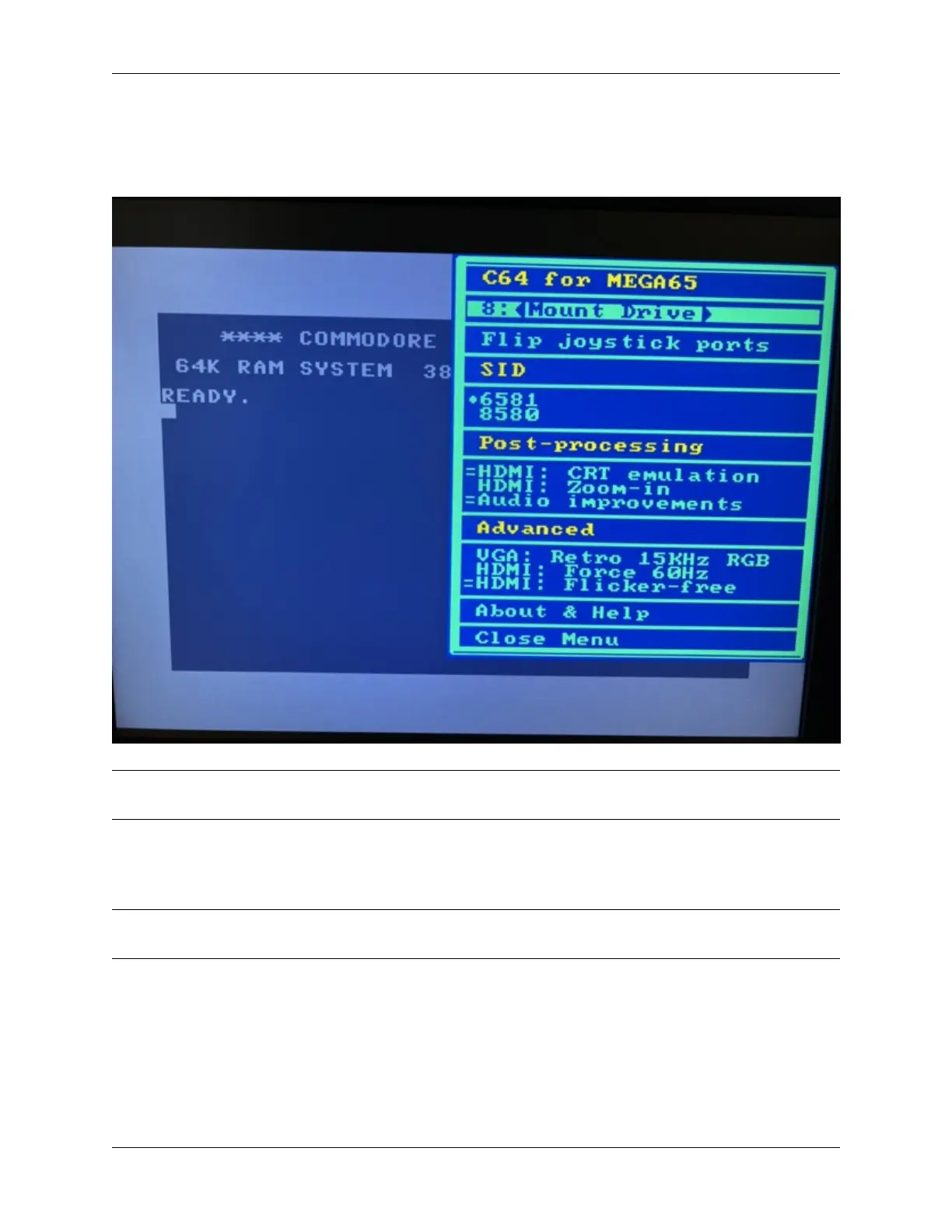
The C64 core can read D64 image files off of the SD card. While the C64 core is running, press the Help key to open
the menu. Press Return on the first line to browse the SD card, then select a disk image to mount to device 8. Press
Help again to close the menu. The disk image you selected is now mounted, and you can execute C64 disk commands
as usual (such as LOAD "*",8,1).
Tip: To avoid cluttering your SD card with D64 images, you can use your PC to create a folder named c64 and put
the D64 files in there. The C64 core will notice the folder and limit its browser to just these files.
See the Commodore 64 for MEGA65 manual for more information.
To return to the MEGA65 core in slot 1, turn off the machine, then turn it on again.
Tip: For information on other cores that work with the MEGA65, see What are “alternative” MEGA65 cores?. You
can use alternate cores to convert your MEGA65 into a ZX Spectrum or a Game Boy Color!
9.4. The C64 core 49



 To Next Page