NOTE:
The TR8703 Power Switch must be in the OFF/CHARGE position in
order for the unit to charge
The TR8703 cannot be used to test while it is charging
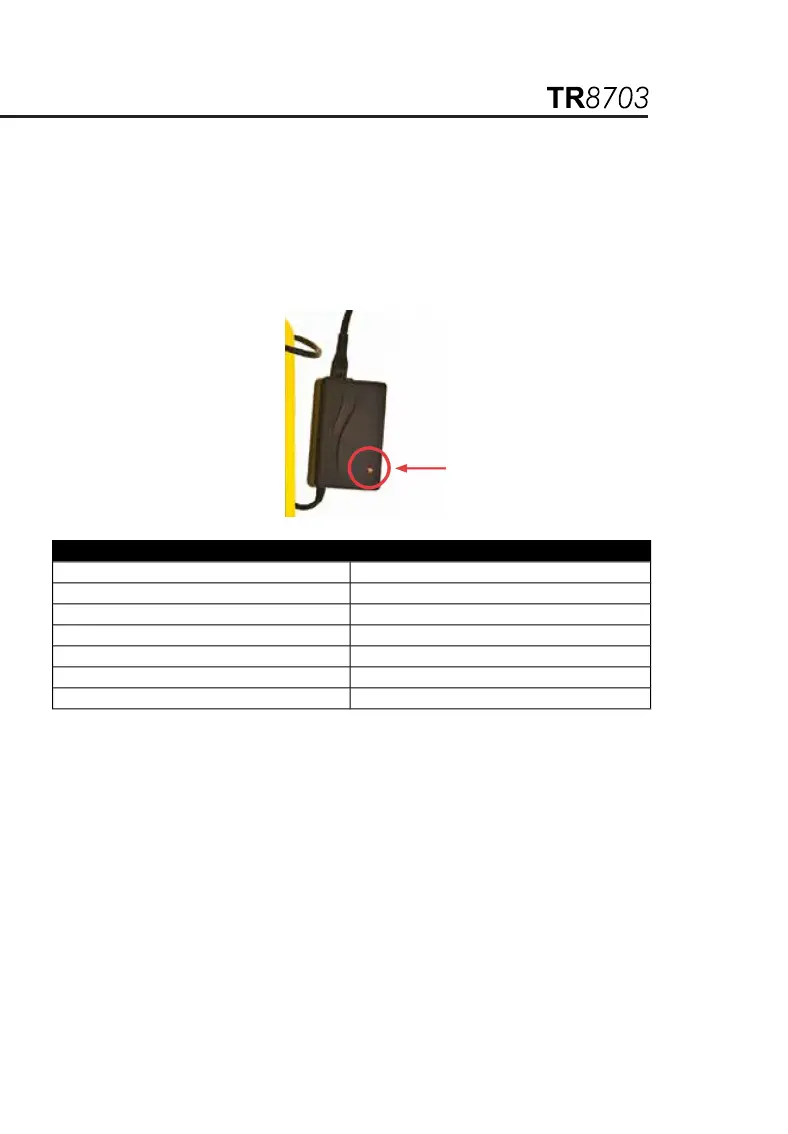
There is no indication on the front panel about the status of charging
or its completion. The Status LED is on the charger unit itself (see
below)
Charge Cycle and Status LED Indication on the Charger
LED MODE
Orange Battery not connected
Orange Battery initialization & analysis
Red Fast Charge
Green with intermittent Orange flash Top-off charge
Green Trickle charge
Alternating Red-Green Error
The smart charger has the following features:
Multiple charge detection methods -dV (typical) and dT/dt
Typically, the indication that the battery is fully charged is detected
by a slight drop in its voltage (-dV). However, if the batteries are
unused for a long time, they may display the same drop in voltage in
the early part of the charge cycle even if they are not fully charged.
This is a false indication. In order to prevent the termination of
charge cycle due to this false indication, there is an integral timer
built in the charger which will disregard the –dV for the first minutes
of the charge cycle.
The battery packs are built with a thermistor. The smart charger
constantly monitors the battery pack temperature. A built-in
temperature charge control (+dT/dt) secures optimal charge.


 To Next Page