www.megger.com/baker
Megger Baker ADX Quick Reference Guide
27
ADX Software Overview
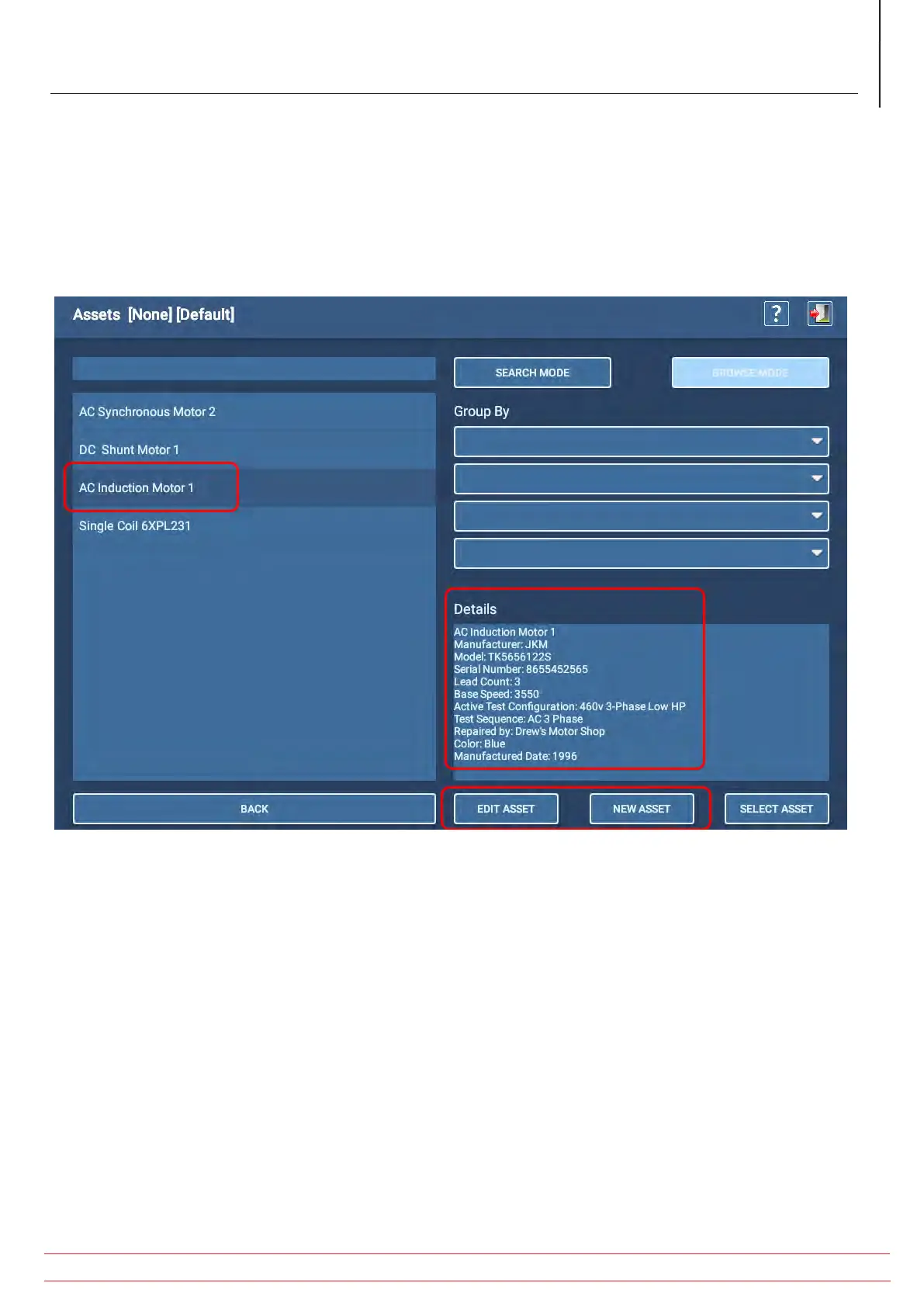
The Asset Selection screen lists the Assets currently available in your organization. In a new system, the list will contain
only a few common example Assets as shown in the image below.
1. If you have a motor that is similar to one shown in the list, you can click on or touch the Asset to highlight it then touch
the EDIT ASSET button to open it in the Asset Editor screen where it can be copied to create a new Asset.
2. If you prefer to create a new Asset from scratch, touch the NEW ASSET icon.
3. Note the Details section, which provides an overview of current information collected about the selected Asset
Fig 26: Select an Asset to edit and copy, or create a new asset.


 To Next Page