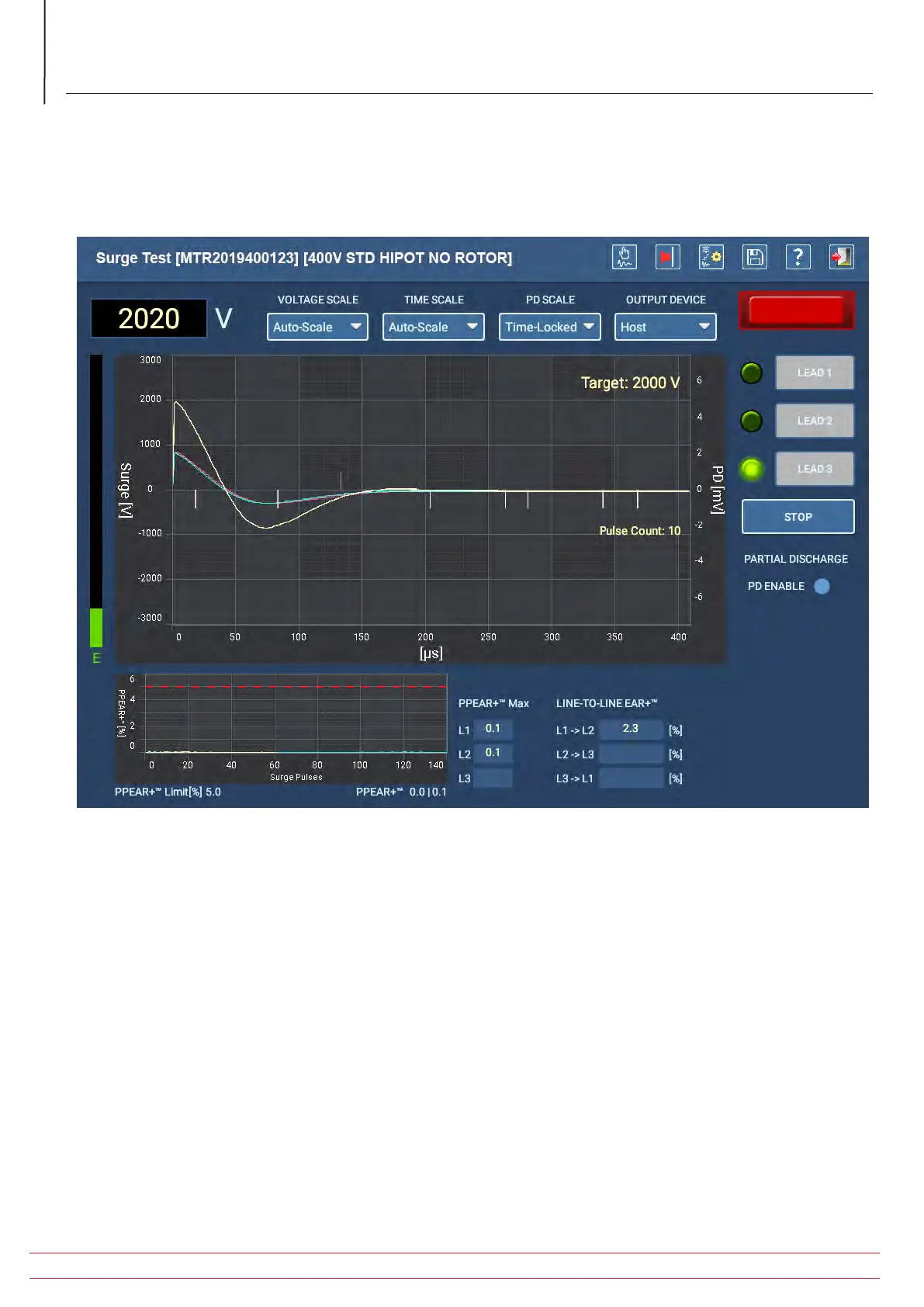
Pressing the STOP button terminates the test in progress.
If a test fails during this process, the software will provide a message notifying you of the issue then will terminate the
test after you confirm the failure.
If a test fails, stop testing and evaluate the test data before conducting any further troubleshooting or testing.
Fig 60: Auto Surge test screen—test in progress.
6. When testing completes, press the EXIT icon in the top right corner to go back to the AUTOMATIC TESTS main
menu.
www.megger.com/baker
Megger Baker ADX Quick Reference Guide
58
Procedures for Testing with the ADX Analyzer


 To Next Page