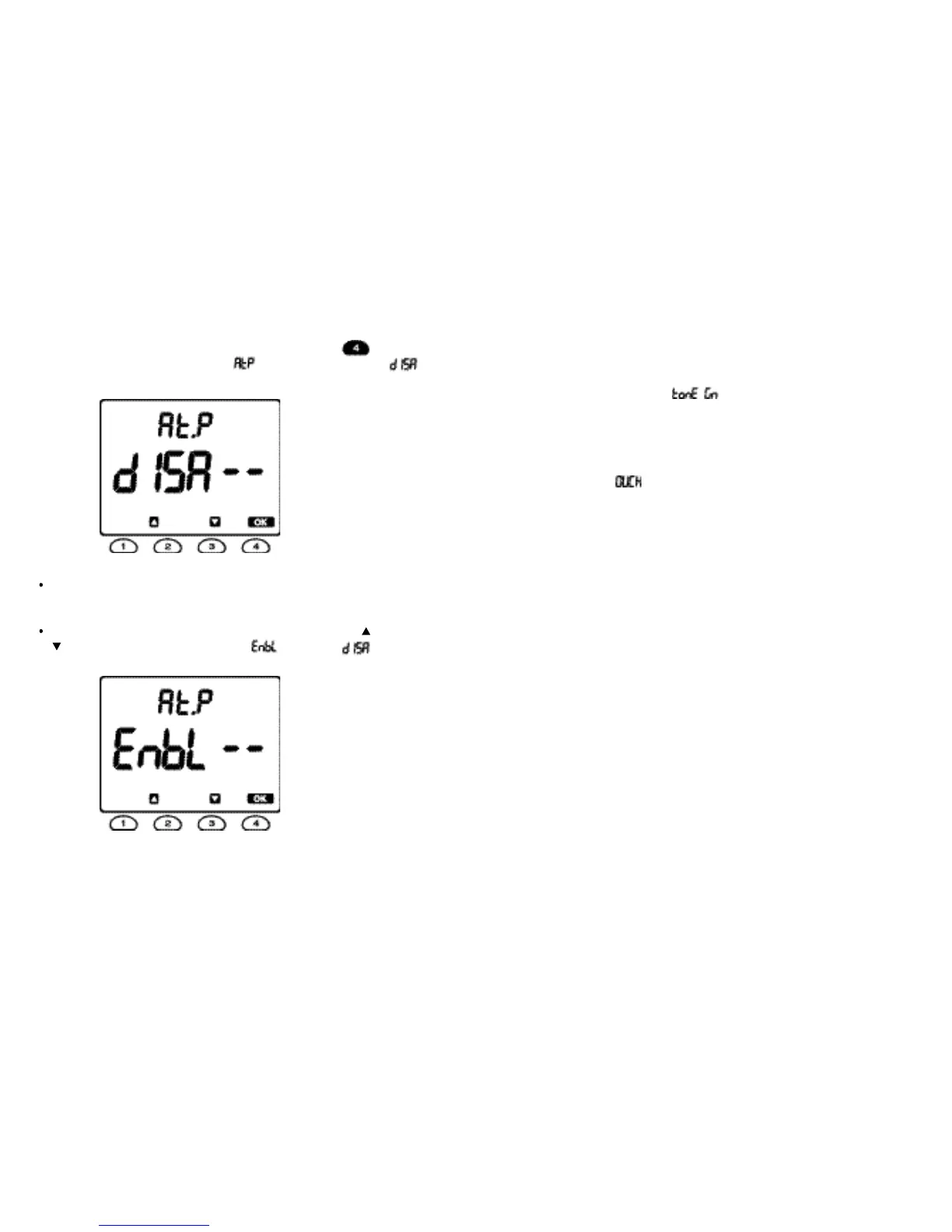
8.3 Enable
or disable the auto-power-off mode
You can customize the required default setting between Enable and Disable settings
by pressing
t
he POW
E
R button for about 2 seconds during
t
he
button being
depressed, when the Meter will display “ ” in the upper display and “ ” in
the lower display.
If y ou want to dis able the auto- pow er-off mode duri ng y our taki ng
measurements, press the
OK but
t
on.
If you want to
enable the auto-power-off mode, press either
t
he button or the
button, when the Meter will display “ ” replacing “ ” in the lower
display, and then press the OK button to return to the auto-power-off mode.
Fig. 18
Fig. 19
24 25
8.4 Tone Generator mode
The Meter generates an oscillating (810 -
1100 Hz) tone, which is transmi
t
ted
down
the cable under
test and can be picked up with a standard tone probe (not
supplied) available in
the marketplaces. This facilitates cable tracing. To select
Tone Generator
mode, turn the Meter off,
then
press
t
he TONE
button for more
than
1 second. The message “ ” will appear on the display. To resume
normal operation, press the EXIT button.
8.5 Line
Voltage Detection mode
The Meter displays
“
” message and stops
operation if
line vol
t
age of the cable
under test exceeds 6.5 V when the Meter is
t
urned on.



 To Next Page