4.4 How to determine unknown V.O.
P
settings
The Calibrate Cable function allows
you to
determine the
V.O.P for a
known length
of cable
and save i
t
for additional measurements of unknown lengths
of the same
type o
f
cable. V.O
.
P settings are stored in nonvolatile memory.
To
calibrate
a cable manually, per
f
orm the
following
steps :
1 . Take a sample of the c able
at least 30 ft (10
m) in length to obtain the
specified accuracy (longer leng
t
hs improve accuracy).
2 . Measure i
t
s
length
by direct
measurement
.
3 . Repeat the
step 1
to step 5 of
Section 4
.
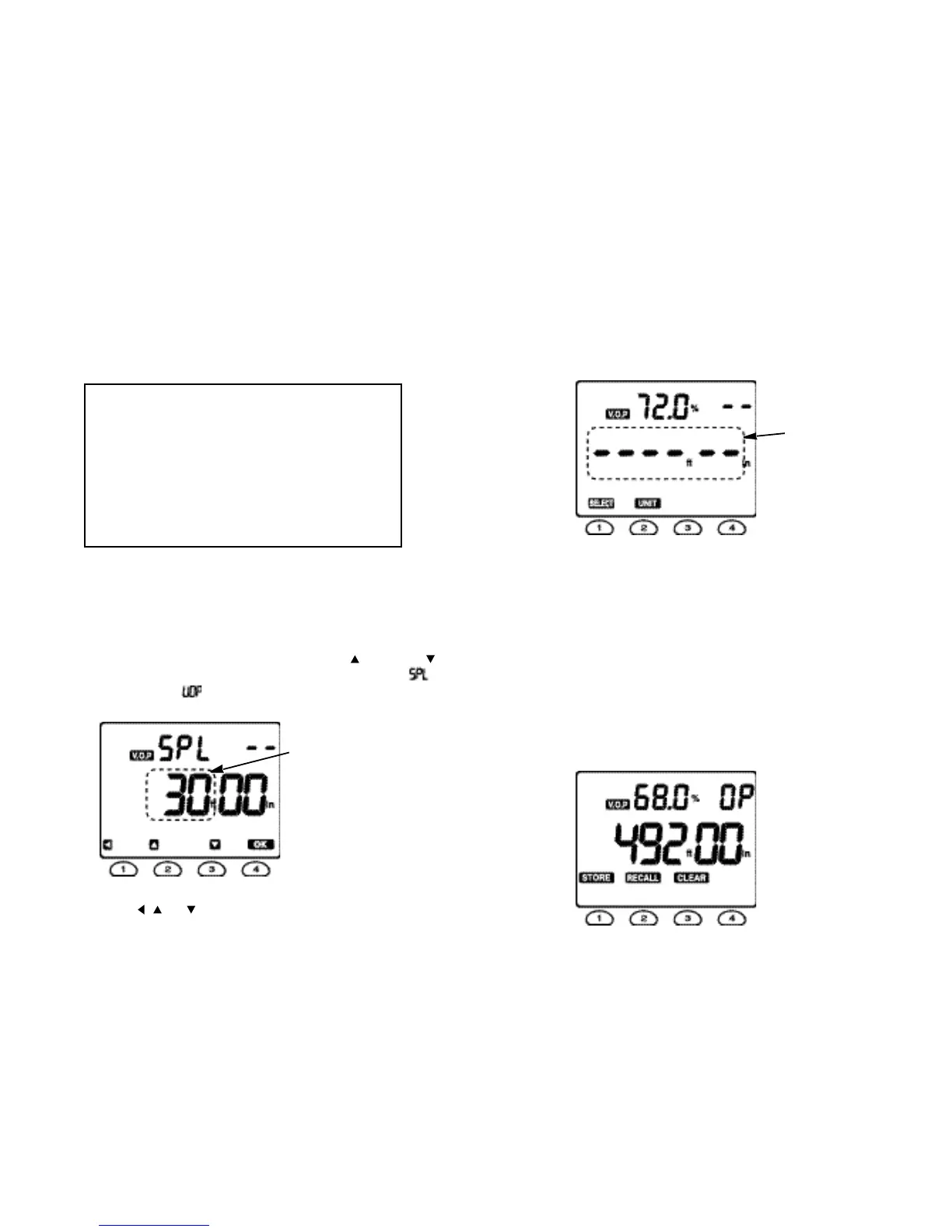
3.3 then press the button or the
button in order to set the Meter to the Calibrate Cable function, when the
will appear replacing the and “30.00” will be blinking to let you remind that
the length of a sample cable should be at least 30 ft (10 m).
4 . Connect the sample cable to the
Meter and set
t
he actual length of the sample
cable using
the , and buttons.
NOTE
Lengths measurements are only as accurate as
t
he V.O.
P
setting for the cable to be measured. V.O.P values can vary
substantially between cable manufacturers as well as between
cable lots.
Measure and record the V.O.P of a sample length of cable for
each cable manufacturer, then mark the V.O.P on each cable
drum before installation.
Fig. 8
5. Press the OK button.
6. Press the TEST button to read the V.O.P of the sample cable, when the center
line segment of 6 digits will blink waiting for the next measurement.
For example,
7. Connect the cable to be tested to the Meter.
8. Press the TEST button to take the required measurement.
4.4.1 Expanding cable
l
ibrary for custom cable types
us
i
ng nonvolatile
memory
The nonvolatile memory of this Meter allows you to store V.O.P values measured in
Section 4.4 to expand the cable library up to 20 custom cable types.
Use the memory mode to store and recall the measured V.O.P values. Press the
MEMORY button momentarily in order to activate the memory mode. The display
shows three menu selections :
STORE, RECALL and CLEAR
.
For example, if the below display was obtained in Section 4.4,
Fig. 9
Fig. 10
1514
“ blinking ”
“ blinking ”



 To Next Page