”.
CLEAR : Select CLEAR to erase the stored value pressing the CLEAR button after
having the Meter enter into the memory mode.
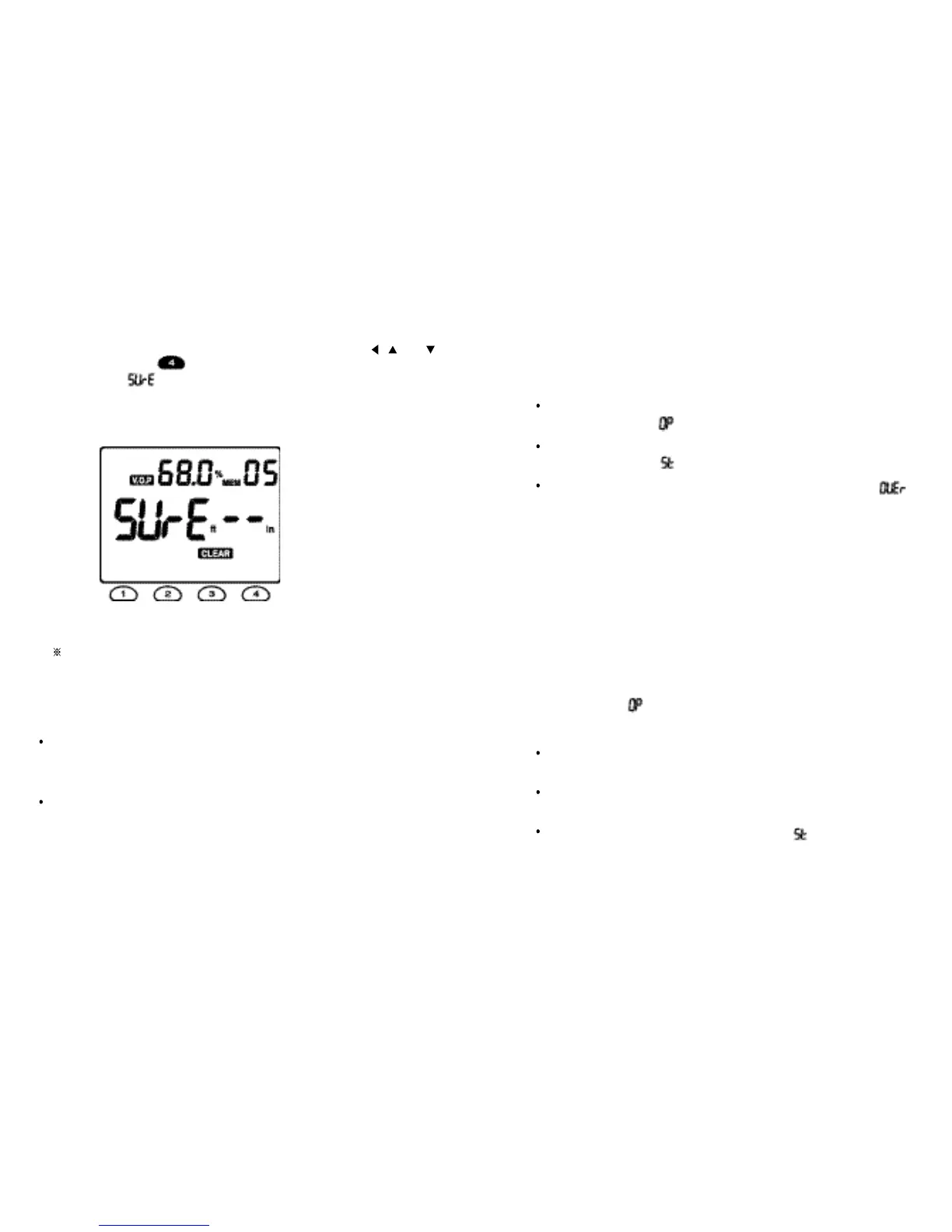
The upper display will show the V.O.P value of the memory location 01 and the 01
(blinking), Select
the required
memory location number using the , and
buttons. Press the OK ( ) button to exit the memory mode, when the lower
display will show “ ” while the Meter is performing CLEAR function.
For example, if the V.O.P
of the memory
location 05 would be
required to be
erased, the Meter will display as follows :
Press the CLEAR button to complete the CLEAR function.
If you want to cancel this CLEAR function, press the EXIT button again to exit
the memory mode.
Completing the CLEAR
function
,
the Meter will show the same
display as that
which the Meter showed just before entering into the CLEAR function
If the MEMORY button is depressed while the Meter is performing the memory
mode, the Meter will return to the previous mode where the Meter was set before
entering into the memory mode.
When the memory location 01, 02, 03 and 05 were occupied and the memory
location 04 was unoc cupied, the STORE function stores the data from
the
memory location 04.
Fig. 14
4.5 How
to measure
cable length
( 1 ) Set the cable
t
ype or the V.O.P for
t
he cable
to be measured.
( 2 ) Connect the Me
t
er
t
o the cable as described in Section 4.2.
( 3 ) Press
t
he TEST bu
t
ton.
If there are no shorts in the
cable, the leng
t
h of
t
he cable
will be displayed in
t
he lower display
with “ ” in the
upper right display.
If there is
a short in the cable,
t
he distance to
t
he short will be displayed in
the lower display with “ ” in the upper
righ
t
display
.
If the cable is beyond the measurement range, the display will show “ ”
in the lower display.
4.6 How to check networks
(Th
i
n
E
thernet)
While performing the following tests, n o equipment should be connec
t
ed to the
n e t w o r k .
( 1 ) Se
t
the Meter for a network cable type (e.g. Ethernet 9880).
( 2 ) Remove 50 W terminators from
both
ends of network.
( 3 ) Connect the
Meter to one end
of the ne
t
work.
( 4 ) Press the T
E
ST button. The length of the
network will be displayed in
t
he
lower
display with “
( 5 ) Repeat steps (3) and (4) from the other
end of the network.
I
f
the
length
shown is just same from either end, this length indicates
t
he
to
t
al length of the ne
t
work.
If the lengths
are differ and are less than the expected, this is
probably due
to an open circuit in the network at
the distance displayed.
If
t
he length is displayed in
t
he lower display
with “ ”,
t
his
indicates that a
short circuit exists in the network at the distance shown.
( 6 ) Disconnect
t
he Meter and refi
t
the
t
erminators to the network.
18 19



 To Next Page