Chapter 2 – Commissioning
10
Inserting the paper roll
WARNING
Never pull the paper roll through the printing mechanism. This could result in premature wear of
the paper feed. Always operate the paper feed with the LF key.
1. If necessary, connect the log printer to the power supply.
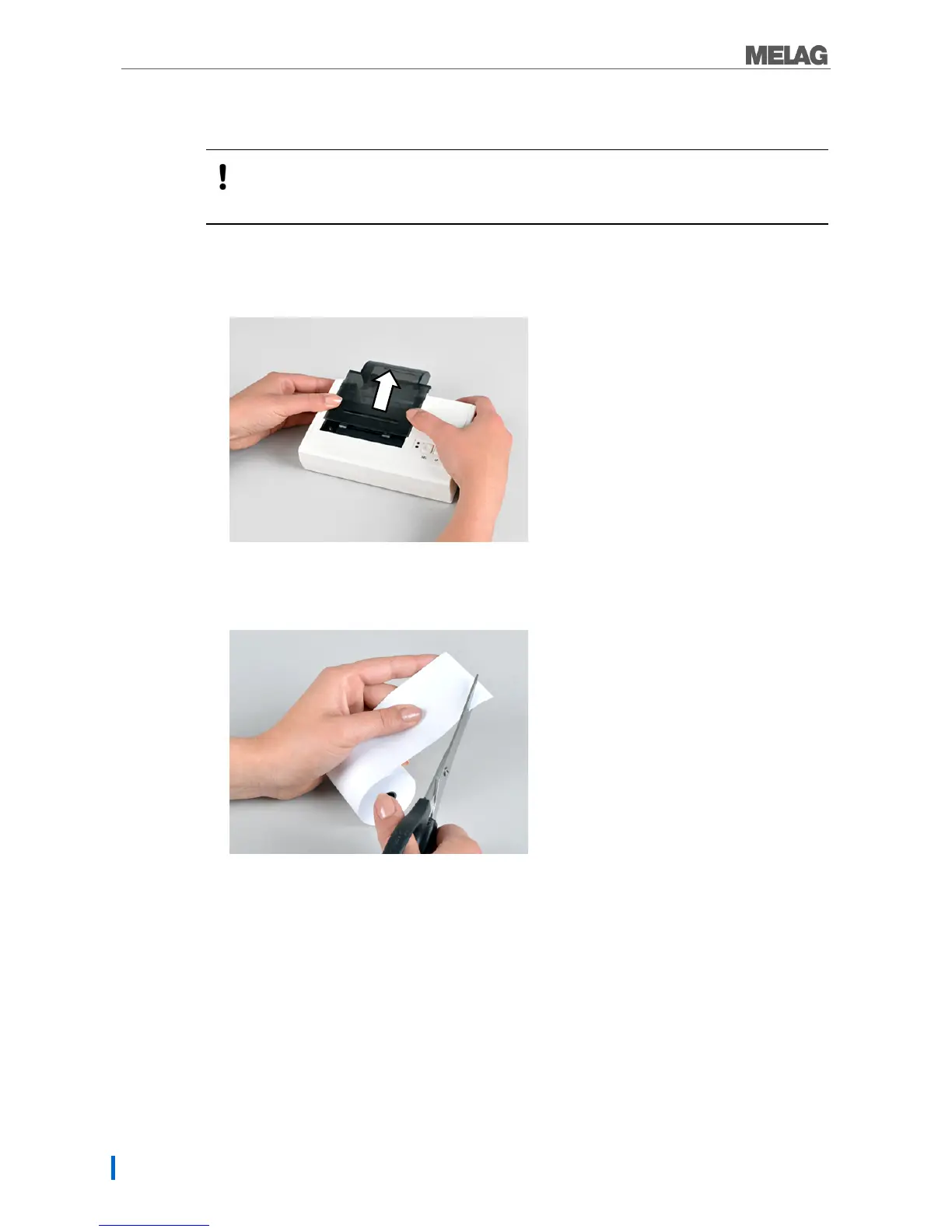
2. Push the cover to the rear to open the paper tray.
Fig. 7: Removing the cover
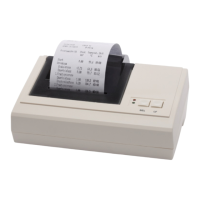
3. Cut off the corners of the paper roll on both sides.
Fig. 8: Cutting the paper roll to shape


 To Next Page