Chapter 2 – Commissioning
15
PLEASE NOTE
Use the covered network cable to prevent the emission values from being exceeded. We
recommend the type SF/UTP network cable in accordance with ISO/IEC 11801 Cat.5e.
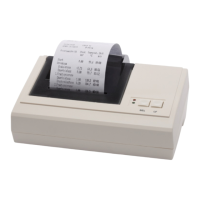
4. To connect the log printer to the power supply, connect the appendant power supply to the DC
connection and the power plug in the socket.
5. To connect the network adapter to the power supply, connect the appendant power supply to the
DC connection and the power plug in the socket.
PLEASE NOTE
Operate the network adapter only with the power cable included in the scope of delivery.
Determining the network situation and changing the computer IP address
(temporary)
To enable the MELAG device to recognise the log printer in the (practice) network, it mus be located in the
same subnetwork as the MELAG device. The factory setting of the log printer IP address is
192.168.40.240.
If this is not the case, the IP address of the label printer must be adapted as follows:
1. Where required, connect the network adapter power supply.
2. Connect the Ethernet cable to the Ethernet socket on the network adapter and connect the other
end with the computer.
PLEASE NOTE
The following instructions apply to the procedure for a Windows operating system. Should a
different operating system be installed on your computer, change the IP address (e.g.
192.168.40.100) manually in accordance with the relevant instructions.
3. Working on the computer, via Start → Control panel → Network and Internet open the →
Network and sharing centre.
4. Select LAN connection and open the Properties window (right mouse-click).
5. Working in the list Internet protocol version 4 (TCP/IP) select Properties.
6. To change the IP address of the computer, select the applicable version:
The computer has a fixed IP address
The computer obtains the IP address automatically:


 To Next Page