Chapter 1 – Device description
7
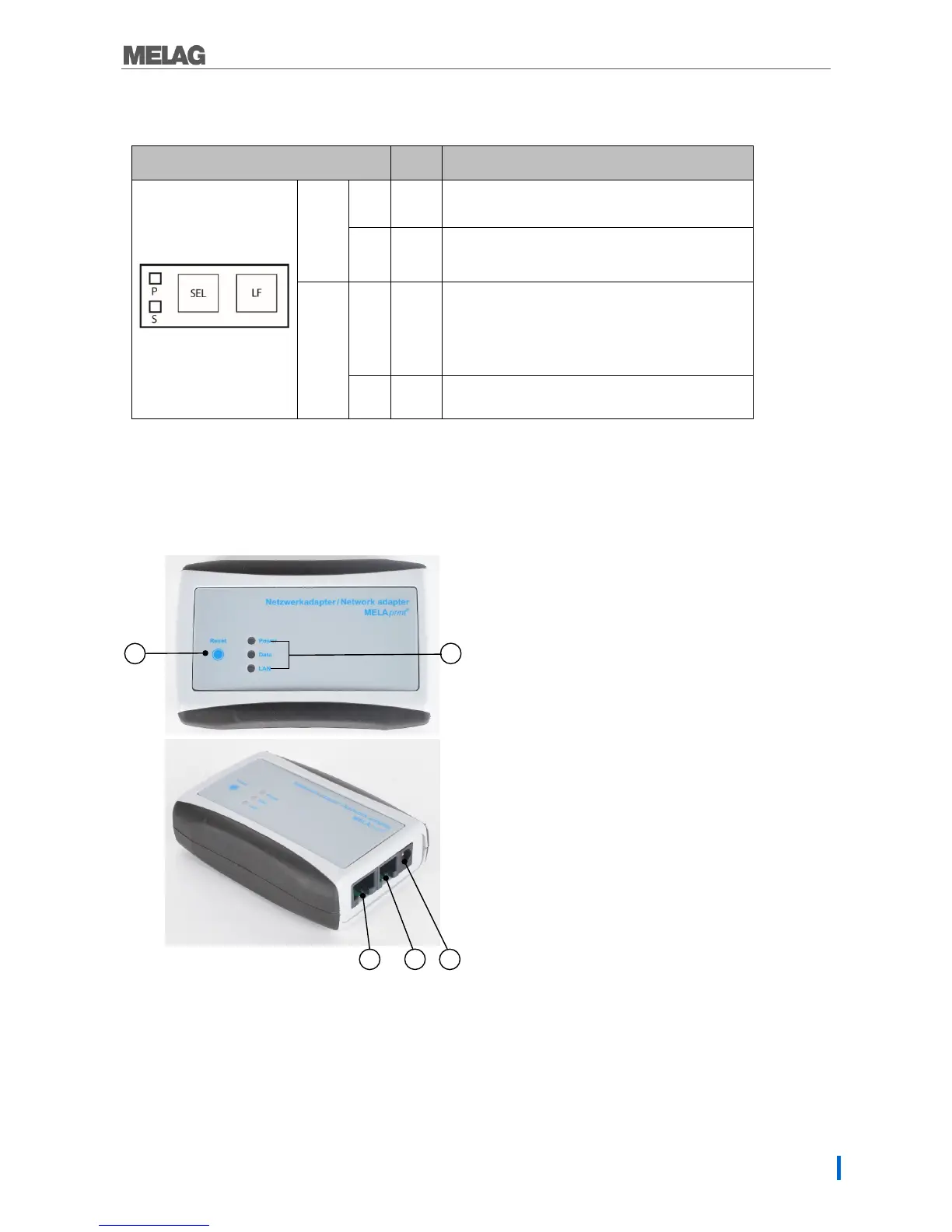
Log printer operating panel
Table 3: Operating panel log printer
Operating LED/operating keys
State Status/function
LED
P On
Device is switched on.
S On
On-Offline mode is activated, data received
Key
SEL
Switching the printer On and Offline
Commencing, interrupting and continuing a print
order
Performing a self-test
LF
Paper feed
Network adapter for MELAprint
The network adapter for MELAprint permits the connection of the log printer to the (practice) network to
print logs directly from network compatible MELAG devices.
The network adapter is not included with the log printer and is optionally available.
For connecting the Ethernet cable to
the network
4) RJ12 socket
For connecting the serial cable to log
printer
5) Network socket (5V/ DC)
For connecting the power supply cable
to the power supply


 To Next Page