Chapter 3 – Maintenance
22
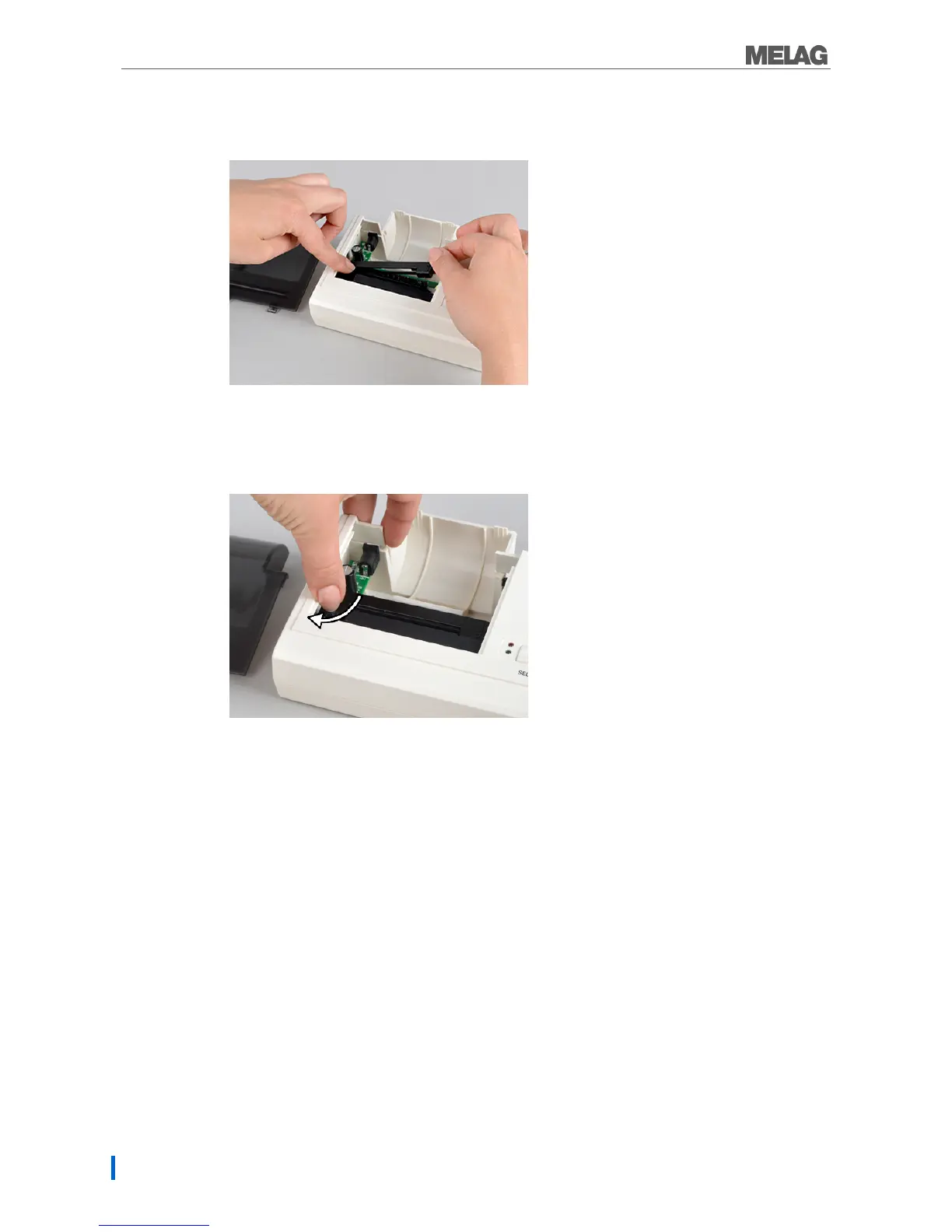
5. Insert the new ink ribbon in the bracket with the left-hand side first.
The ink ribbon must snap in to the printer unit on the right-hand side.
Fig. 16: Inserting the ink ribbon
6. Check the ink ribbon for its correct position.
Tighten the ink ribbon by turning the transport key in the direction of the arrow.
Fig. 17: Tightening the ink ribbon k
7. Insert the paper roll as described on page 10.
8. Close the paper tray.
Self-test
The printer will generate a test printout with all characters and information about the series interface.
Perform the self-test on the printer as follows:
1. Press the SEL key.
2. Connect the power supply to the socket.
3. Release the SEL key. The printer will start with the test printout, which will stop automatically.


 To Next Page