Chapter 2 – Commissioning
16
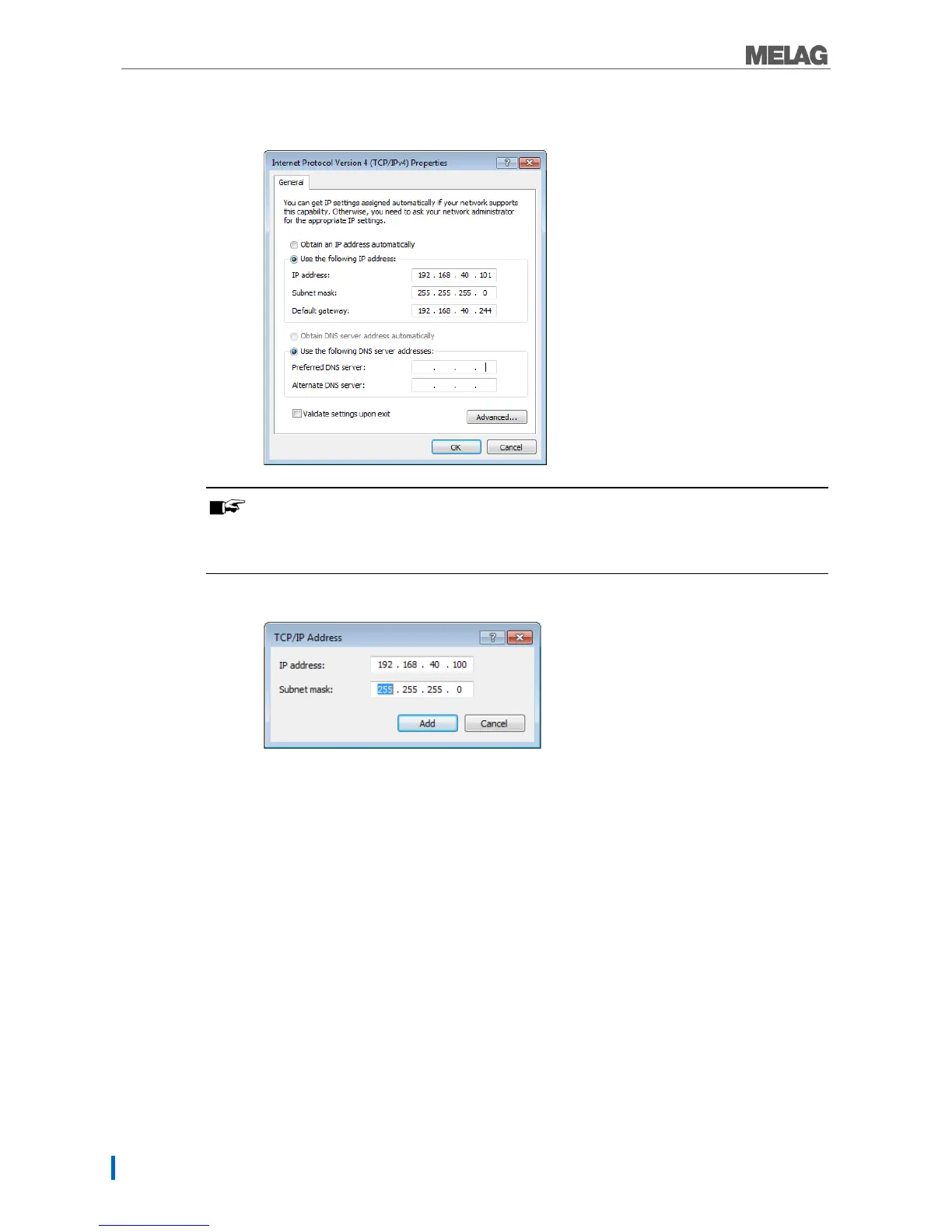
The computer has a fixed IP address:
1. Click on the [Advanced] button.
PLEASE NOTE
After concluding this configuration, reset the following settings to restore communication between
the computer and the (practice) network.
Note the data displayed before continuing with the configuration.
2. Working under IP addresses select the [Add] pushbutton and enter any IP address (e.g.
192.168.40.100). The subnet mask is updated automatically.
3. Accept the settings with [Add].


 To Next Page