D24030 | Date 11/2018 29
Operation and control
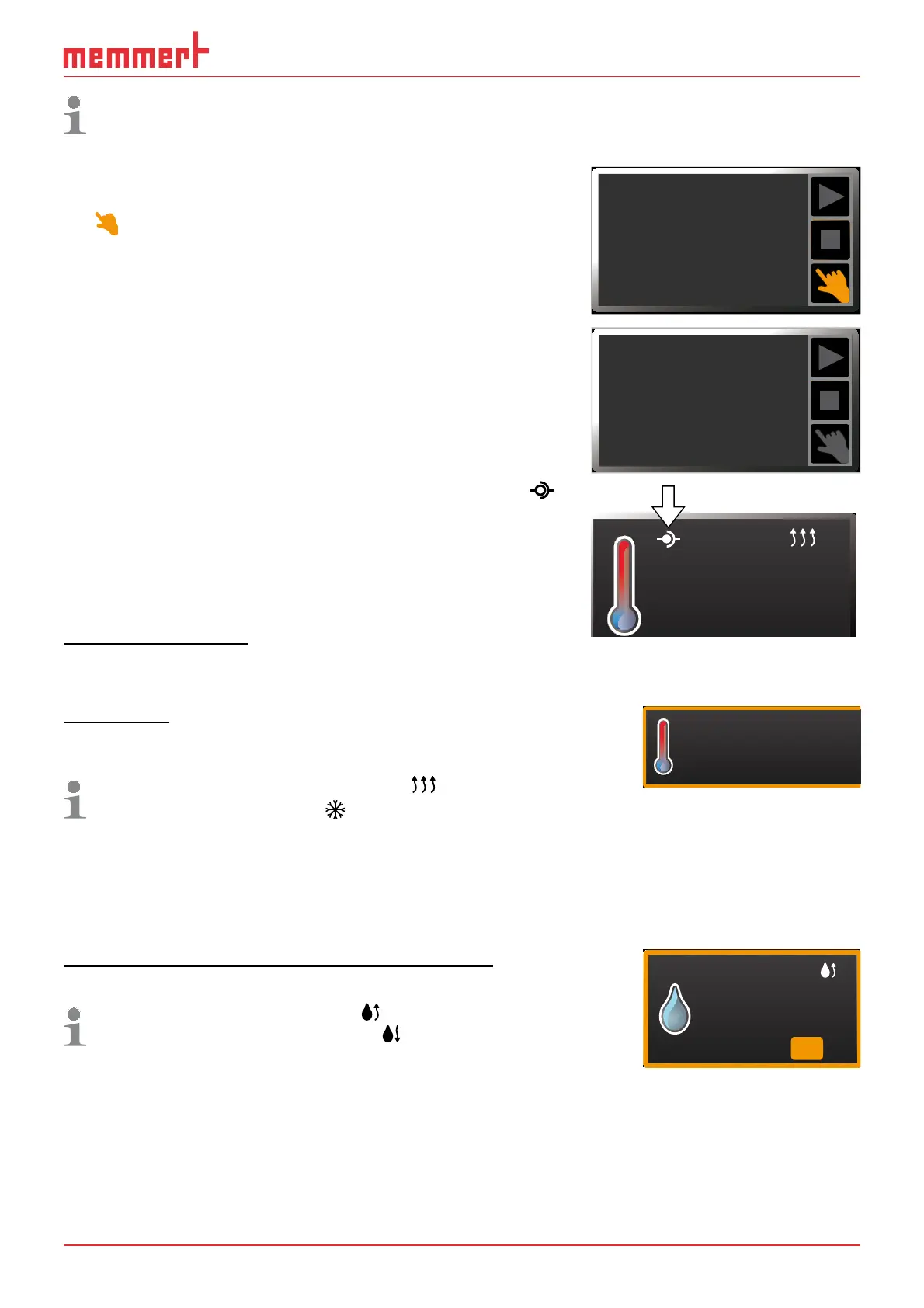
The status display shows you which operating mode or operating state the appliance is
currently in. The current operating state is highlighted in colour and indicated by the text
display:
Appliance is in programme mode
■ Programme is stopped
Appliance is in manual operating mode
The example on the right shows the appliance in man-
ual mode, identified by the coloured hand symbol.
► When the appliance is in timer mode, Timer active is
displayed:
► When the appliance is in remote control mode, the
symbol appears in the temperature display:
5.4.4 Manual mode
In this operating mode, the appliance runs in permanent
operation at the values set on the ControlCOCKPIT.
Adjustment options
As described in chapter 5.4.2 , you can set the following parameters after pressing the cor-
responding activation key (in any sequence):
Temperature
Adjustment range: model dependent (see nameplate and technical
date on page 14)
Heating operation is indicated by the
symbol.
Cooling is indicated by the
icon.
You can select °C or °F as the temperature unit displayed (see
page 47).
°C22.4
TEMP
°CSet 37.0
The minimum temperature that can be reached depends on the surrounding conditions.
The appliances reach up to to 20 °C below room temperature. In order to do so, the
Peltier module needs sufficient ventilation (see Fig. 9 on page 19).
Humidity (for constant climate chambers HPP only)
Adjustment range: 10 to 90 % rh
Humidifying is indicated by the
symbol.
Dehumidifying is indicated by the
icon.
HUMIDITY
70 %rh
Set
34%
rh
A high level of air humidity in the interior can only be achieved without condensation if the
interior is thoroughly heated. For this reason, how fast the humidity is dynamically adjusted
to approach the setpoint depends on the interior temperature.
Manual Mode
12.Sept.2012
13:44
Timer active
12.Sept.2012
13:44
23.2°C
TEMP



 To Next Page