D24030 | Date 11/2018 37
Operation and control
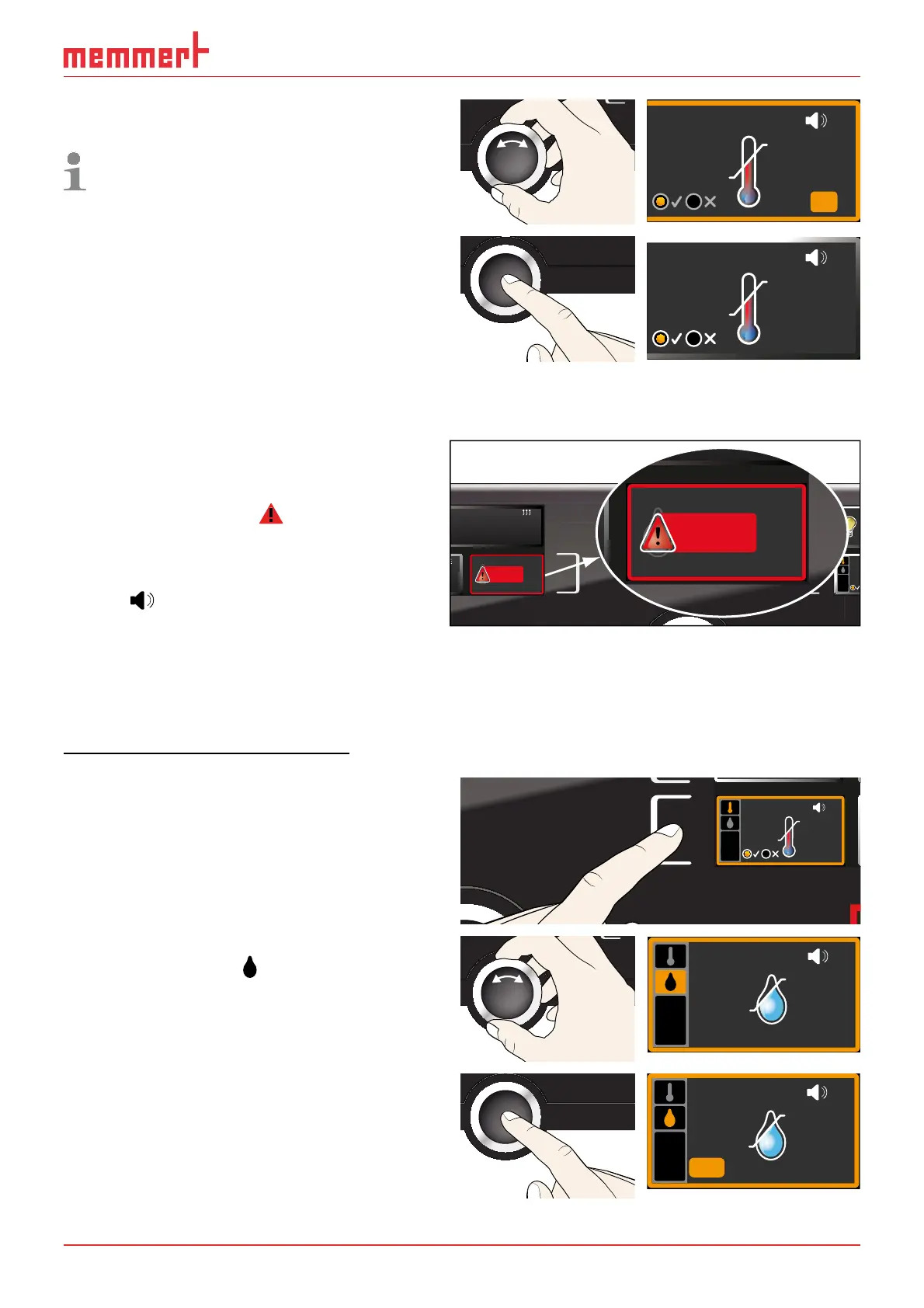
7. With the turn control, adjust the desired
tolerance band, e.g. 2.0 K.
We recommend a tolerance band of 1 to
3 K.
ALARM
K
min
°C
auto
max
38.5°C
35 5.
1.0
+
-
8. Press the confirmation key to confirm.
Temperature monitoring is now active.
ALARM
max
38.5°C
1.0K
min
35.5°C
auto
+
-
In the menu, you can set if an acoustic signal should be triggered on alarm (see page 57)
5.5.2 Humidity monitoring (for constant climate chambers HPP only)
If humidity monitoring has been triggered,
this is indicated by the humidity display:
the actual humidity is highlighted in red
and a warning symbol
is shown ( Fig.
22 ). If the acoustic alarm has been
activated in the
Sound menu (see page
57), which is indicated by the speaker
symbol
, the alarm is additionally
signalled by an intermittent acoustic
signal. Information on what to do in this
case are provided in the chapter
Malfunctions, warning and error
messages on page 40.
Adjusting humidity monitoring
1. Press the activation key to the left of the
ALARM display. The temperature moni-
toring setting is automatically activated.
min
000°C
ALARM
max
000°C
auto off
99K
-
+
ALARM
max
40.0°C
auto
0.0K
min
15.0°C
+
-
2. Turn the turn control until the humidity
monitoring entry
is highlighted.
ALARM
min
40.0%rh
max
60.0%rh
3. Accept the selection by pressing the con-
firmation key. The lower humidity alarm
limit is automatically highlighted.
ALARM
min
40.0%rh
max
60.0%rh
m
min
000°C
O
LIGH
O
LIGH
FEUCHTE
30.0%rh
Set 30.0%rh
0
C
°C
°C22.4
MP
°CSet 37.0
aut
min
3
m
:30
HUMIDITY
Set 70
.0%rh
%rh
75.4
m
FEUCHTE
30.0%rh
Set 30.0%rh
C
°CSet 37.0
m
0
HUMIDITY
Set 70
.0%rh
%rh
75.4
Fig. 22
Humidity monitoring triggered



 To Next Page