54 D24030 | Date 11/2018
Menu mode
7.5.2 Humidity adjustment (for constant climate chambers HPP only)
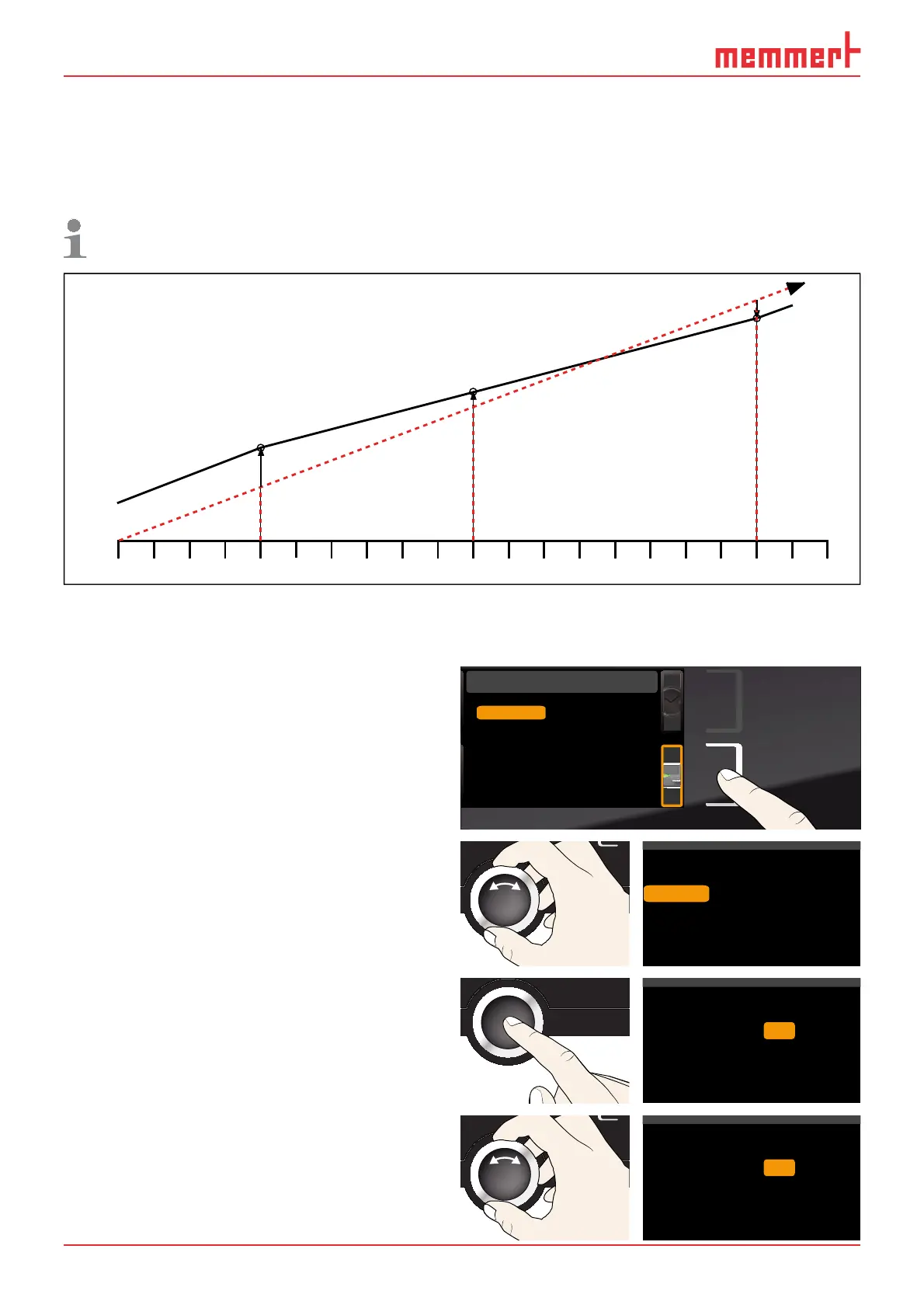
Humidity control of the constant climate chamber HPP can be adjusted according to customer
requirements by means of three freely selectable balance points. For each selected calibration
point, a positive or negative compensation correction value between –10 % and +10 % can
be set (Fig. 29).
For humidity adjustment, you will need a calibrated reference measuring device.
rh 20
+3,0 %
rh 90
-1,5 %
60%
40%
0%
20%
80% 100%
rh 50
+1,5 %
Factory calibration
Fig. 29 Humidity calibration (example)
Example: Humidity deviation at 90 % should be corrected.
1. Press the activation key to the right of the
CALIB display. The display is enlarged
and the temperature adjustment option
is automatically highlighted.
Cal1
°C -0,2
K
Cal2 100.0 °C +0,1K
Cal3 180.0 °C -0,2K
JUSTIEREN
Temperatur
letzte Justierung 12.10.2012 12:00
40.0
CK0,2-
CK0,1+
CK0,2-
Calibration
Last updated 12.10.2012 12:00:00
Cal1
Cal2
Cal3
20.0
40.0
5.0
Temperature
Humidity
2. Turn the turn control until Humidity is
highlighted.
%rh
%rh
%0,5-
%1,0+
Temperature
Cal1
Cal2
40.0
50.0
Humidity
%rh
%
1,0+Cal3
80.0
3. Press the confirmation key repeatedly,
until the calibration point Cal2 is selected.
%rh
%rh
%0,5-
%1,0+
Temperature
Cal1
Cal2
40.0
Humidity
50.0
%rh
%
1,0+Cal3 80.0
4. With the turn control, set the calibration
point Cal2 to 60 % rh.
%rh
%rh
%0,5-
%1,0+
Temperature
Cal1
Cal2
40.0
Humidity
60.0
%rh
%
1,0+Cal3
80.0



 To Next Page