12
Construction and description
2.5.2 Ethernet interface
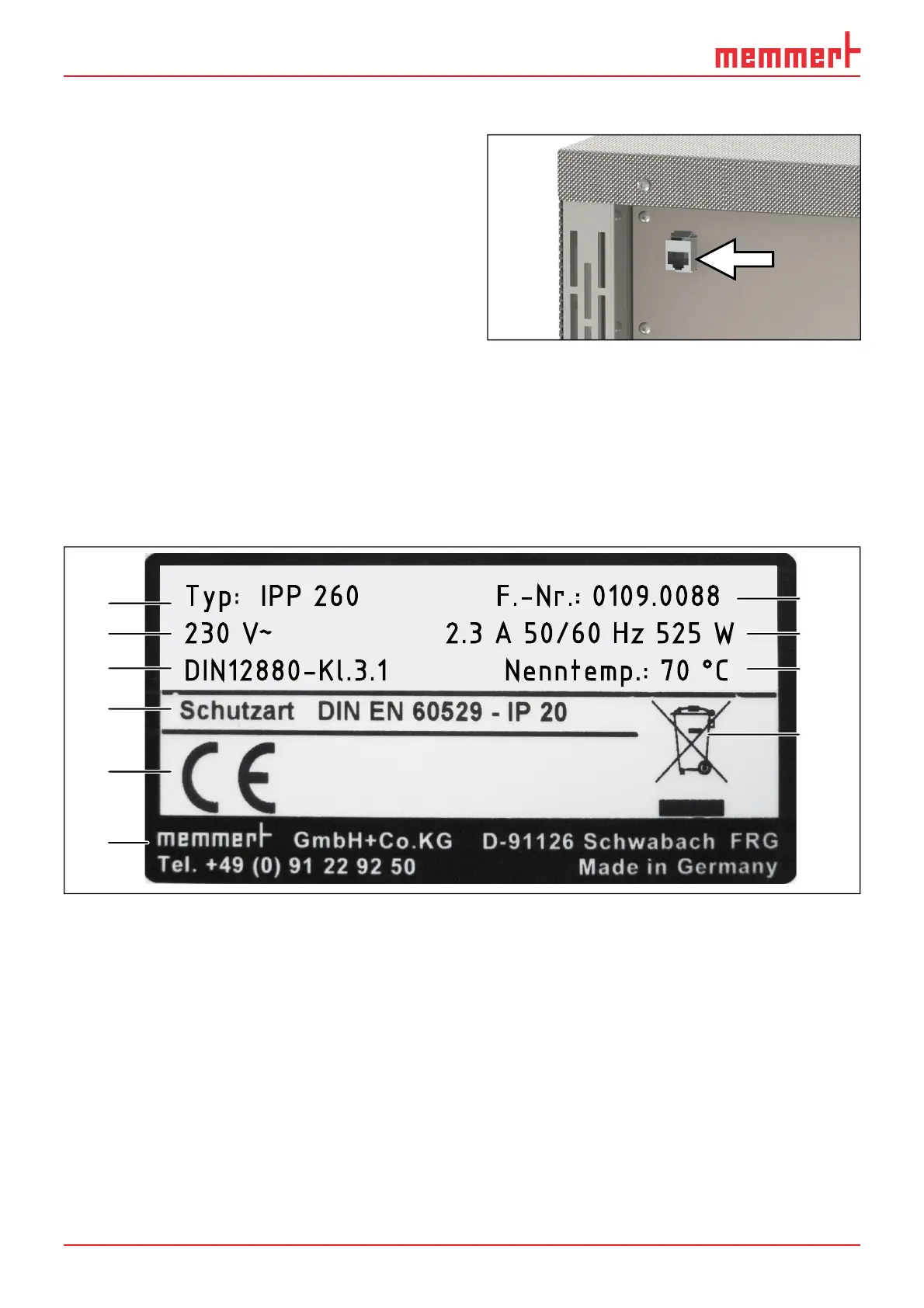
Via Ethernet interface, the appliance can be
connected to a network to read out protocol
logs with the AtmoCONTROL software. The
Ethernet interface is located on the rear of
the appliance (Fig. 3).
For identification purposes, each appliance
connected must have its own unique IP ad-
dress. Setting the IP address is described on
page 29 .
With an optional USB to Ethernet converter,
the appliance can be directly connected to
a computer / laptop (see “Optional accesso-
ries” on page 14).
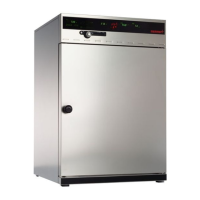
2.6 Designation (nameplate)
The nameplate (Fig. 4) provides information about the appliance model, manufacturer
and technical data. It is attached to the front of the appliance, on the right behind the
door (see page 10).
Typ: IPP 260 F.-Nr.: 0109.0088
230 V
~
2.3 A 50/60 Hz 525 W
DIN12880-Kl.3.1 Nenntemp.: 70 °C
1
2
3
4
5
6
10
8
9
7
Fig. 4 Nameplate (example)
1 Type designation
2 Operating voltage
3 Applicable standard
4 Protection type
5 CE conformity
6 Address of manufacturer
7 Disposal note
8 Nominal temperature:
9 Connection / power ratings
10 Appliance number
Fig. 3 Ethernet interface



 To Next Page