32
Menu mode
7.3.4 Timer mode
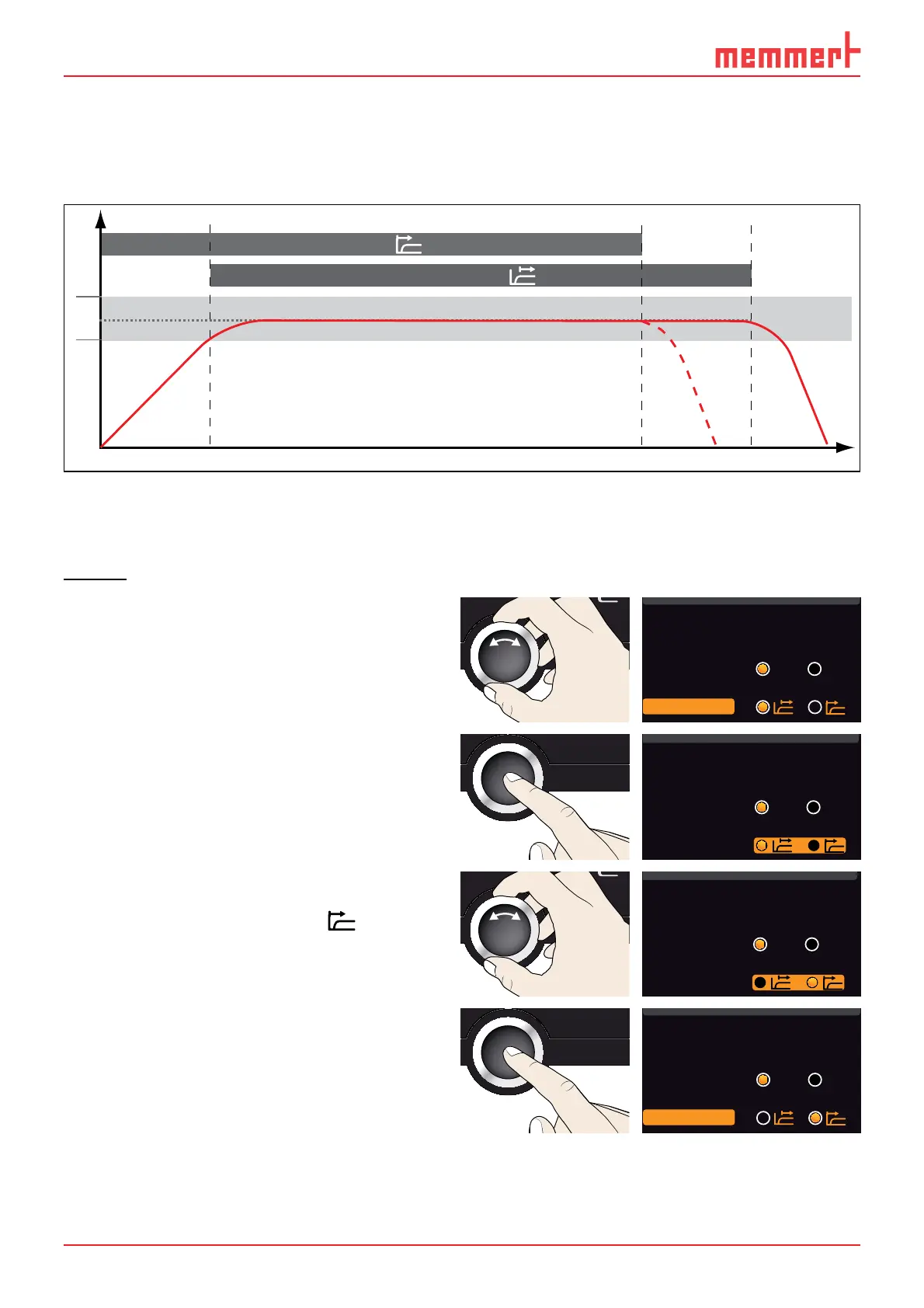
Here, you can choose if the Timer (see page 22) should run setpoint-dependent or not. This
determines whether the timer should not start until a tolerance band of ±3 K around the
set temperature is reached (Fig. 19, B) or if it should start right after activation (A).
t
Timer
t
Timer
A
B
°C/°F
t
6 K
Fig. 19 Timer mode
A Timer independent of setpoint: Timer starts right after activation
B Timer setpoint-dependent: Timer does not start until tolerance band is reached
Setting
1. Activate the SETUP display and select
Timer Mode with the turn control.
Unit
IP address 255.145.136.225
Subnetmask 255.255.0.0
Alarm Temp
°C °F
38 °
Timer Mode
2. Accept the selection by pressing the
confirmation key. The adjustment op-
tions are automatically highlighted.
Unit
IP address 255.145.136.225
Subnetmask 255.255.0.0
Alarm Temp
°C °F
38 °
Timer Mode
3. With the turn control, select the de-
sired setting – in this example Timer
independent of setpoint (
).
Unit
IP address 255.145.136.225
Subnetmask 255.255.0.0
Alarm Temp
°C °F
38 °
Timer Mode
4. Save the setting by pressing the confir-
mation key.
Unit
IP address 255.145.136.225
Subnetmask 255.255.0.0
Alarm Temp
°C °F
38 °
Timer Mode



 To Next Page