- 26 -
ON SCREEN DISPLAY
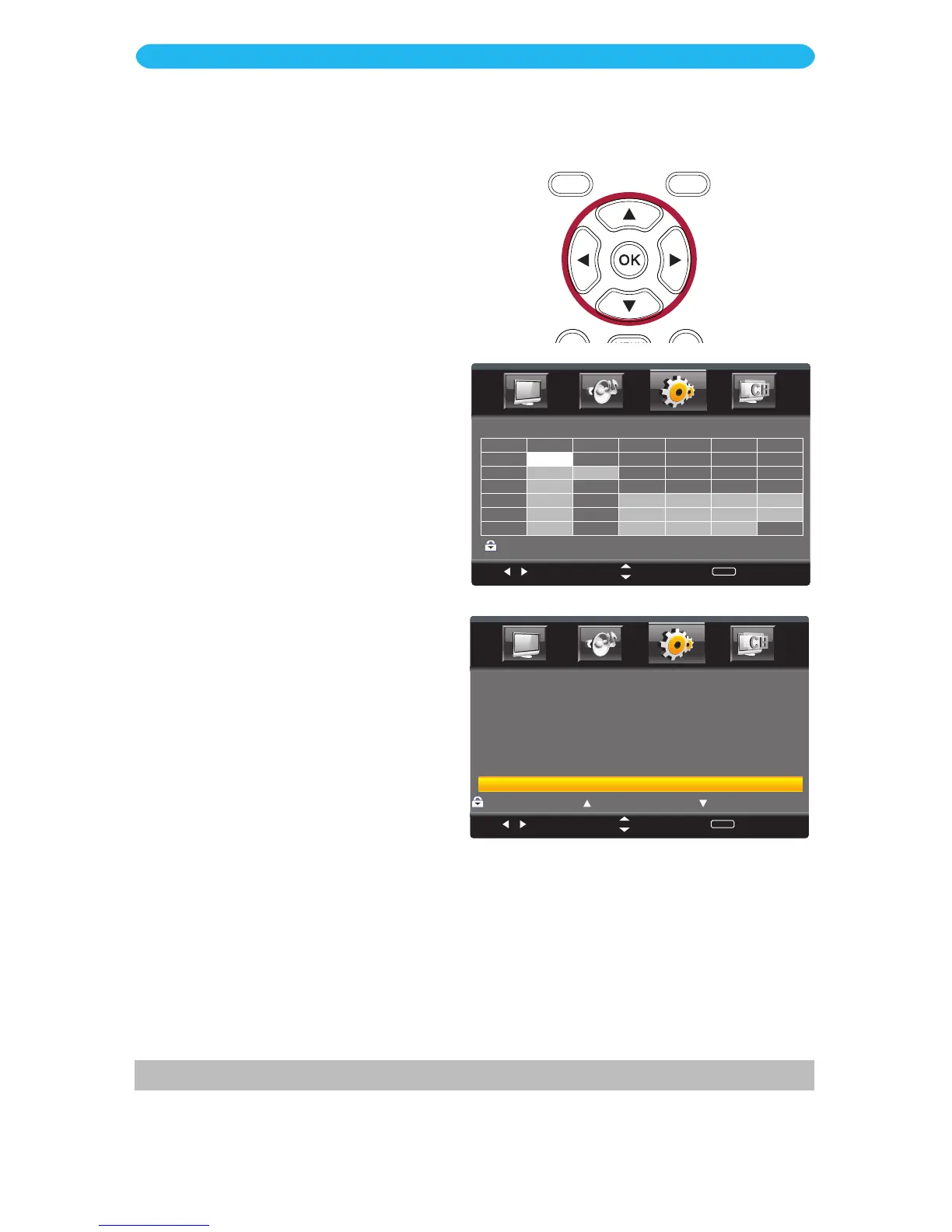
Setup Menu - Parental Control - US Rating Submenu
7 When done, press the EXIT button to exit the menus, or press the MENU button to
return to the previous menu.
Select
Move
MENU
Return
:Block
G
PG
PG-13
R
NC-17
X
N/A
Press to Lock Press to Unlock
Select
Move
MENU
Return
TV RATING
TV- Y
TV- Y 7
TV- G
TV- P G
TV- 1 4
TV- M A
ALL FV
V
S
L
D
Press OK to Block or Unblock
:Block
1 Access the Parental Control menu
as described on page 24.
2 Press the q button to select US and
then
press the
OK bu
tton to enter.
3
Press the q button to select TV and
then press the OK button to enter.
4 Press the t/u buttons to select a
rating and then the OK button to
BLOCK (ratings at or above cannot
be viewed) or UNBLOCK (ratings at
or under can be viewed).
TV-Y: All ages
TV-Y7: Ages 7 and up
TV-G: General Audience
TV-PG: Parental Guidance
TV-14: Parental Guidance under 14
years old
TV-MA: Mature Audiences only
5 Press the MENU button to return
to the previous screen. Press the
q button to select MPAA and then
press the
OK bu
tton to enter.
6 Press the p button to Lock a
desired MPAA (movie) rating (G/PG/
PG-13/R/NC-17/X/NA).
Press the
q bu
tton to Unlock.
G: All ages
PG: Parental Guidance
PG13:
Parental Guidance
under 13 years old
R: Under 17 years old,
Parental Guidance
suggested
NC17: 17 years old and
above
X: Adult only
N/A: Permits all programs
This option is only available in TV mode.



 To Next Page