- 29 -
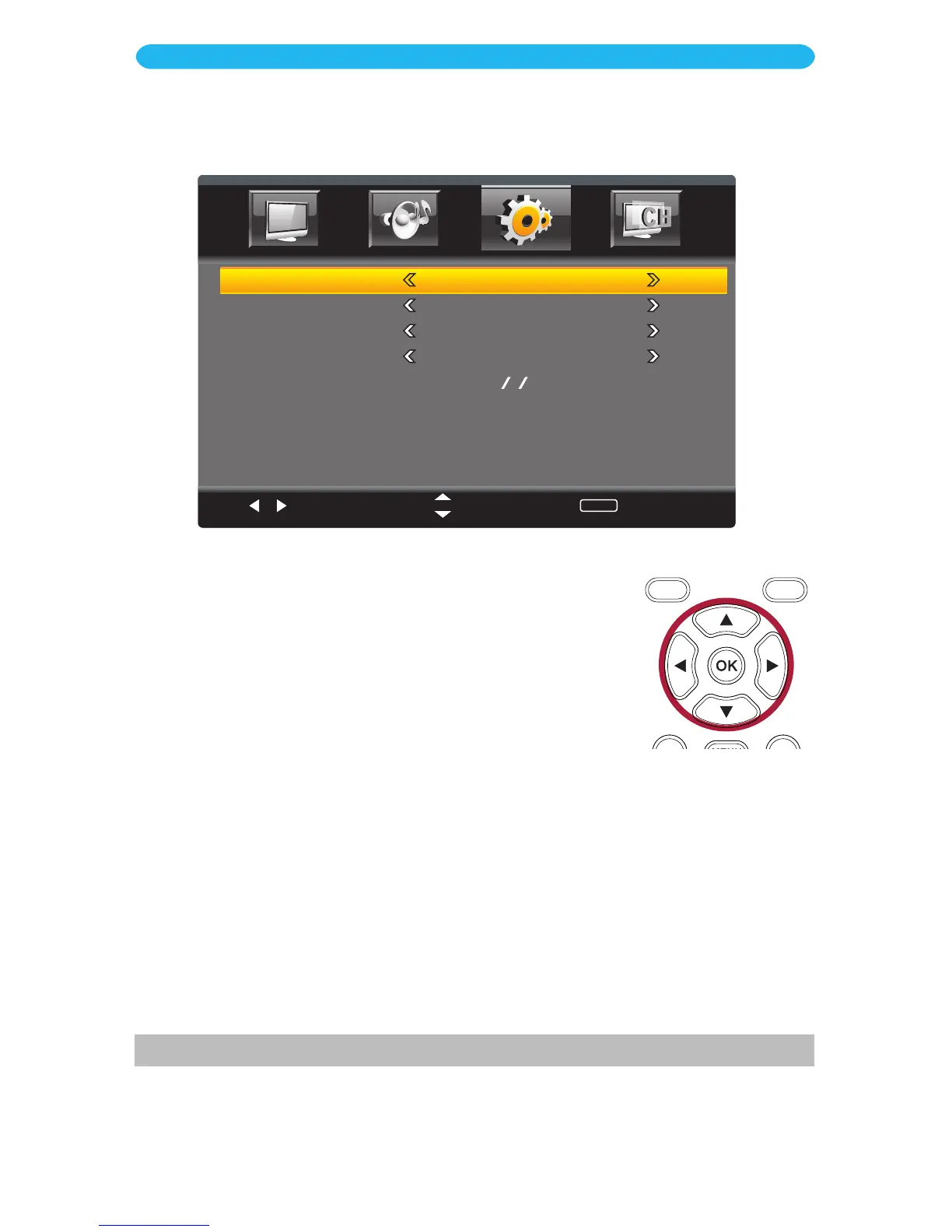
1 Access the Setup menu as described on page 23.
2 Press the q button to select Time.
3 Press the OK button to enter.
4 Press the q button to select a setting (i.e. Sleep Timer, etc.).
5 Press the t/u buttons to adjust the setting.
6 When done, press the EXIT button to exit the menus or press
the MENU button to return to the previous menu.
ON SCREEN DISPLAY
Setup Menu - Time Submenu
Select
Move
MENU
Return
Sleep Timer
Time Zone
Auto Sync
DST
Clock
Off
Atlantic
Off
Off
1980 1 6 3:16 A M
SLEEP TIMER: Allows you to choose how long the TV will stay on before turning off. Set a
desired sleep time from 5 minutes to 240 minutes, or select Off to turn the option off.
TIME ZONE: Set the Time Zone in which you reside.
AUTO SYNC: The Auto Sync function will automatically set the built-in clock (Month, Day,
Year and Time) when the unit is connected to an Antenna or Cable system and it is turned
off. Set to On to activate this feature.
DST: Set On or Off depending on whether your area observes Daylight Saving Time.
CLOCK*: When Auto Clock is Off, follow the on-screen instructions to manually set the
clock.
* This option is only available when the clock is not automatically set.



 To Next Page