Track Menu
The Memotron m2k makes use of sound sample data (here called tracks) that can be stored in and loaded
from the internal memory. Up to three tracks can be selected and played in the Memotron m2k.
Selecting Tracks
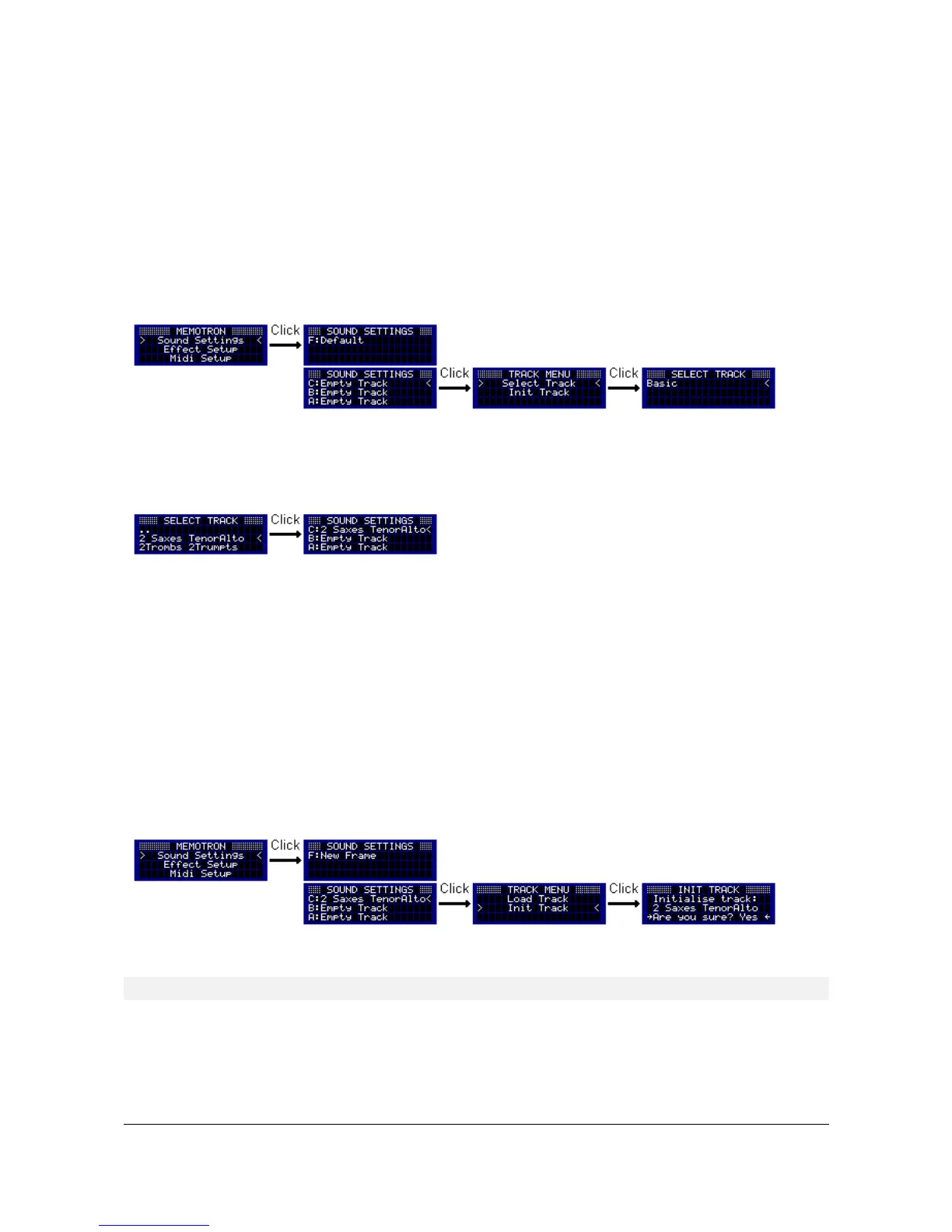
With the DATA knob you navigate through the menu levels to the Sound Settings. By pressing the DATA
knob, you select which track shall be loaded into one of the sound slots (A, B, C). Subsequently you are
automatically prompted to the Track Menu where you switch by “Select Track” into the data system of the
internal memory.
In the data system, directories and data can easily be selected. Pressing the DATA knob, enables the
change into a sub-directory. Choose “..” to get back to the next higher level. By pressing the ESC button you
can leave the data system without selecting any track.
Press the DATA knob to select the corresponding track. To make things easier, a selected track will then be
replaced and without warning all its sound parameters will be initialized. After the completion of the selection
process the Sound Settings appear again.
Initializing Tracks
This feature allows to initialize one of the three selected tracks. The track and all its sound parameters will be
reset while the effect settings are retained.
Please select from the Sound Settings (A, B, C) the track to be initialized. Now enter the Track Menu and
select “Init Track”. To cancel the function, choose “No” or hit the ESC button and jump back into the Track
Menu. Choose “Yes” to initialize the selected track. When the initialization is done, the display jumps back to
the Sound Settings.
! The finished initialization can not be made undone!!!
Memotron m2k OS v1.3 User Manual 8


 To Next Page