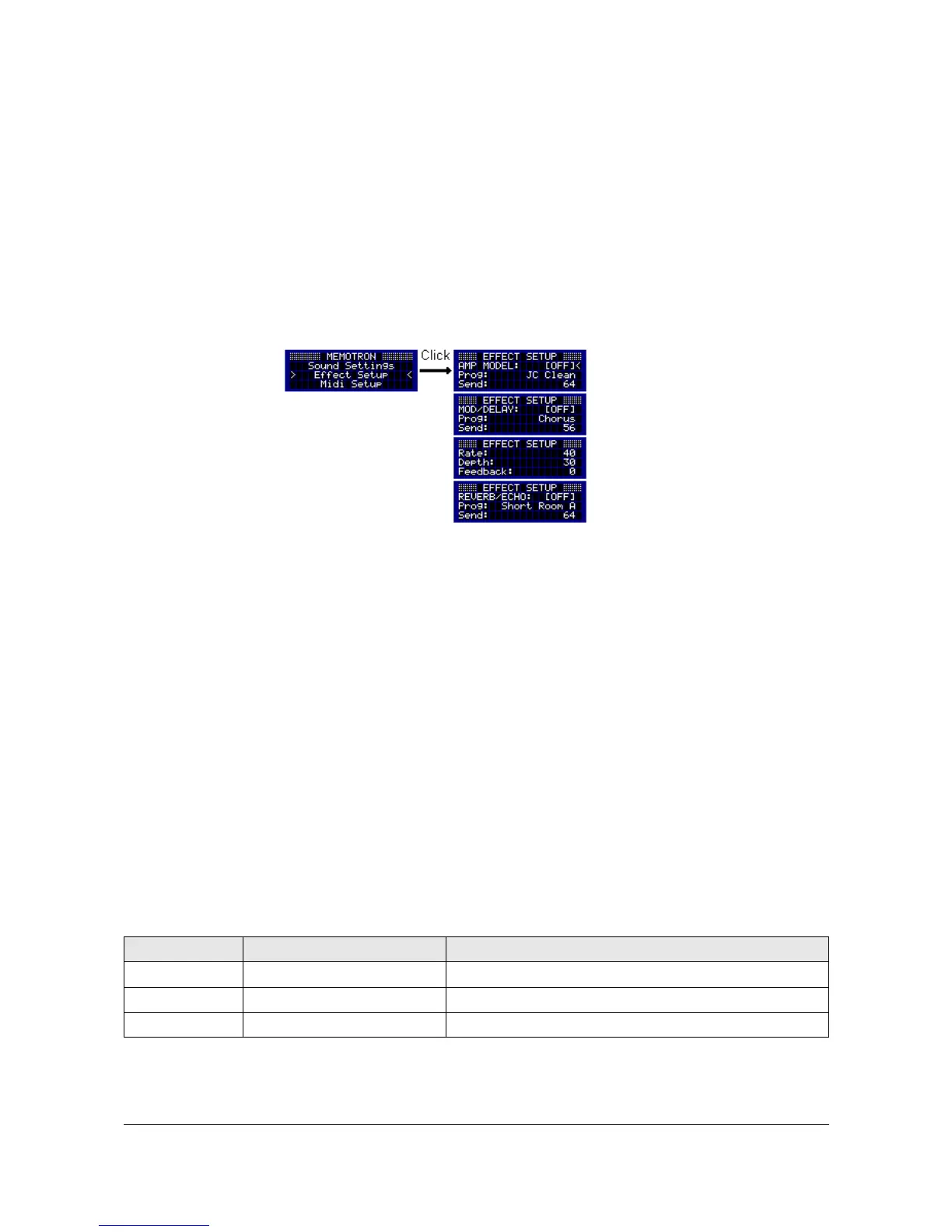
Effect Setup
The Memotron m2k has a digital effects section which enhances its tonal expressiveness a lot. In addition,
the Memotron m2k is largely independent (especially on stage) from external effects devices.
The effect section consists of three successive effect blocks: the Amplifier Modeling Effect block, a
Modulation / Delay effect block and a Reverberation / Echo effect block. All three blocks can be used
individually or simultaneously, each with one effect program.
The Effect Setup is accessible from the main menu. After a parameter has been selected, it can be released
for editing by pressing the DATA knob. The cursor changes its shape to an arrow. Turning the DATA knob,
the parameter value can now be changed. By pressing the DATA knob again, another parameter can be
selected for editing.
By pressing the ESC button, you can quit the Effect Settings section and return to the main menu.
Effect Block 1: Amplifier Modeling
This effect block provides twelve different effect algorithms:
1. JC Clean
2. Acoustic
3. Black Panel
4. Brit Combo
5. Tweed
6. Stack Classic
7. Metal
8. R-Fier
9. Crunch
10. VO Drive
11. BG Lead
12. MS Higain
The following parameters can be adjusted in the Amplifier Modeling effect block:
Parameter Value Range Description
AMP MODEL OFF / ON deactivates / activates this effect block
Prog JC Clean … MS Higain selects one of 12 effect algorithms
Send 0 ... 127 adjusts the effect amount in the output signal
Memotron m2k OS v1.3 User Manual 18


 To Next Page