Update
To keep the Memotron m2k on the latest technical level, Manikin Electronic will launch operation system
updates from time to time. These updates can easily be installed from a memory card. The operation is
basically no different from loading a Frame.
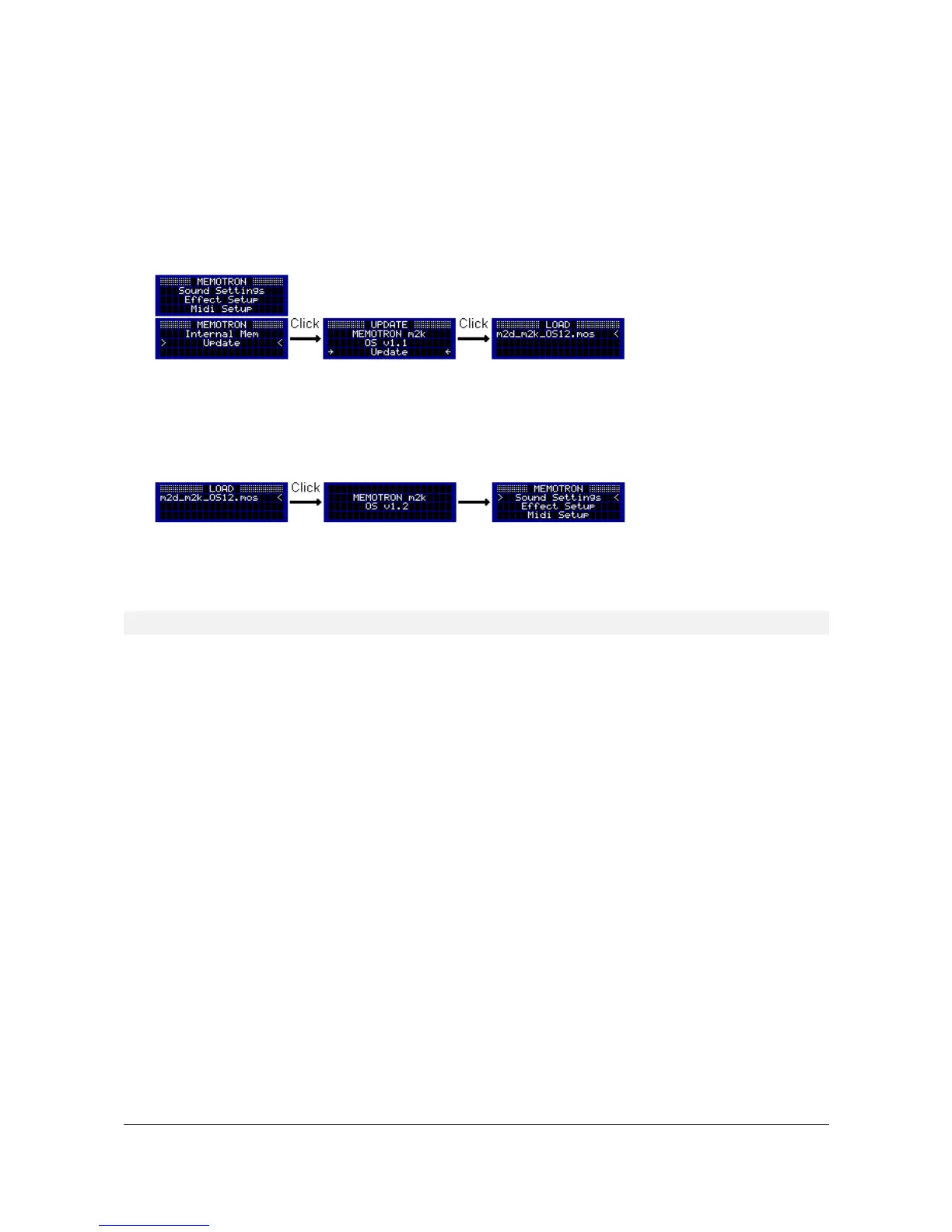
The update process can be accessed via the main menu item “Update”. By pressing the DATA knob, you
enter the “Update” menu. The currently installed operation system version number is displayed here. To
update, you select the menu item "Update" and enter the file system of the external memory card.
The following procedure is basically the same as loading a Frame: Select the directory which holds the new
operation system file. Select the operation system file (m2k_m2k_OSXX.mos) and press the DATA knob to
initiate the update process. The update process will take some seconds and will be completed when the
main menu reappears.
The Memotron m2k is ready for performance as soon as the update process has been successfully
performed.
! While the update process is running, do NOT switch off the Memotron m2k!
Memotron m2k OS v1.3 User Manual 22


 To Next Page