85-03-01194 FV48 Page 73
5.4 OPERATING INFORMATION
Using Your Remote Control
Your Mendota remote control is pre-programmed to your fireplace. Ensure you have installed 3
AAA batteries into your remote.
Press the top button on the remote control. If you do not hear a beep when you press this
button, follow the instructions below to synchronize your fireplace and remote control.
Synchronizing the Fireplace and Remote Control
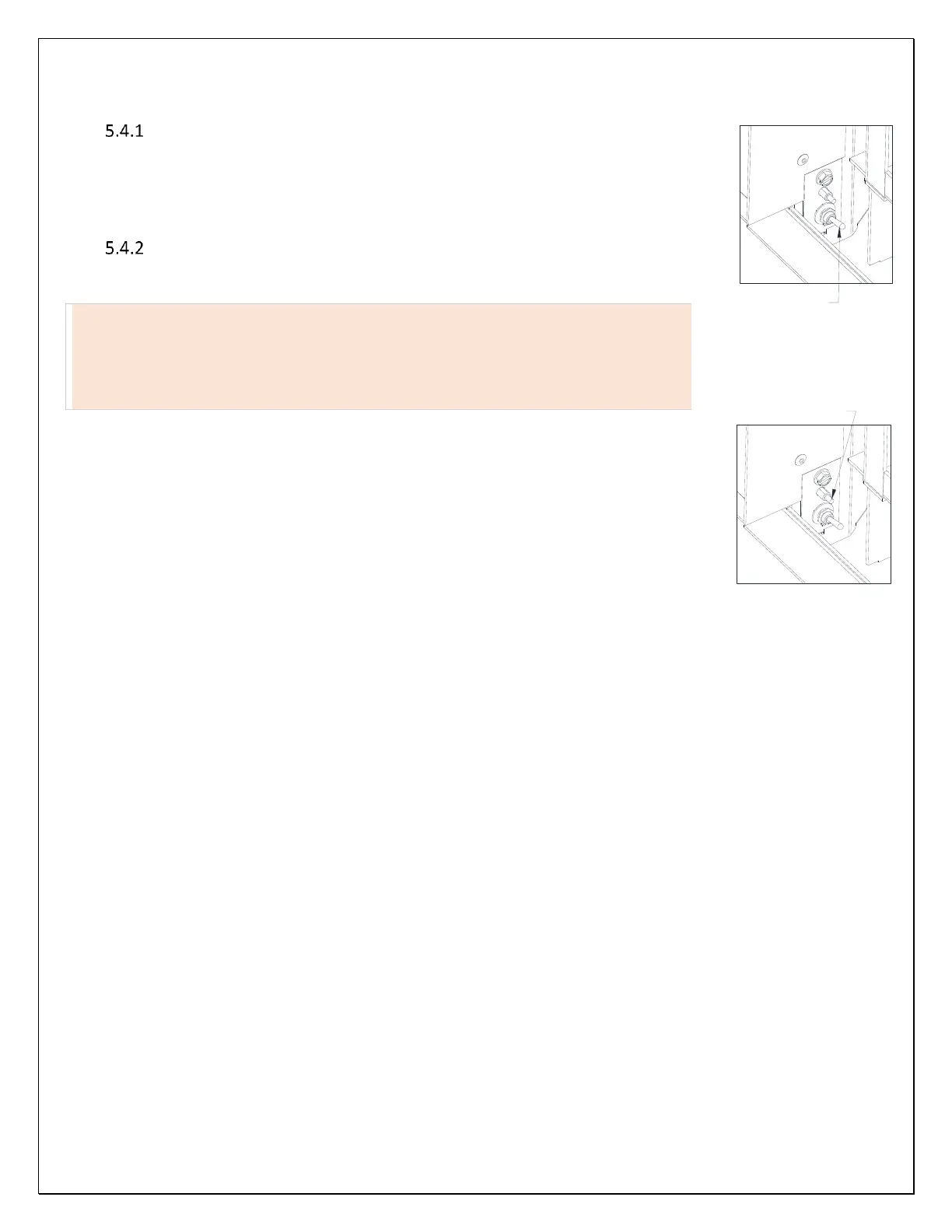
Note: The master switch and sync switch are located on the bottom left corner of the fireplace in
the left side air gap.
Master Switch” The master switch acts as the main safety on/off control for the
main gas burners only. When the master switch is in the off -condition, the main
gas burners will not turn on. However, all other fireplace functions, including the
Continuous Pilot mode, will operate. When the master switch is in the on-
condition, the main burners will function as designed.
In case of an emergency, toggle the master switch to off to turn off the main
burners.
To synchronize the fireplace and remote control, follow the steps below:
1. Toggle the master switch to “on” (toggle up).
2. Locate sync switch (above master switch in the right-side air gap). Press the sync button and
release. The fireplace will beep three times indicating that it is ready to synchronize with a
remote control. (Note: If you do not hear any beeps when you press the sync button, contact
your Mendota dealer or installer for assistance.)
3. Within seven seconds, press the “on” button on the remote control. The fireplace will beep
four times to indicate that the remote control’s command is accepted and sets to the particular code of that controller.
Your system is now initialized.



 To Next Page