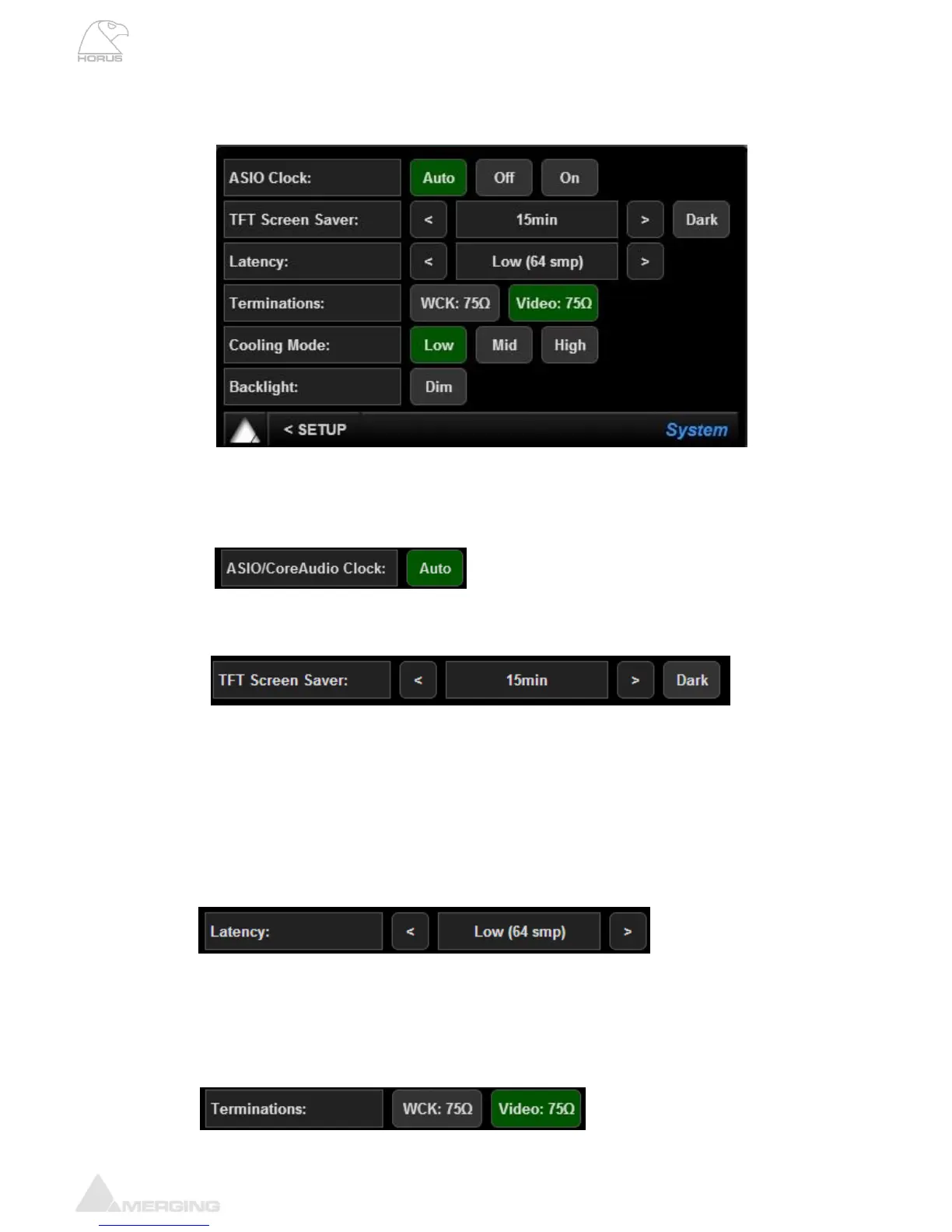
System (Setup):
ASIO Clock: If set to Auto enabled: The ASIO clock will be generated by the Horus which
will be PTP Master.
If Auto is disabled: The ASIO clock will always be generated by this Horus.
Note: Do not disable unless you are sure that no Horus will be PTP Master.
TFT Screen Saver: The Horus touch screen screensaver delay can be set to
15 minutes, 30 minutes, 1 hour or disabled
The Dark option will display a black Screen Saver, mainly used when Horus
needs to be a discreet stage box.
Latency: The Horus has 4 Latency Settings (in samples) that will determine the device
latency over a RAVENNA network. When multiple RAVENNA devices (e.g.
Horus) are connected over a network, they adjust themselves to the lowest
latency that can globally be achieved.
- Ultra Low (16 smp)
- Extra Low (32 smp)
- (48 smp) – provisional for AES 67
- Low (64 smp)
Terminations: 75Ω for WCK: Sets 75Ω termination for the Wordclock Input. Enabling this will
disable the Wordclock output.
75Ω for Video: Sets 75Ω termination for the Video reference Input. Unless the
Video Reference signal provided to the Horus is daisy-chained to other
equipment, you should always terminate your Video signal for most reliable
operation.



 To Next Page