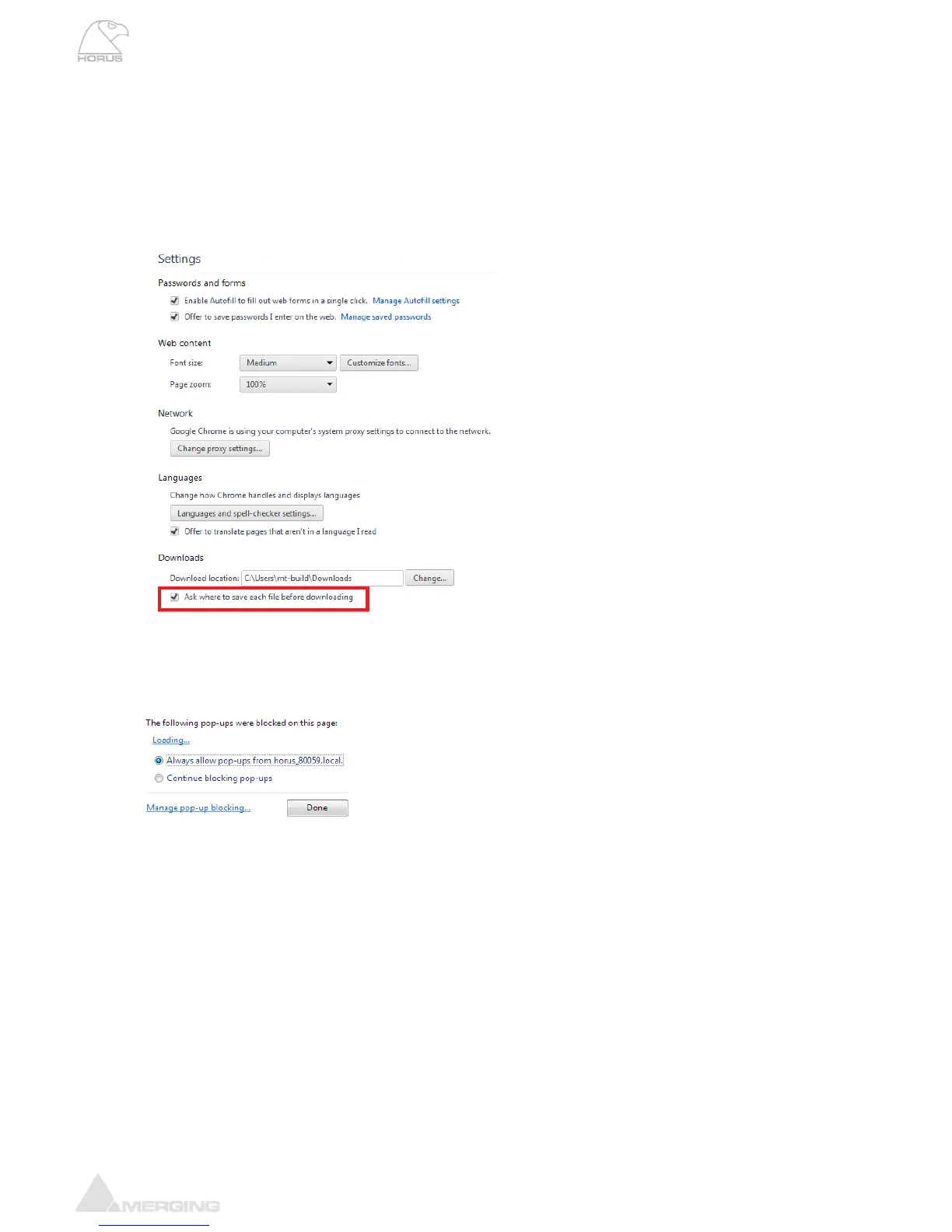
Note: Stored Horus preset have a .bin file extension. In order to be able to rename the Horus preset file
at save the Chrome browser users will need to adjust this Setting.
1. Go into Chrome Settings
2. Click on Show advanced settings
3. Under Downloads, check the box « Ask where to save each file before downloading »
Now when clicking on « to Disk » a window pops up that allows you to change the name of the preset
(.bin) file prior to saving it.
Note: When saving presets to Disk with the Chrome Brower it is possible that the save windows dialog
does not show up. It such case it is due to the browser Pop-Up blocker configuration. Make sure that
you allow pop-ups from your Horus.



 To Next Page