How to provide Merging Support with a Horus debug dump file
Horus Debug Report procedure:
1. Connect the Horus to your system via Ethernet
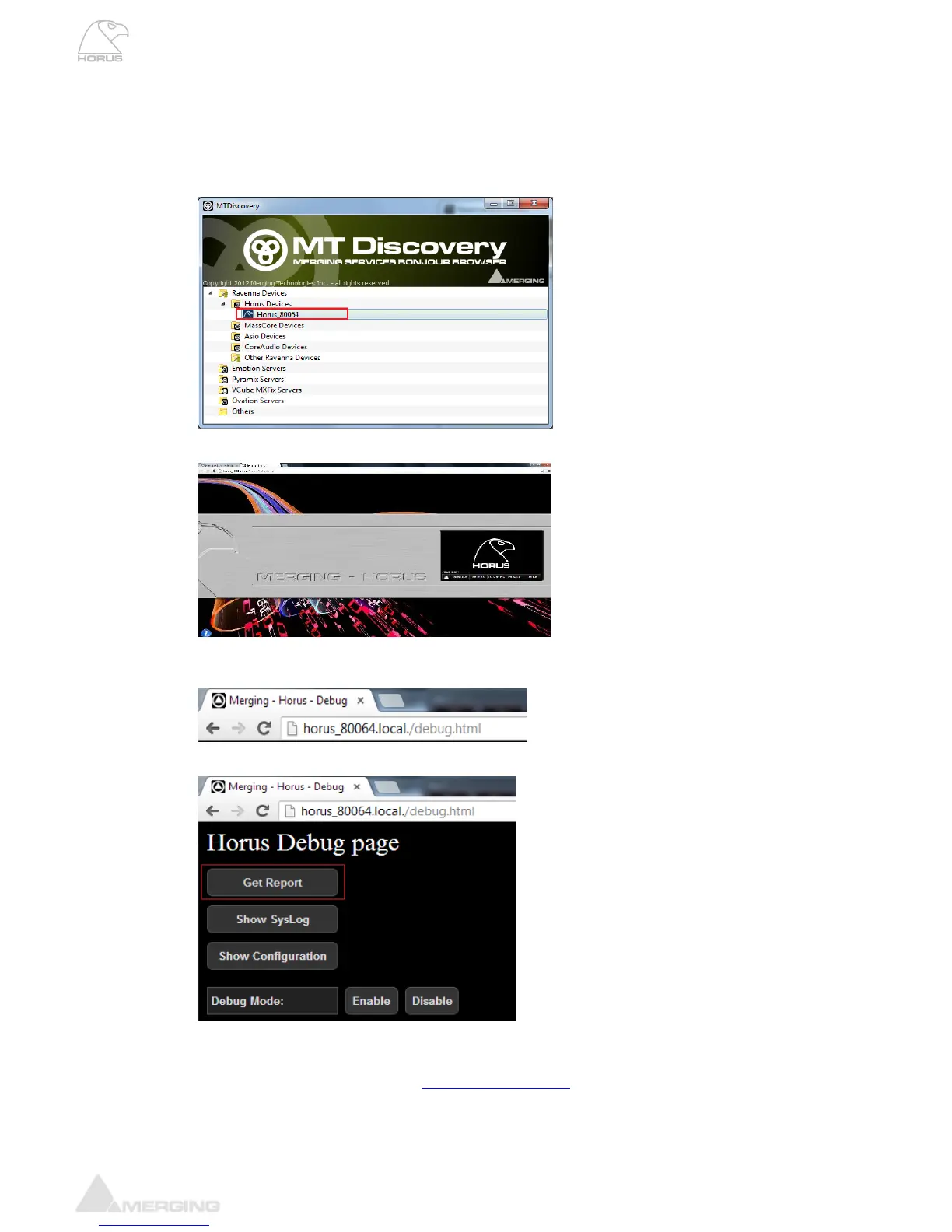
2. Open MT Discovery and click on the Horus Entry
3. This will open the main Horus Web Access page in your web browser (e.g. Google Chrome)
4. Follow the Horus Name entry <Horus name>.local/. with /debug.html
Example: horus_80064.local./debug.html
5. The Horus Debug page will open (see image below)
6. Click on the Get Report button
7. This will save Horus_Report.bin file.
8. Send the .bin files and report to support@merging.com



 To Next Page