Interface: Lists all available network ports.
Auto: Automatically detects the network adapter the unit is connected to (default setting). You may manually
select the network port to which the unit is connected by unticking the Auto checkbox. Where there is only
one network port, which is most computers, this is best left ticked.
Interface LED Status:
• Grey: No interface or interface not properly configured.
• Green: Interface running at 1Gb.
• Yellow: Interface running at 100Mb.
Zones: Two zones will be available.
These are:
• Main: Delivers a stereo stream to the Main output.
• Main + Headphone: Delivers two different stereo outputs – one to the Main output and the other to
the Headphone output.
Status
Sample rate: Shows the current driver sample rate. This will be a value from 44.1kHz to 384kHz or DSD64,
DSD128 or DSD256.
Driver: Indicates the current status of the driver.
• Red: No MERGING+NADAC available on the network (verify your Ethernet port connection).
• Green: Running properly or streaming.
PTP: The Precision Time Protocol (PTP2 or IEEE 1588-2008) is at the heart of the RAVENNA protocol, ensuring
an ultimate clock precision of one nanosecond.
• Green: PTP locked.
• Yellow: PTP locking.
• Red: PTP unlocked.
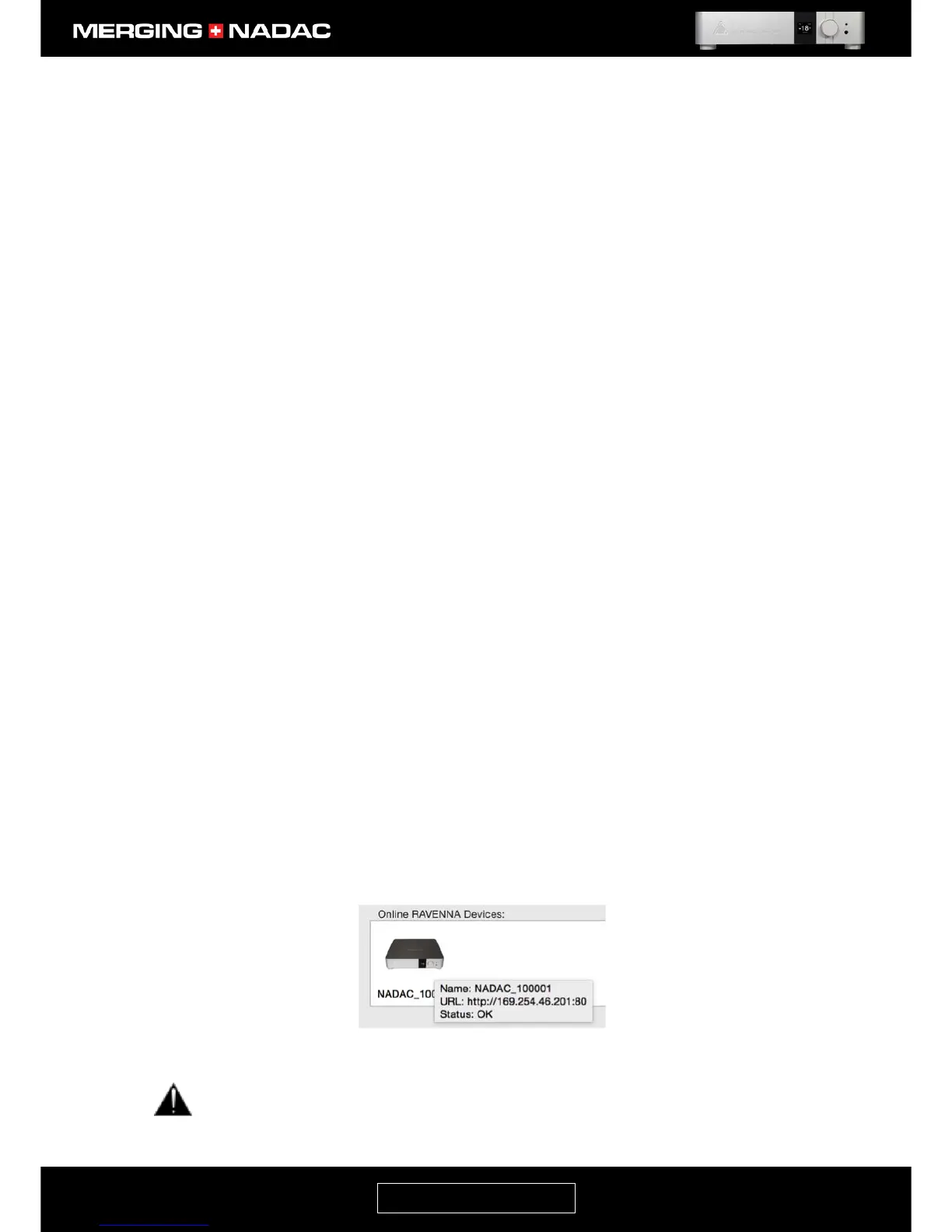
Online RAVENNA Devices
• Any online RAVENNA Devices will be discovered if properly connected. In the illustration shown in Figure
66 a NADAC with serial number 100035 is connected to the computer.
• Holding your mouse over the NADAC icon will give you the unit key details (serial number, URL, firmware
version and status). Figure 67 shows a typical example.
If the NADAC icon in the MERGING +NADAC Settings panel has a red circle with a diagonal line
superimposed over it, as shown in Figure 68 below, it means that the unit cannot be reached on the
network.



 To Next Page