Unpacking the AP200
Installing the AP200 19
Unpacking the AP200
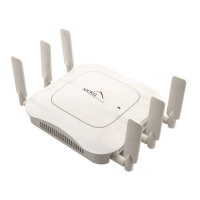
The AP200 ships with a mounting bracket and mounting hardware for standard wall mounting.
Optional mounting kits are available for mounting the AP200 above or below a hanging ceiling. The
AP200 mounting studs are placed so they can be used with brackets supplied by other vendors or to
replace an AP100.
Note:
The AP200 has a security cable slot so you can secure the AP200 with a standard security
cable, such as those used to secure laptop computers.
An array of holes on the mounting bracket (see Figure 12) allow it to be mounted on the wall and over
junction boxes or molly bolts. There are also holes for passing the PoE Ethernet or external power
supply cable through the bracket if the bracket is mounted on a junction box or over the ceiling T-bar
box hanger.
Confirm that the AP200 shipping package contains the following items:
z Access point
z Mounting bracket with two mounting screws
z CD-ROM of Meru Wireless LAN System documentation
z Optional suspended ceiling mounting hardware kit
z Optional T-bar box hanger hardware kit for mounting above a suspended ceiling
z Optional 3.3V DC external power supply connector


 To Next Page
 Loading...