5.3. Operating the Software
5.3.1. User Interface and Status Indicator without M=Light LED
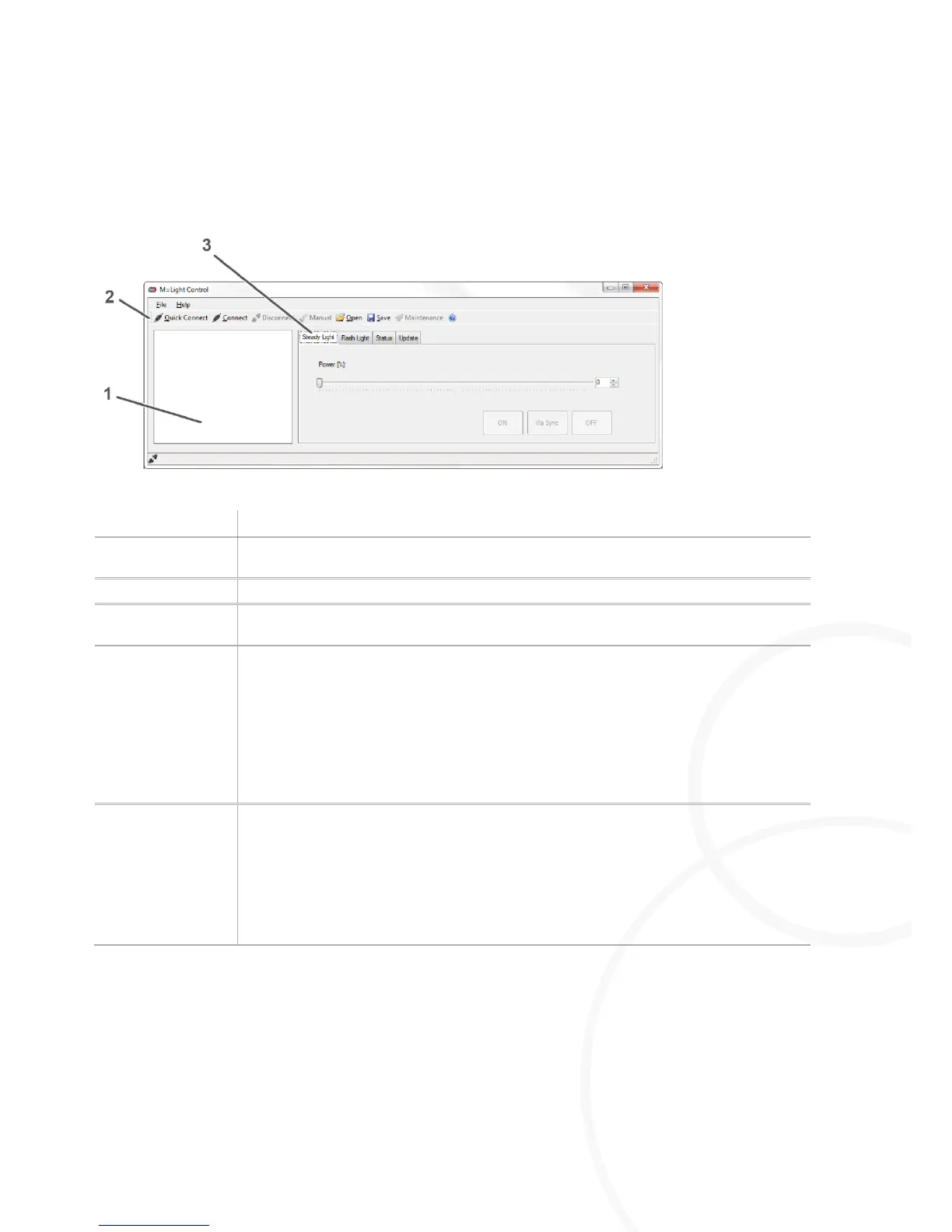
Figure 11: User interface and status indicator without M=Light LED connected
In the M=Light Explorer you can view the M=Light LEDs connected with the software,
both individually and in groups.
Command line for all M=Light LEDs connected.
Tabs for operation and status indication of M=Light LEDs that are marked in the
M=Light Explorer.
Connects the M=Light LEDs already detected during the previous application with the
software.
Use this process if the wiring, the CAN-Bus address of the M=Light LEDs or the
Groups.ini file has NOT been changed.
Press Quick Connect.
The M=Light LEDs already detected during the previous application are
connected with the software.
Scans the entire bus system (up to 255 M=Light LEDs).
Use this process if the wiring, the CAN-Bus address of the M=Light LEDs or the
Groups.ini file has been changed.
Press Connect.
The entire bus line is scanned and all M=Light LEDs are connected to the
software. This process may take a few minutes.



 To Next Page