10
Buttons and indicators
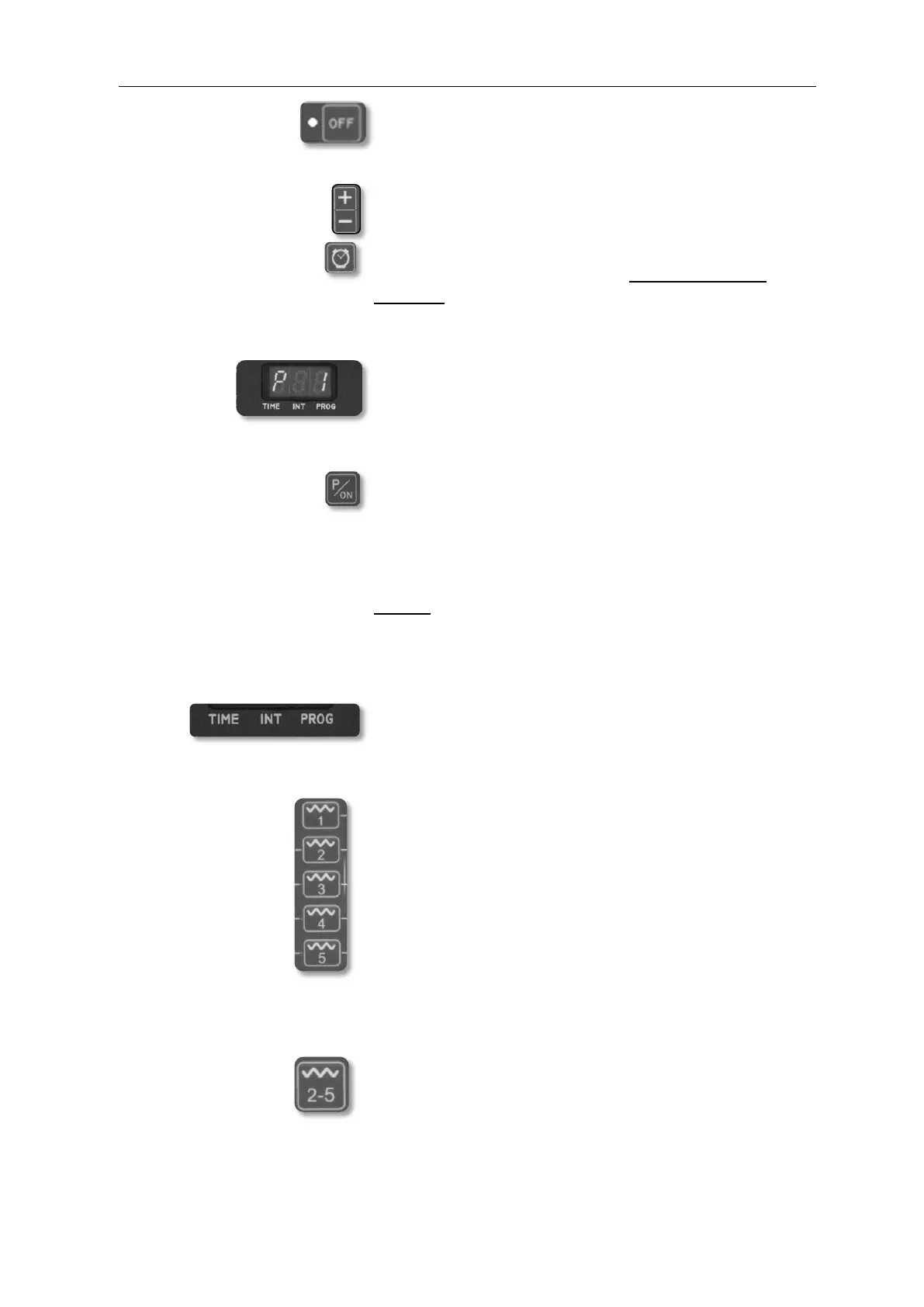
OFF button: By operating the “OFF” button, you stop all functions.
The readiness for operation is still indicated by the
flashing LED next to the “OFF” button.
+ / - button Button for individual settings + / -
Watch button By pushing this button, you select the pre-programmed
massage duration of 15 or 30 min before selecting a
program. During the massage, you activate the TIME
MODE and can individually set the time (5-60 min) using
the +/- buttons.
Display Program, time and intensity display. After a change of the
setting, the display always returns to the current program
after 5-10 sec. When the set program is completed, -End-
is displayed.
PROGRAM button By pushing this button, the PROGRAM MODE is
activated. (See also program list P1 – P20) You can now
set the desired program using the +/- buttons. It is, of
course, possible to change between P1 and P20 while a
program is running using the +/- button. The selected
program is shown on the display.
NOTE: The program sequence is designed to let approx.
1.5 seconds pass when a program P1 – P20 has been
selected before the massage starts.
TIME LED display – Time
INT LED display – Intensity
PROG LED display – Program
Zones button 1-5 By pushing these buttons, the INTENSITY MODE of the
individual zones 1-5 is activated (only possible after
program selection or during the massage). Now, you can
select the desired intensity using the +/- buttons. 7
intensity levels are available. The set intensity level is
shown on the display for approx. 5-10 s. The LEDs 1-5 are
assigned to massage zones 1-5. The LED 1-5 of the
massage zone which is currently active is lit. The +/-
buttons can also be used to deactivate individual massage
zones. The corresponding LED is then switched off and
“OFF” is shown on the display.
Zones
complete button By pushing this button, the INTENSITY MODE of zones
2-5 is activated. Using the +/- buttons, the desired
massage zones 2-5 can be set. This setting can be made
prior to program selection and during the massage. 7
intensity levels are available. The selected intensity level
is shown as “mit Ic 1-7” on the display for approx. 5-10
seconds.


 To Next Page
 Loading...