11
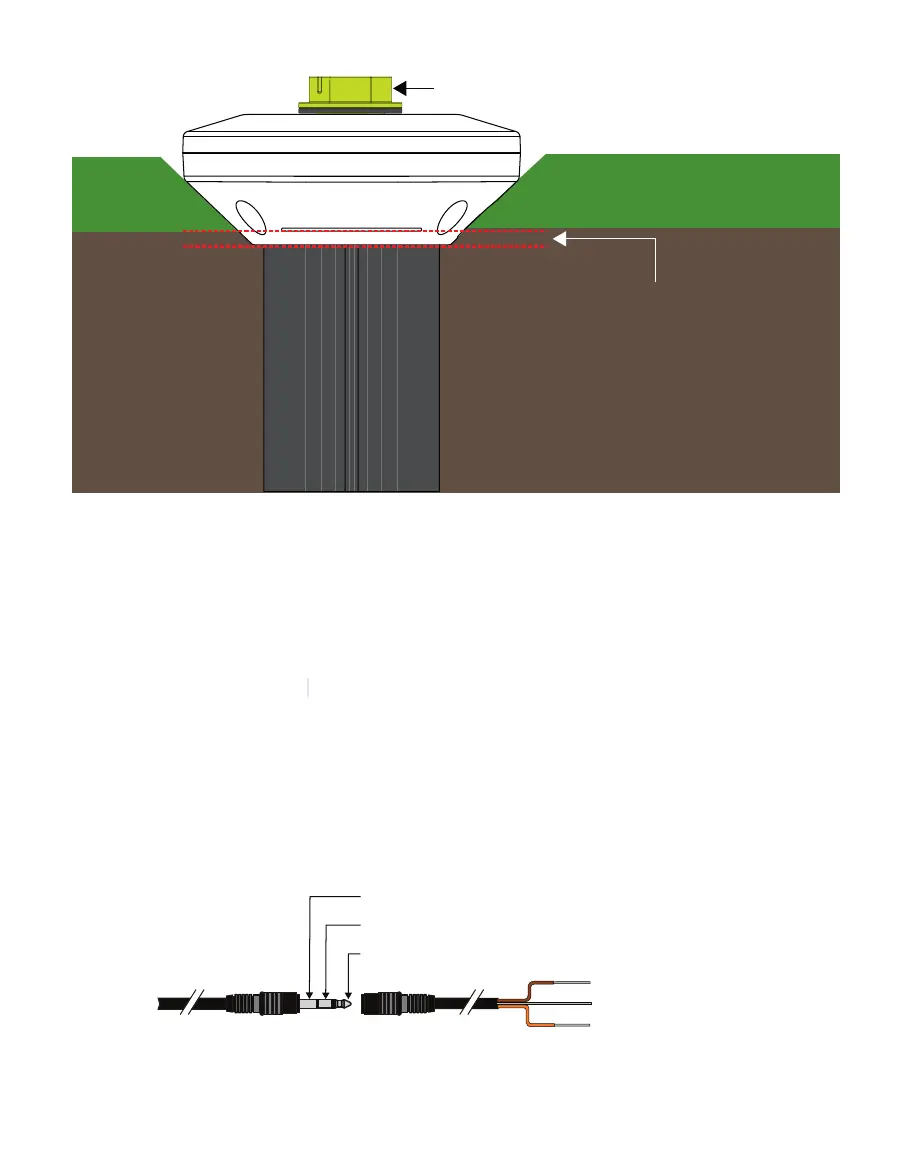
TEROS 54
5 mm
protective cap
Figure5 TEROS 54 head installation view
2.2 CONNECTING
The TEROS 54 works seamlessly with METER ZENTRA data loggers, and it can also be used
with other data loggers, such as those from Campbell Scientific, Inc. For extensive directions
on how to integrate the sensors into third-party loggers, refer to the TEROS 54 Integrator Guide.
TEROS 54 probes require an
excitation voltage in the range of 4.0- to 24.0 VDC and
operate at a 3.6-VDC level for data communication. TEROS 54 can be integrated using
DDI Serial, SDI-12, Modbus RTU, or tensioLINK communications protocol. Refer to the
TEROS54 Integrator Guide
for details on interfacing with data acquisition systems.
TEROS 54 probes come with a 3.5-mm stereo plug connector (Figure6) to facilitate easy
connection with METER loggers. TEROS 54 probes may be ordered with stripped and
tinned wires to facilitate connecting to somethird-party loggers (Section2.2.2). A 1.5 M
cable is also available for use with an M12 connector.
To probe
or sensor
3.5-mm stereo connector Pigtail adapter Stripped and tinned wire
Ground
Digital communication (orange)
Power (brown)
Ground (bare)
Digital communication (orange)
Power (brown)
Figure6 Three-wire stereo connector and pigtail adapter



 To Next Page