7
System Toolbar – A storage tray of commonly used functions. The default configuration displays an “Mx” button(access
to Setup), a Home Button(return to home view), an Inch/Metric Button(to toggle display units), and a Datum
indicator(displaying current coordinate system).
Measure Toolbar- A storage tray for the primary measure and construct feature buttons, and for extra menu buttons
assigned via the Desktop Settings screen.
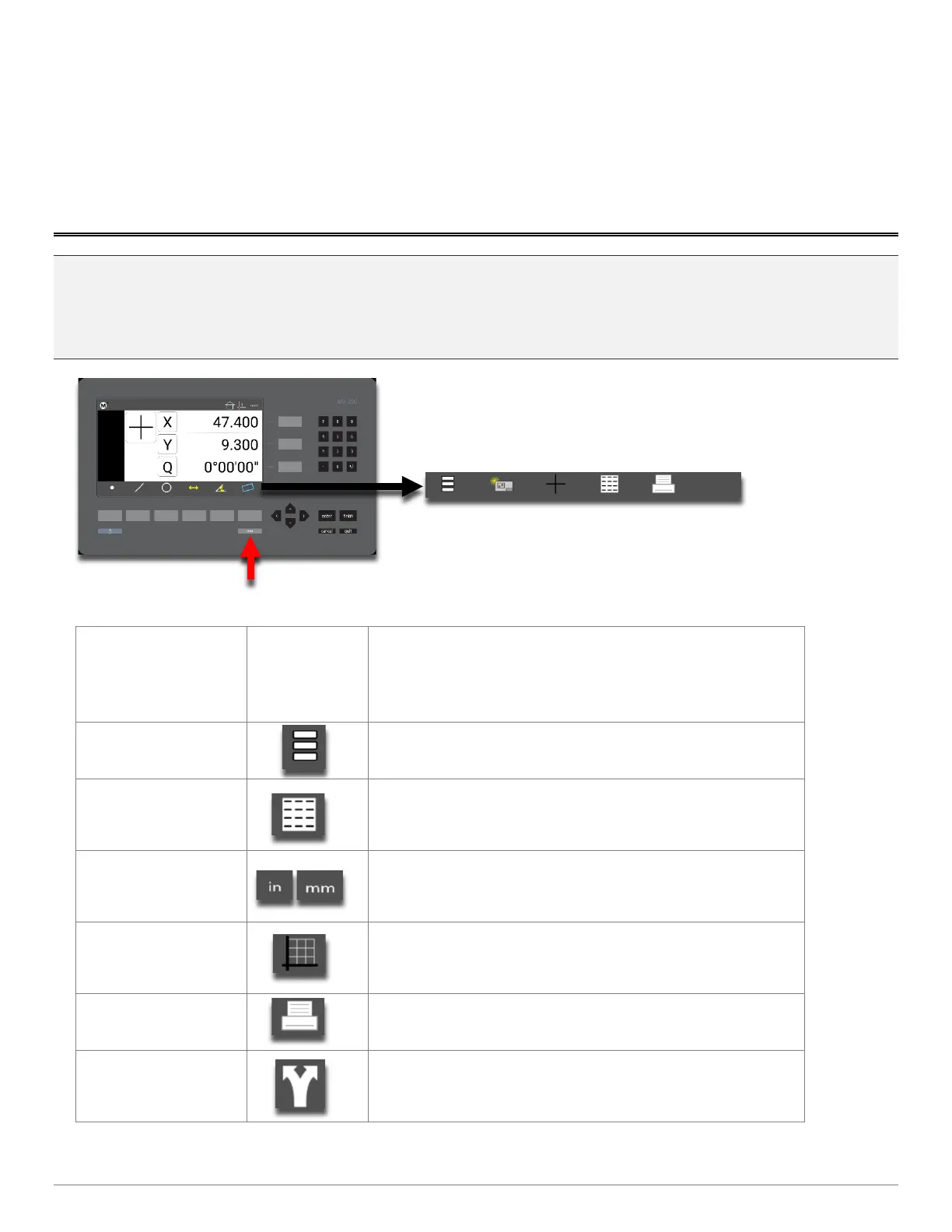
Pro-Tip: The bottom toolbar has a set of default function buttons for each view-type, which cannot be modified. The
measure feature buttons are an example of these. When the “Desktop” setting for a particular function is set to
“Bottom” or “Both” it will be displayed in the Mx200’s “Extra Functions” menu. This menu can be displayed by pressing
the Menu key once. Additional keypresses of the Menu button will cycle through the pages of the Extra Functions menu.
Function
Button
Icon
Description
Program Button
The Program Button navigates to the part program view.
Data View Button
The Data View button navigates to the feature
results/report view.
IN/MM Button
The IN/MM button toggles the display units between Inch
and Millimeter.
Cart/Polar Button
The Cart/Polar button toggles the positional display format
between Cartesian and Polar coordinates.
Print Button
The Print button executes a print command.
Export Button
The Export button navigates to the export data file softkey
menu.



 To Next Page