6
2.3 The Interface Roadmap
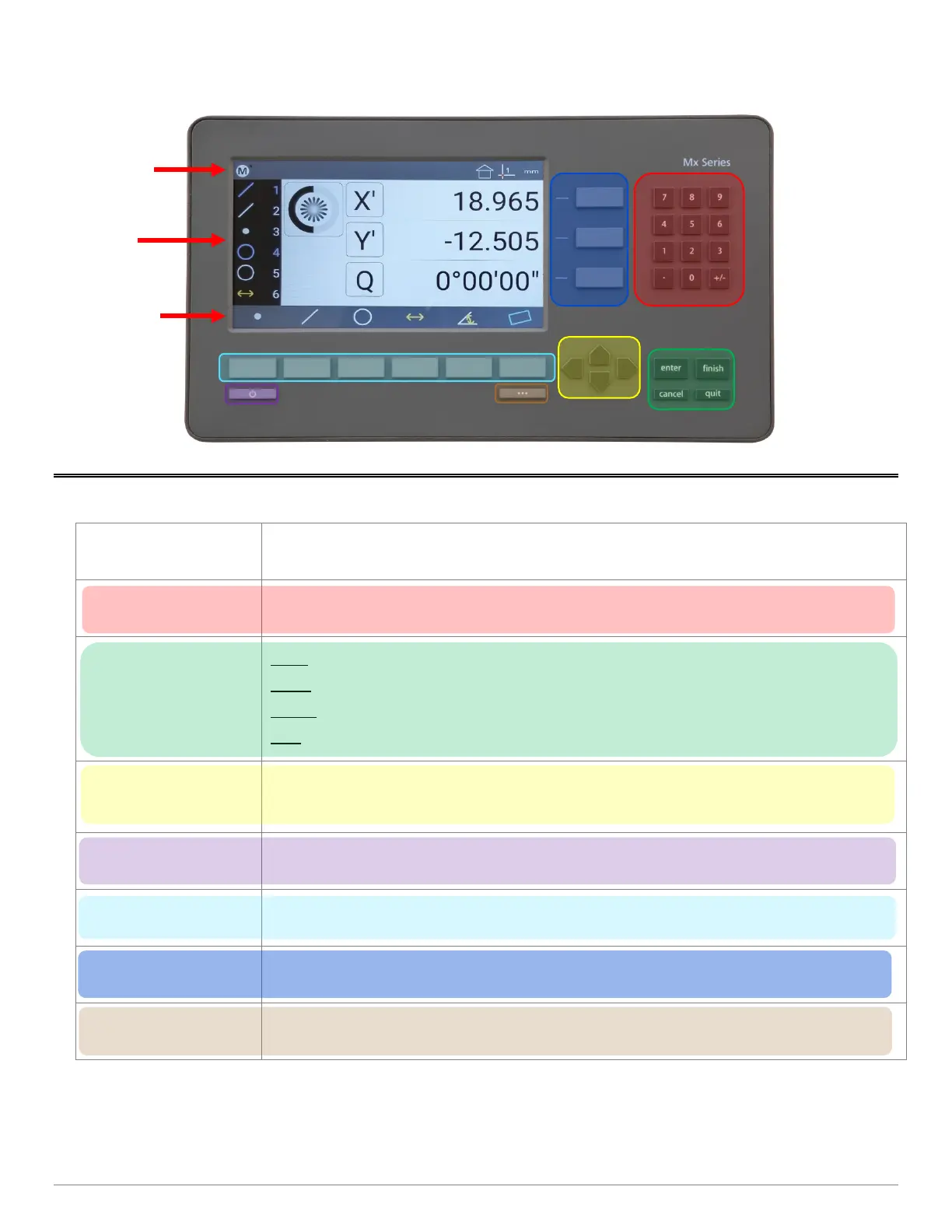
Keys Function
Number Pad
Enter numeric digits, decimal points, and sign(+/-)into the current field.
Command Keys
Enter - Select data entry field or setup menu item.
Finish -
Confirm selected function or setup menu item.
Cancel -
Navigate up one level from current setting menu.
Quit –
Exit the current setting screen back to the top level settings screen.
Arrow Keys
Navigate the settings menu screens. The left and right arrows go in a level, or out a level.
The up and down arrows move the current selection up/down.
Power Key
Single Press to Power On. When On, Single Press for Screen Off, Long Press for Power Off.
Soft Keys(1-6) Executes the softkey button commands/selection displayed above the key.
DRO Keys
Execute X/Y/Z/Q zerroing funciton. Select functions as vertical softkeys.
Menu Button
Displays or advances the Softkey Menu. Long press to enter Mx200 Setup.



 To Next Page