Locker Controller ELS & ELS SELECT Technical Manual
Erasing operating parameters
Operating parameters can be erased (initialized to default values) only in TEST mode of operation.
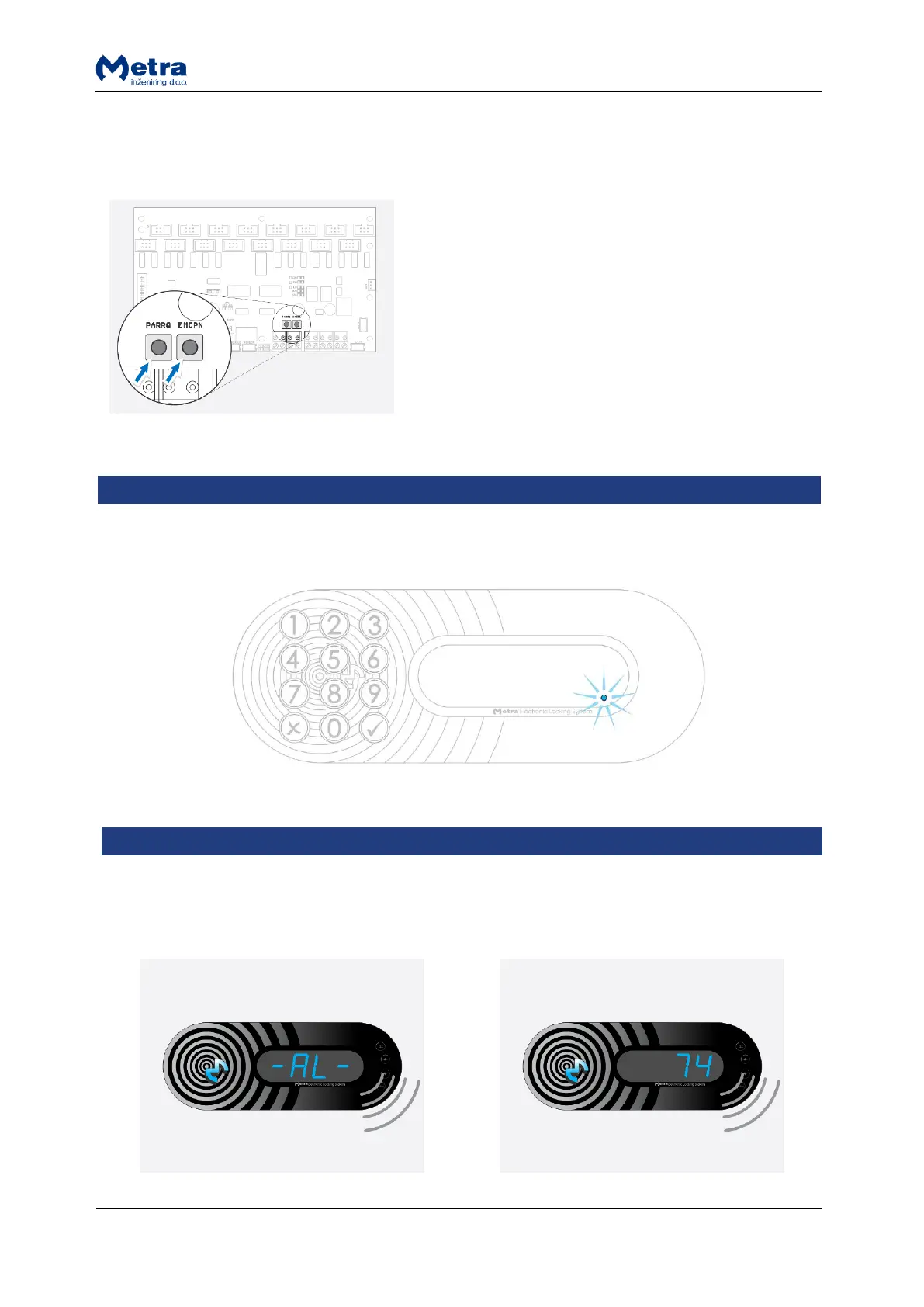
While powering-up the Locker Controller in TEST mode
of operation, press and hold both buttons (Emergency
open and Parameters request) for more than 3 seconds.
If locker was unlocked but not opened (door is jammed) blue dot lights up on the right side of the 4
digit LED display.
If any of the lockers gets broken in, the alarm notice is displayed. The interrupted acoustic signal is
turned on. Display alternately shows '-AL-' notice and the locker number for 20 seconds (or as set in
Metra software).



 To Next Page