Locker Controller ELS & ELS SELECT Technical Manual
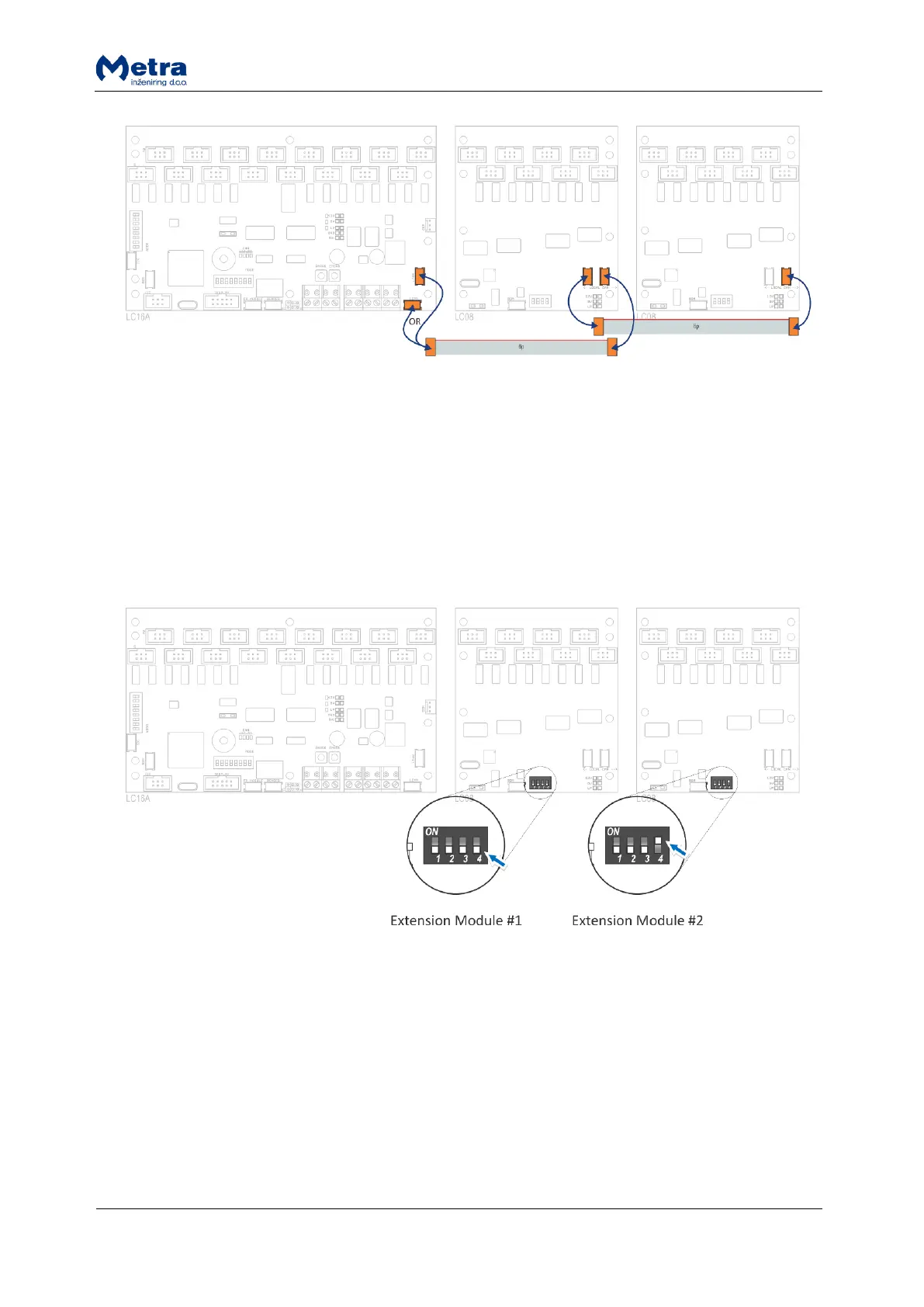
When Locker Controller is ordered with mounting plate Extension Modules (LC24_* and LC32_*) are
already connected.
Locker Extension Module setting
The first Locker Extension Module DIP switch (indexes 17-24) and second Locker Extension Module
DIP switch (indexes 25-32) must be set as follows:
Connecting Electronic Locks
Connect Electronic Locks using 6 wire flat cables.
Maximum length of each cable is 20 meters.
Cables from Electronic Locks with lower locker numbers must be connected to lower index
connector. Locker number is increasing from left to right (blue arrows)!
Mind ascending order when numerating lockers. Gaps between numbers are allowed.



 To Next Page