2.3 Attaching the accessories
10
813 Compact Autosampler
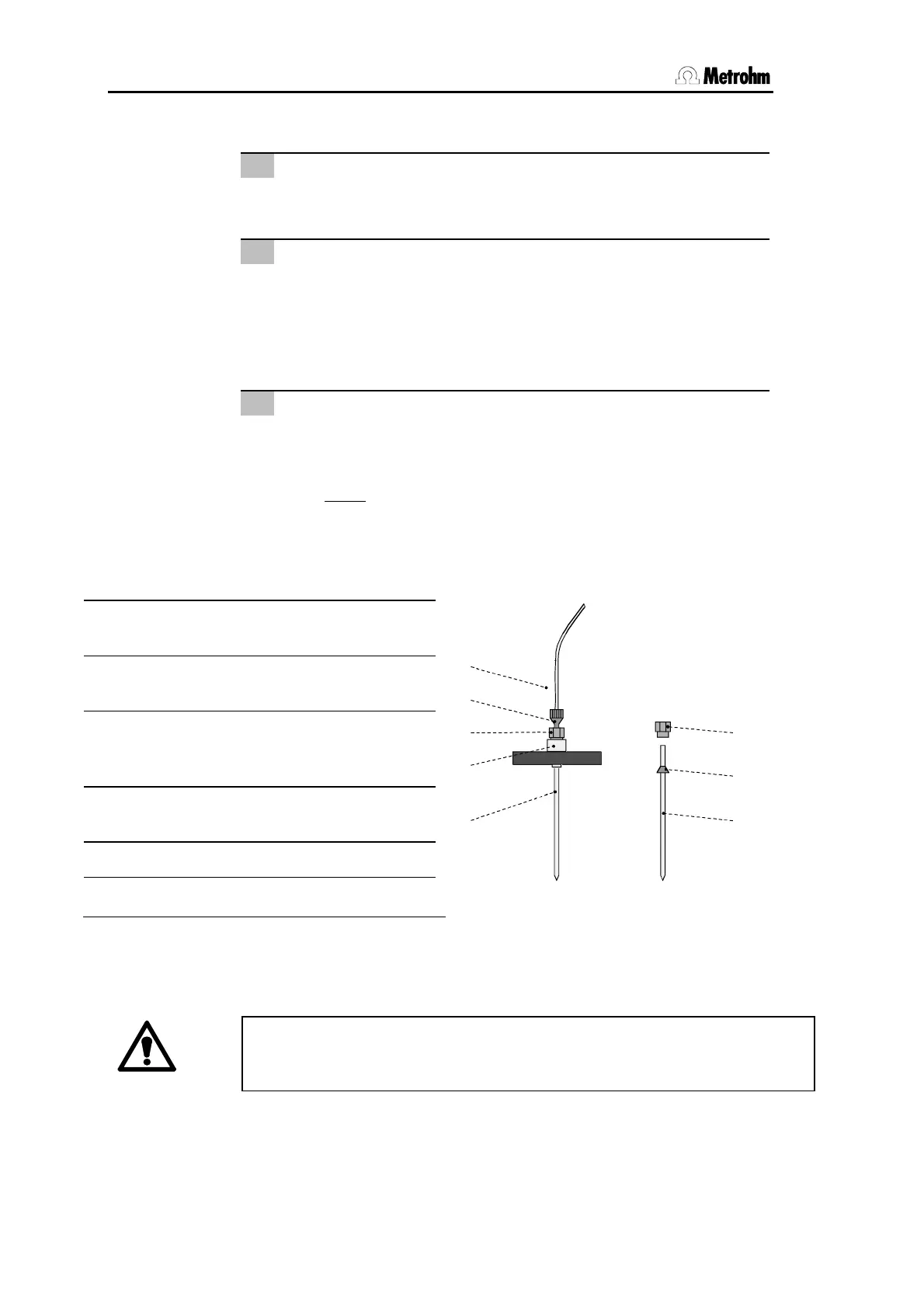
2.3.3 Installing the needle
1
Remove PEEK compression fitting 5
Remove PEEK compression fitting
5
screwed onto the needle
holder
4
.
2
Insert needle
• Needle
2
(6.1835.010 PEEK needle or 6.1835.020 or
6.1835.010 PEEK tube) is inserted a short distance into the
opening of steel holder
4
.
• Push PEEK round seal
29
over needle
2
from above. The
smaller end of the seal must face upwards.
3
Fix needle
• Screw PEEK compression fitting
5
into steel holder
4
while
pressing needle
2
gently upwards from below.
• Tighten compression fitting
5
in steel holder
4
by hand
(never
use tools!).
If you are using the 6.1835.020 or 6.1835.030 PEEK tube as needle, the
sample tubes must not be sealed with caps because they cannot be
pierced by the PEEK tube and this could damage the tube!
2
PEEK needle (6.1835.010) or PEEK
tube (6.1835.020 or 6.1835.030)
4 Steel holder (4.766.4330)
(part of 6.2833.000 Needle holder)
5 PEEK compression fitting
(4.766.4320)
(part of 6.2833.000 Needle holder)
6 PEEK compression fitting
(6.2744.010)
7 PEEK capillary (6.1831.050)
29 PEEK ferrule
2
4
5
6
7
2
5
29
Fig. 6 Needle installation













 To Next Page