2 Installation
813 Compact Autosampler
17
2.4 Instrument connections
2.4.1 Remote interface
External devices can be connected to the 25 pin remote connec-
tion (see Fig. 1). The remote line Input 2 (pin 22, see section 4.3
Technical description) allows the 813 Compact Autosampler to
get synchronized with an other instrument.
Connecting instruments to the 813 Compact Autosampler re-
quires Metrohm cables. Otherwise a safe signal transmission
may not be guaranteed.
Before an external device is connected to remote connection
22
the 813 Compact Autosampler must always be switched off
using mains switch
26
!
2.4.2 Interconnection with Metrohm IC systems
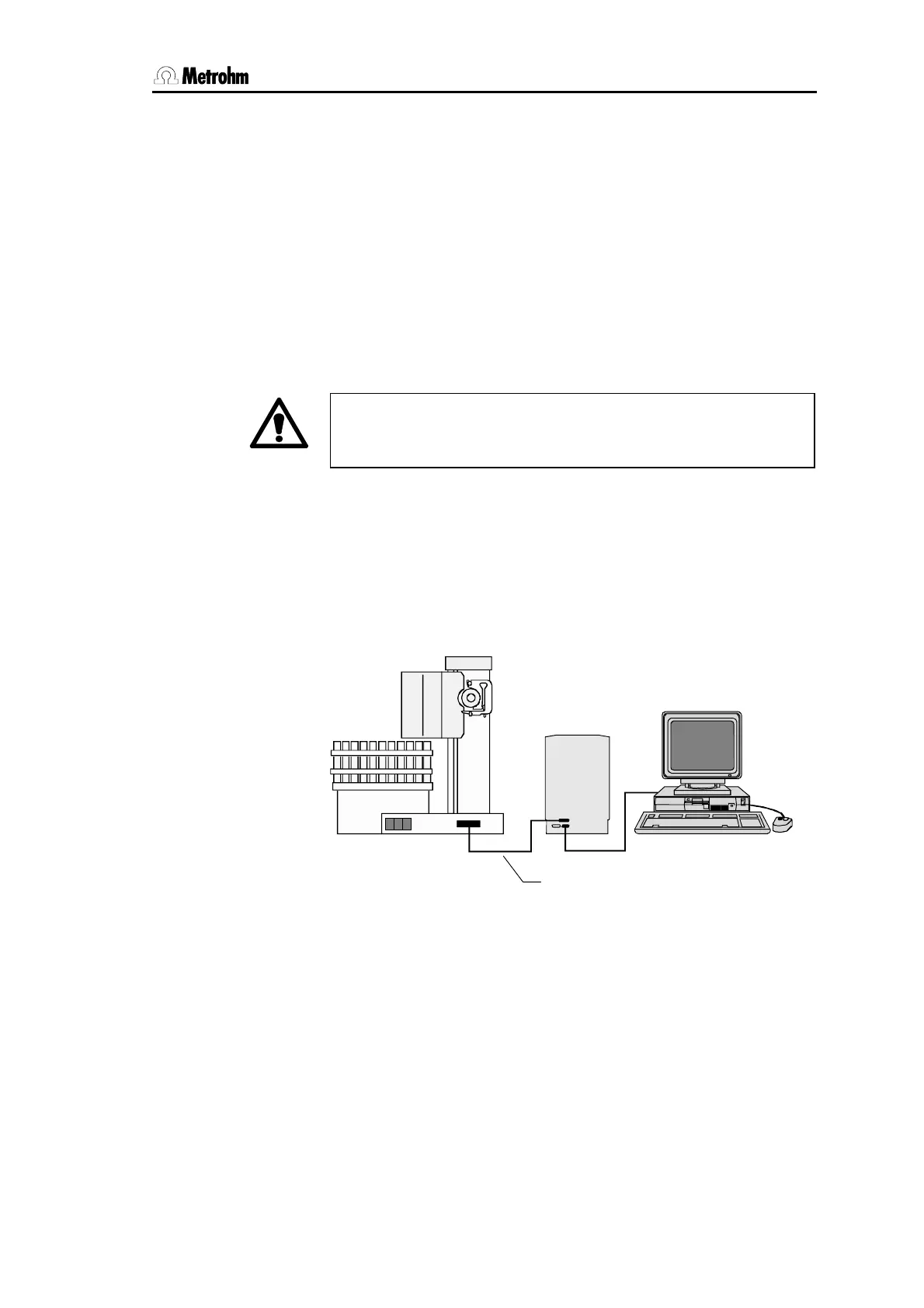
The 813 Compact Autosampler is connected to a Metrohm IC
system (761 Compact IC or 790 Personal IC) using the 25 pin
6.2141.130 Remote cable.
761 / 790
813
Fig. 12 Interconnection with 761 or 790 IC System
The interconnection of a 813 Compact Autosampler with a modu-
lar Metrohm IC System (IC Detector 732, IC Separation Center
733 …) can be done in different ways. Depending on the individ-
ual instrument combinations you need a 6.2141.130 or
6.2125.090 Remote cable to connect the 813 Compact Auto-
sampler to a 732 IC Detector. A 6.2125.120 Remote adapter may
be required as well. See the user manual of your IC System or
contact your Metrohm distributor for more details.
6.2141.130 cable













 To Next Page