3 Operation
813 Compact Autosampler
23
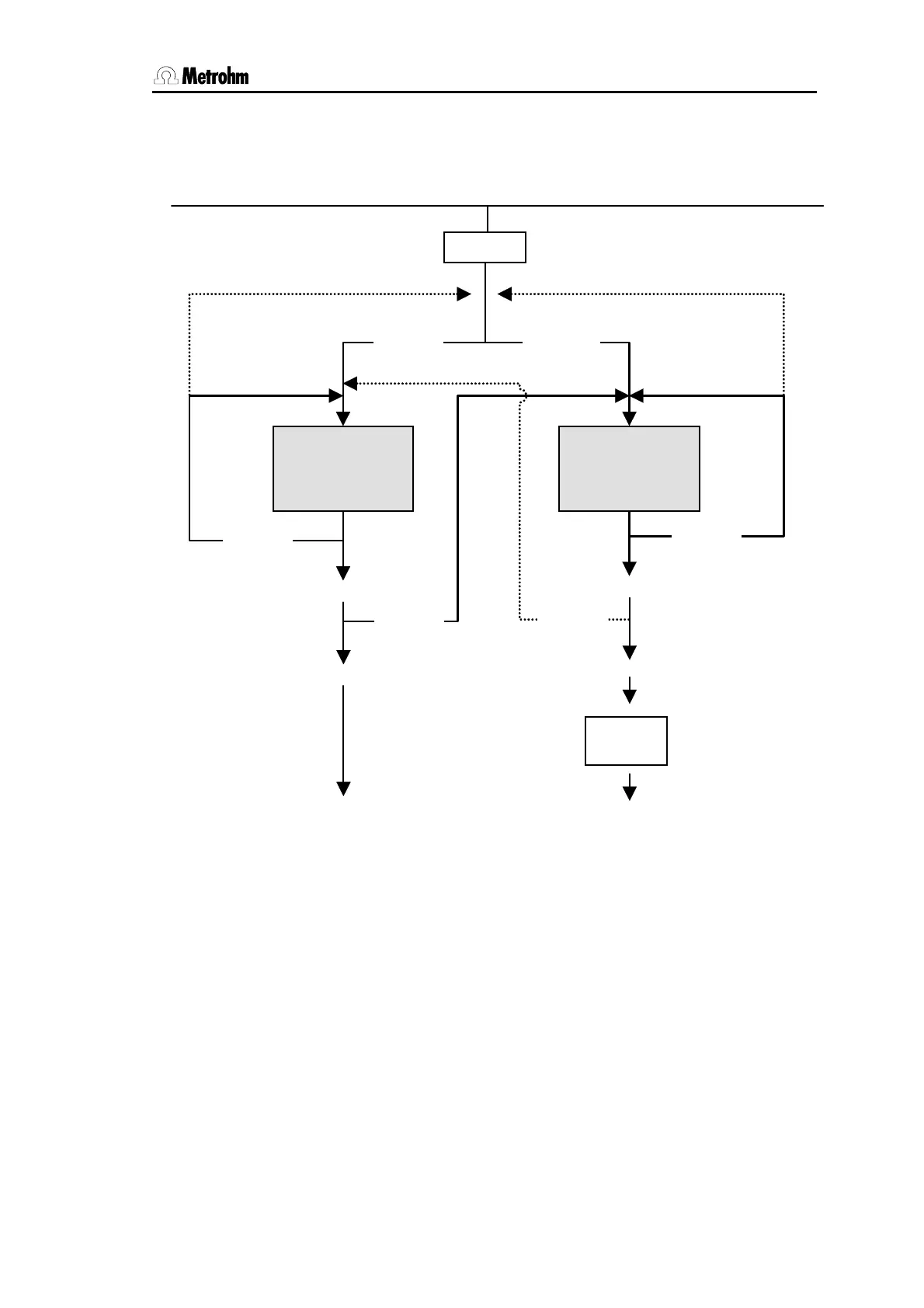
3.2.1 Course of configuration
Init
Power on + <HOLD>
Select method 1...4
<HOLD>
Set work position
(move lift)
<HOLD>
<START>
<STOP>
Ready
<START>
<STOP>
Ready
<START>
Init
<STOP>
<STOP>
<HOLD>
<HOLD>
<HOLD>
<HOLD> <HOLD>
Fig. 16 Configuration
If you just want to select a method:
1. Switch off Autosampler.
2. Press <HOLD> and simultaneously switch on Autosampler.
The green LED blinks.
3. Press <HOLD> again, to select method 1. The red LED
blinks slowly. To select method 2 press <HOLD> again. The
red LED blinks double times.
To select method 3 or 4 press <HOLD> again. The red LED
will display the selected method by the blinking frequency.













 To Next Page