2 Installation
813 Compact Autosampler
15
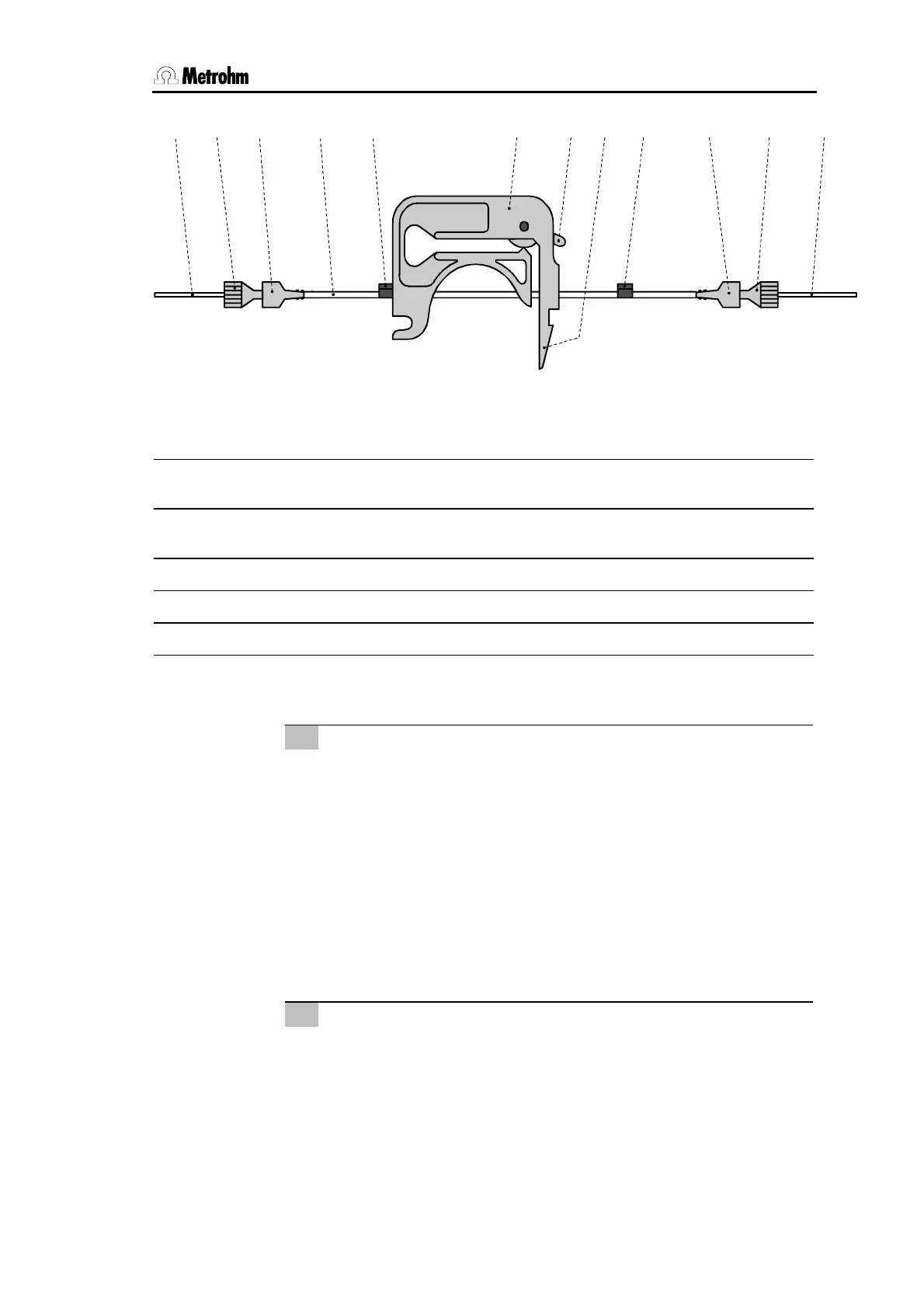
7 31 8 32 11 13 32 31 1715 66
Fig. 9 Installing the pump tubing
6
PEEK compression fitting
6.2744.010
15
Snap-action lever
7
PEEK capillary 6.1831.050
17
PEEK capillary 6.1831.060
or 6.1822.410
8
Pump tubing 6.1826.040
31
Coupling 6.2744.030
11
Tubing cartridge 6.2755.000
32
Stopper (black)
13
Contact pressure lever
2.3.8 Tubing connection to Metrohm 761 / 790 IC–Systems
3
Connection pump tubing – injection valve
• Use a 6.2744.010 PEEK compression fitting and a 6.2744.030
coupling to tighten the 6.1831.060 PEEK capillary
17
to the
pump tubing
8
.
• Loosen the screw thread of the outer connector of the suction
tubing inside the Ion chromatograph (see the Ion chromato-
graph's user manual).
• Replace the suction tubing of the Ion chromatograph with
PEEK capillary
17
. Pass it through the outer connector of the
front side of the housing.
• Use a 6.2744.010 PEEK compression fitting to tighten the
capillary to the connector "1" of the injection valve.
4
Tubing connection injection valve – waste
• Remove the coupling and the 6.2744.010 compression fitting
from syringe tubing.
• Lead the free end of the syringe tubing to the waste con-
tainer and fix in place.













 To Next Page