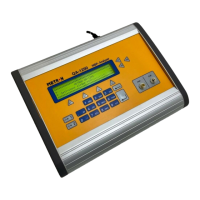
6. Select the desired waveform by pressing UP (F2) or DOWN
(F3) and then SELECT (F4). Press CANCEL (F5) to cancel
the selection. After selection the main menu will reappear.
7. For Immunity Testing Only. The immunity test determines the
pacemaker’s susceptibility to 50/60 Hz interference signals. If
you desire to test immunity simultaneously with other testing,
press SELECT NOISE (F2). The following load options will
appear:
Select the desired noise form by pressing UP (F2) or DOWN
(F3) and then SELECT (F4). Press CANCEL (F5) to cancel
the selection. After selection the main menu will reappear.
5.3 Demand Sensitivity
Test
1. General. Sensitivity is the minimum QRS amplitude (mV) re-
quired to cause the pacemaker to operate in the demand mode.
During sensitivity measurement three different waveforms are
selectable with widths varying in steps from 10 to 200 ms. This
waveform is delayed from the pacer pulse so that it is outside
the pacing refractory period. QA-45 then checks whether this
wave is sensed or not by the pacemaker.
If it is not sensed, a message 'exceeded' is displayed which
means that the pacemaker needs an amplitude more than 100
mV for sensing at that setting. If the wave is sensed, QA-45
then reduces the amplitude in steps until it reaches the lowest
value required for the pacemaker to sense it. (The internal algo-
rithm used converges to the lowest value in the least number of
cycles.) This lowest value is the sensitivity.
2. Procedure
a. From the main menu press more-2, then SELECT WAVE
(F1).
3


 To Next Page