3
1
2
12
Pre-selectable maximum speed
After switching on the operating
module the last pre-selected max. fi -
nal speed resp. preselected driving
profi le is shown (only one diode is lit
at a time).
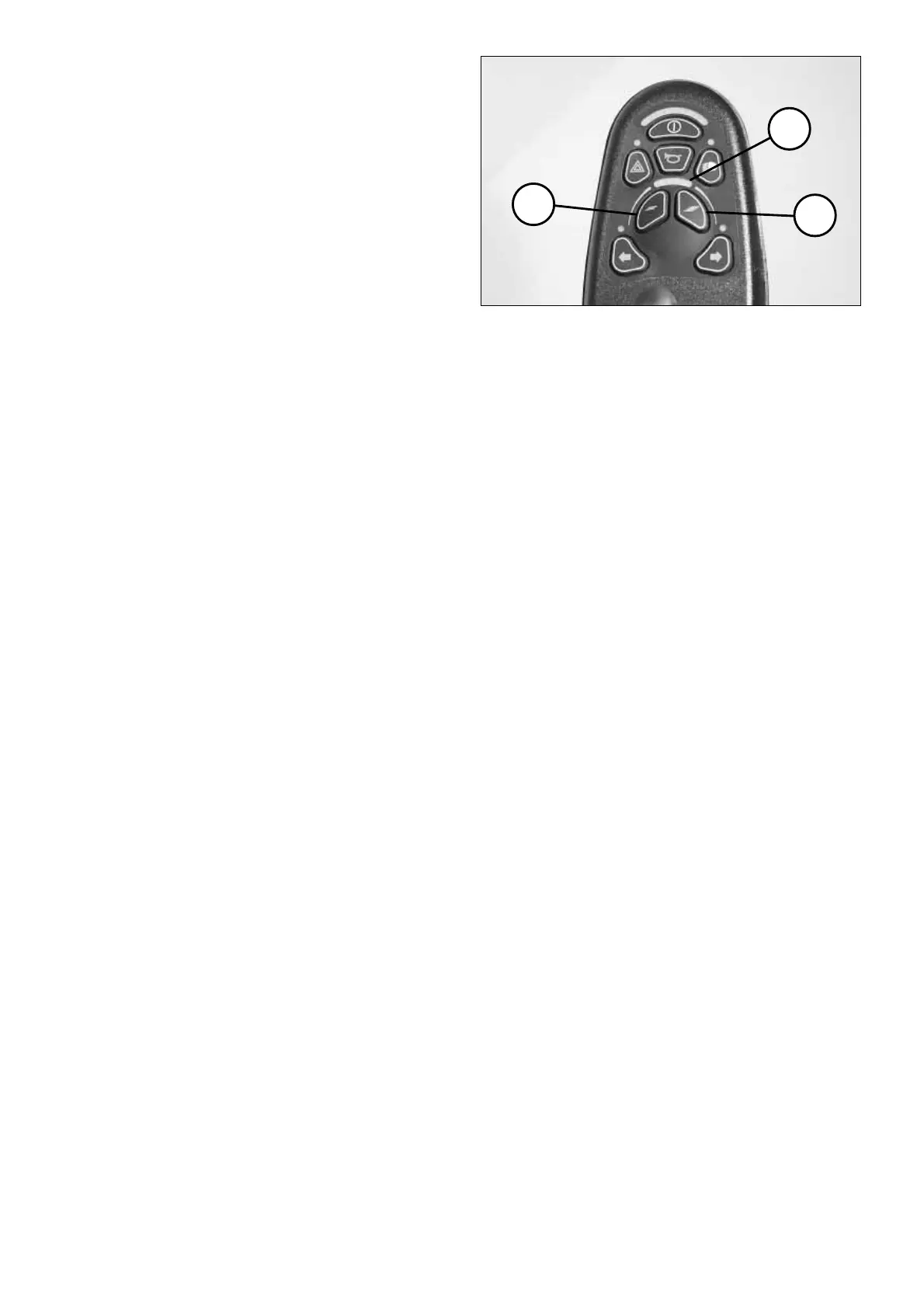
By pressing the keys (1) and (2) the
pre-selectable fi nal speed resp. driving
profi le can be decreased or increased.
The display (3) shows the selected
speed step resp. selected driving pro-
fi le.
!
Attention:
Danger of accident due to unsuit-
able setting of the pre-selected
speed!
For driving situation in which you
feel insecure, select a low fi nal speed
resp. low driving profi le, (e.g. driving
in tight spots, downhill, on ramps, in
pedestrian areas or similar).
!
Attention:
The fi nal speed resp. driving pro-
fi le is to be pre-selected in depend-
ence on the personal impression of
the respective driving situation!
The speed is to be adjusted accord-
ingly to the slope when driving
downhill. Never exceed the per-
mitted max speed. – Danger of
accident!
Diving speed stages:
The max. fi nal speed can be
pre=selected in 5 speed steps resp.
driving profi les.
In speed step / driving profi le 5 the
max. fi nal speed, depending on the
version of the vehicle, is 6, 8, 10 or 12
km/h.
In speed step / driving profi le 1 the
max. fi nal speed lies 20% of the max.
possible speed.


 To Next Page