1
2
3
3
2
1
18
ADJUSTMENT FUNC-
TIONS
Max. two electrical adjustment op-
tions can be selected over the operat-
ing module.
The selectable adjustment function
depends on the equipment fi tted to
the wheelchair.
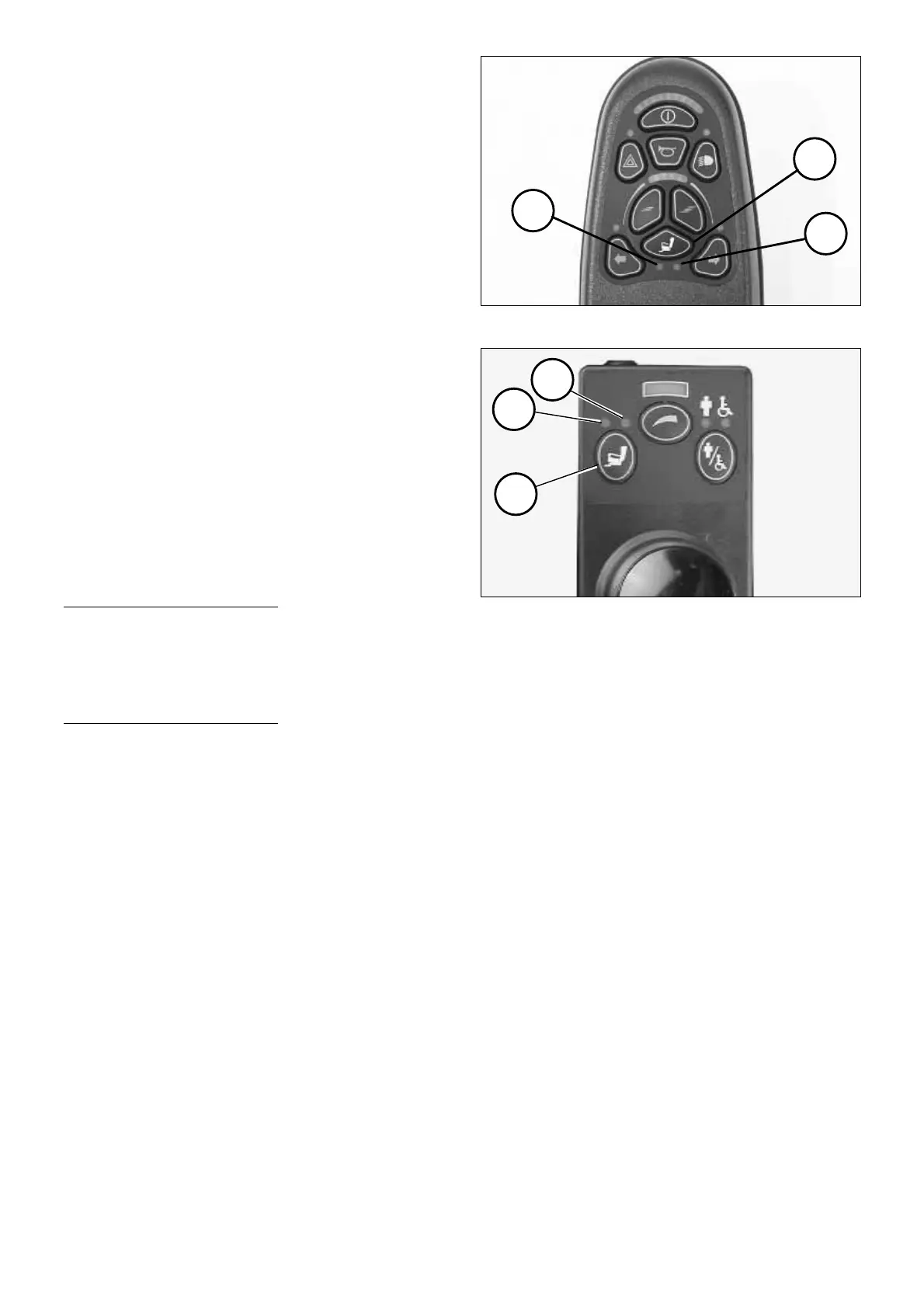
Switching on the adjustment
mode
Press the key adjustment functions
(1).
☞ The lit LED (2) or (3) indicates the
selected adjustment option.
Selecting adjustment options
1. Adjustment option
– Move the joystick 1x to the left.
☞ Left LED (2) light up in yellow.
2. Adjustment option
– Move the joystick 1x to the right.
☞ Right LED (3) light up in yellow.
Adjusting the adjustment options
☞ Therefore move the joystick for-
ward accordingly.
resp.
☞ Therefore move the joystick back-
ward accordingly.
Switching off the adjustment
mode
Press the key adjustment functions (1)
again.
☞ The LED of the selected adjustment
options extinguishes.



 To Next Page